SOLVED: Utility class generator: generated classes require builder reload

Hi Bricks Team, I was playing with RC 2.2 to explore new features and contribute if I see bugs or improvements.

I noticed 3 issues.

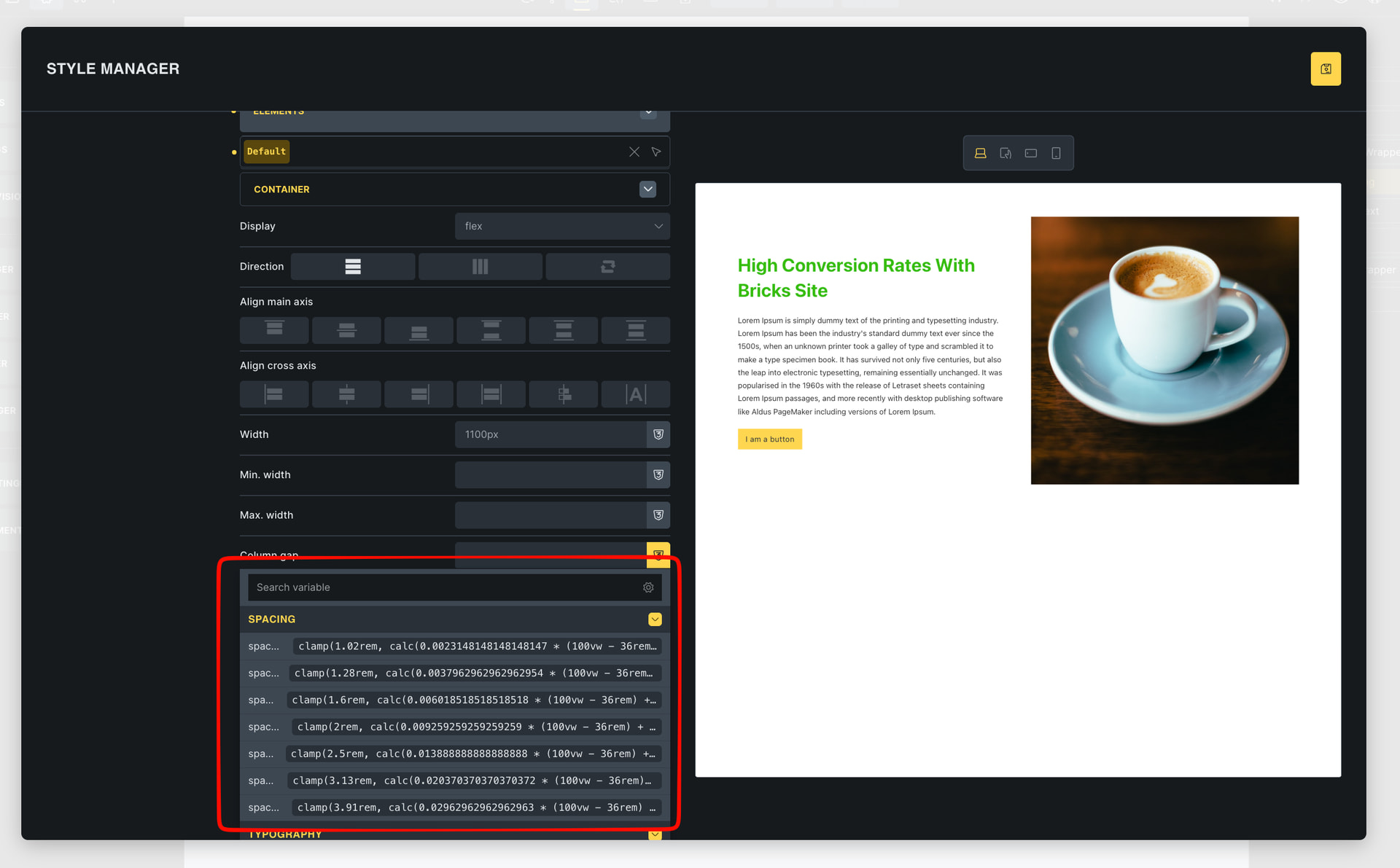
1: In Theme Styles, It’s not showing the full variable name. Can you guess the variable names in the below screenshot :slight_smile:

Additionally, it would be great to remove gibberish and show only variable names. Or give a toggle in settings to “Show variables value in dropdown”

2: Color name’s tooltip is covering other colors behind it, And I’m not able to click on the colors behind the tooltip.
See video for reference:

3: When I generate classes from variables. And I try to add class, When I hover over a class it doesn’t show preview in realtime until I refresh the page once (after generating the classes).
See video for reference:

Thank you,
Adeel

1 Like

Hi Mouhammad,
Thanks so much for your report!

However, separate reports would make more sense, as these are different problems in different areas. The version is irrelevant, as we create an individual task for each problem.

#1 is already in the works: WIP: Variable names cut off in Theme Styles typography

#2: Phew, I don’t seem to be nearly as fast and precise as you, but every now and then I can reproduce the behavior. We’ll have to see if we can change anything about it, especially since it’s more of an improvement than a real bug.

#3: Yep, I can replicate the issue and added it to our internal bug tracker.

Best regards,
timmse

1 Like

We fixed this issue (#3) in Bricks 2.2 RC2, now available as a manual download in your account (see changelog).

Please let us know if you are still experiencing issues.

As with any pre-stable release, please do not use it on a production website. It is intended for testing in a local or staging environment only.