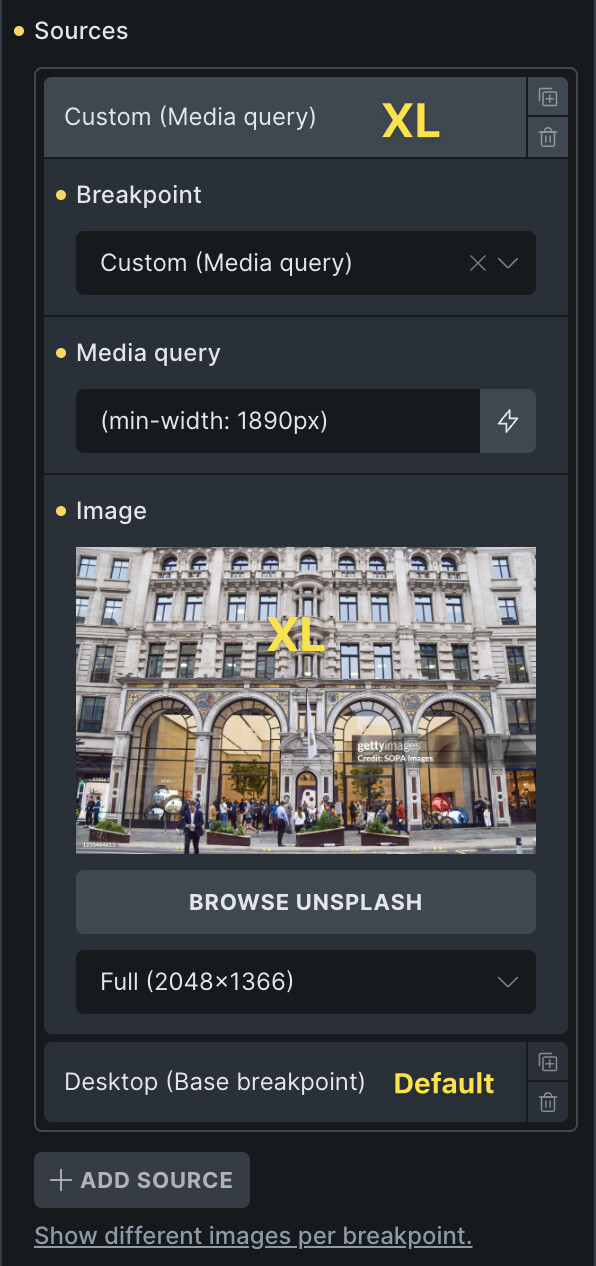
Hi, I added one custom breakpoint (I set it to 1890px at the moment). The purpose is to deliver sharper page hero images on large, high-density screens (4K and up). For that I use the maximum available standard resolution in WP (2560px).
My base resolution is Desktop. I don’t do mobile-first. The extra breakpoint is Desktop XL.
So far, so good. I don’t mean background images but < img > with customized sources. It works fine with all sources below the base breakpoint. In the source I get: <source media="(max-width: 991px)"> or other breakpoints. Great.
But for Desktop XL, I would expect <source media="(min-width: 1890px)">. But instead, in the page source I also get max-width: 1890px, which means the rule will never work as intended. The XL resolution will not be loaded on XL screens.
I set the sources starting from the lowest resolution and going up. As recommended in the UI.
Actually, now I think the base breakpoint in my scenario should get something like <source media="(max-width: 1889.9px)">, so that it is skipped on larger screens.
I can replicate the problem and have added it to the internal bug tracker. We will update this thread as soon as it is fixed.
Instead of selecting the breakpoint, you can add a “custom” source and add the min-width there. Make sure it’s above the “default/base” breakpoint source, and it should work as expected.
We’ve addressed this in Bricks 2.4-beta (beta release), now available for manual download from your Bricks account.
Please read the changelog entry before testing, and let us know if you experience any issues. Note: beta builds are not recommended for production sites.