Hello! 
As the title says, if I use a “video field” from Metabox as the dynamic data source of a link element that is set to open as a video lightbox, the video doesn’t work.
I can use the same Metabox video field for a Bricks video element, for example, but not in the video lightbox link type.
Here are my Bricks settings:
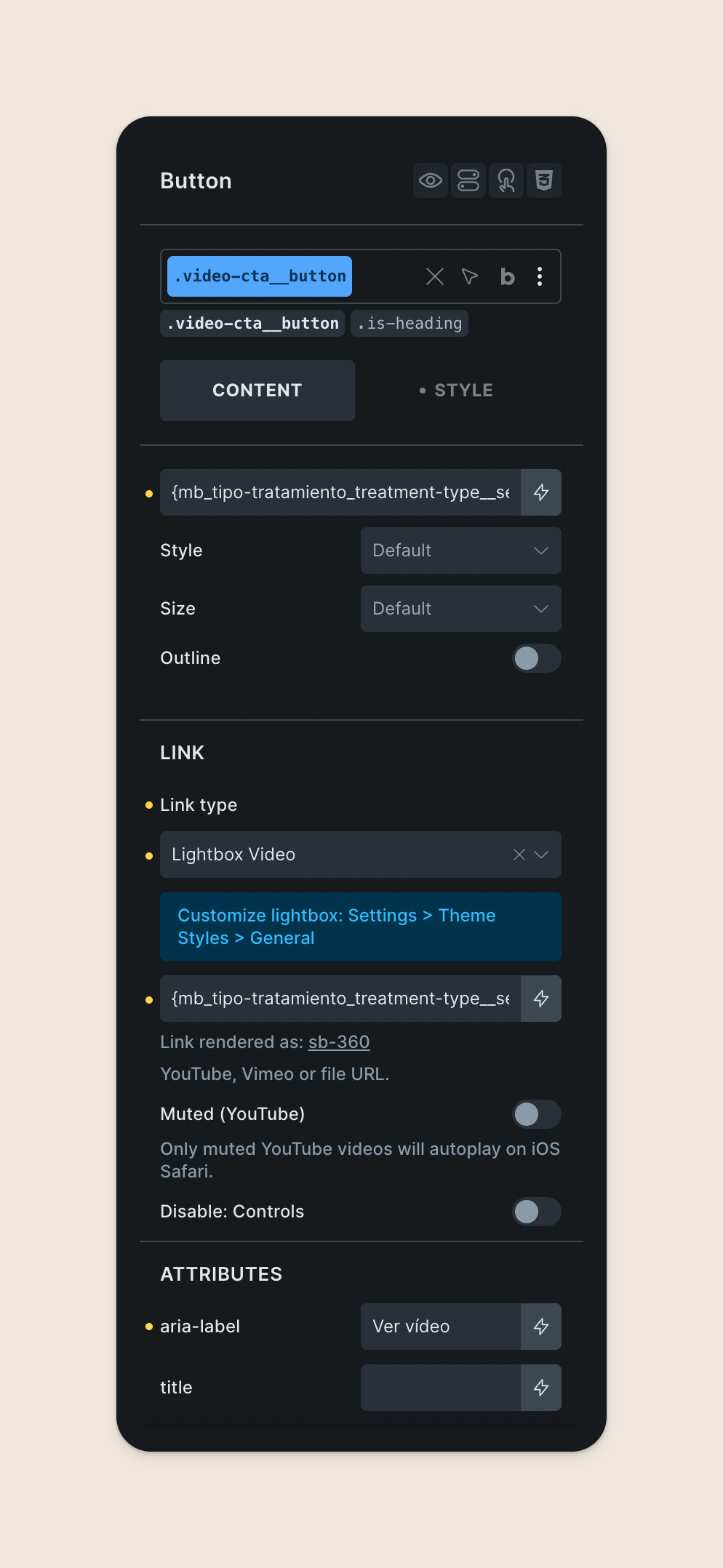
Inspecting the DOM, what I can see is that the DD is adding extra tags where it shouldn’t be. This is how the link looks with the video lightbox:
<a id="brxe-cvbdyb" class="brxe-button video-cta__button is-heading bricks-button bricks-lightbox" href="<a href="https://my-site.com/wp-content/uploads/sb-360.mp4" aria-label="Descargar sb-360">sb-360</a>" data-pswp-width="1280" data-pswp-height="720" data-pswp-video-url="<a href="https://my-site.com/wp-content/uploads/sb-360.mp4" aria-label="Descargar sb-360">sb-360</a>" aria-label="Ver vídeo"><svg class="" xmlns="http://www.w3.org/2000/svg" width="48" height="48" viewBox="0 0 48 48" fill="none"><rect width="48" height="48" fill="#E0241A"></rect><path d="M18 34.3847V13.6157L34.3075 24.0002L18 34.3847ZM20 30.7002L30.577 24.0002L20 17.3002V30.7002Z" fill="white"></path></svg>Así es cómo trabajamos</a>
This results in the lightbox not working at all.
And here’s a regular video element pulling the same dynamic data from the same Metabox video field:
<video class="" preload="none" autoplay="" playsinline="true" onclick="this.paused ? this.play() : this.pause()" loop="" muted="" src="https://my-site.com/wp-content/uploads/sb-360.mp4" data-is-loaded="true"><p>Tu navegador no admite la etiqueta de vídeo.</p></video>
Why’s that? Why Bricks inject the double href and aria-label tags, inside the href tag in this scenario? It seems like a bug to me!
Can you take a look?
Thanks!