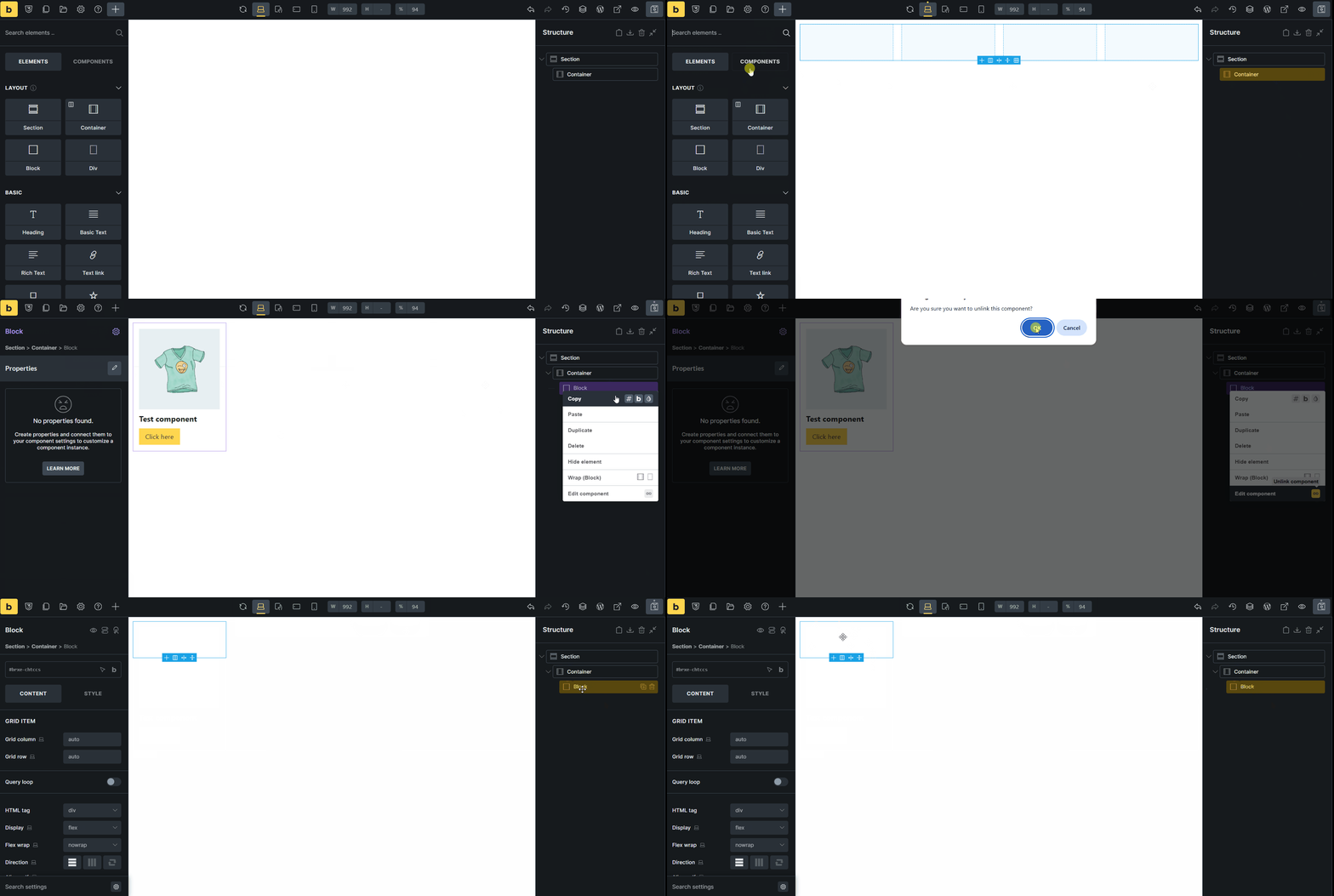
Browser : Chrome 137.0.7151.41OS : Windows
Hi team,
If we import a component, add it to the canvas, and then unlink it, it will completely break. In fact, after Unlink, the internal elements of the component are deleted.
In the video below, the component I add has already been imported.
Matej
May 27, 2025, 8:22pm
2
Hi @HOSEIN ,
huh, great catch! I was able to replicate it, and I’ve added it to our internal bug tracker.
Best regards,
timmse
June 17, 2025, 11:07am
3
Hi Hosein,
We fixed this issue in Bricks 2.0 RC, which is now available in your account.Bricks 2.0-rc Changelog – Bricks
Please let us know if you are still experiencing issues.
As with any pre-stable release, please do not use it on a production/live website. It is only meant for testing in a local or staging environment.
HOSEIN
July 23, 2025, 9:30pm
4
Hi @Matej and @timmse ,
After updating to Bricks 2.0, one of the components still has this problem. And actually I’m not sure it’s exactly the same as this report.
I have added the component code below. Please let me know if I need to create a new thread.
Thank you
{"content":[{"id":"xetxjc","name":"block","parent":"8ed6b3","children":[],"settings":{},"cid":"bipckj"}],"source":"bricksCopiedElements","sourceUrl":"https://avangtheme.ir","version":"2.0","globalClasses":[],"globalElements":[]}
timmse
July 24, 2025, 8:33am
5
I can’t do much with the code because the “connected” component is missing. Can you check again what’s going on?
HOSEIN
July 24, 2025, 9:21am
6
I copied the same code and it added fine in my website. Anyway please try this component file.
timmse
July 25, 2025, 6:58am
7
Thanks, Hosein! Within your component, there is an ID entry for an element that no longer exists for whatever reason, causing an error. We have added an additional check to prevent this from happening in the next version.