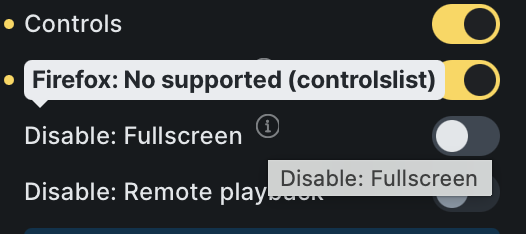
Very minor issue, but wanted to bring this to your attention as it’d be easy to overlook it. When hovering over the info icon for “Disable: Fullscreen” for example on the Video element under Controls, it says Firefox: No supported (controlslist), but this is not grammatically correct in English. It should either read Firefox: Not supported (controlslist) or Firefox: No support (controlslist).
We’ve fixed this issue in Bricks 2.0.2 now available as a one-click update in your WordPress Dashboard.
Please take your time to read the changelog entry before updating: Bricks 2.0.2 Changelog – Bricks, and let us know if you continue to experience issues.