SOLVED: Some issues in woo Setup wizard (in RTL)

Browser: Chrome 150.0.7871.129
OS: Windows

Hi Team,

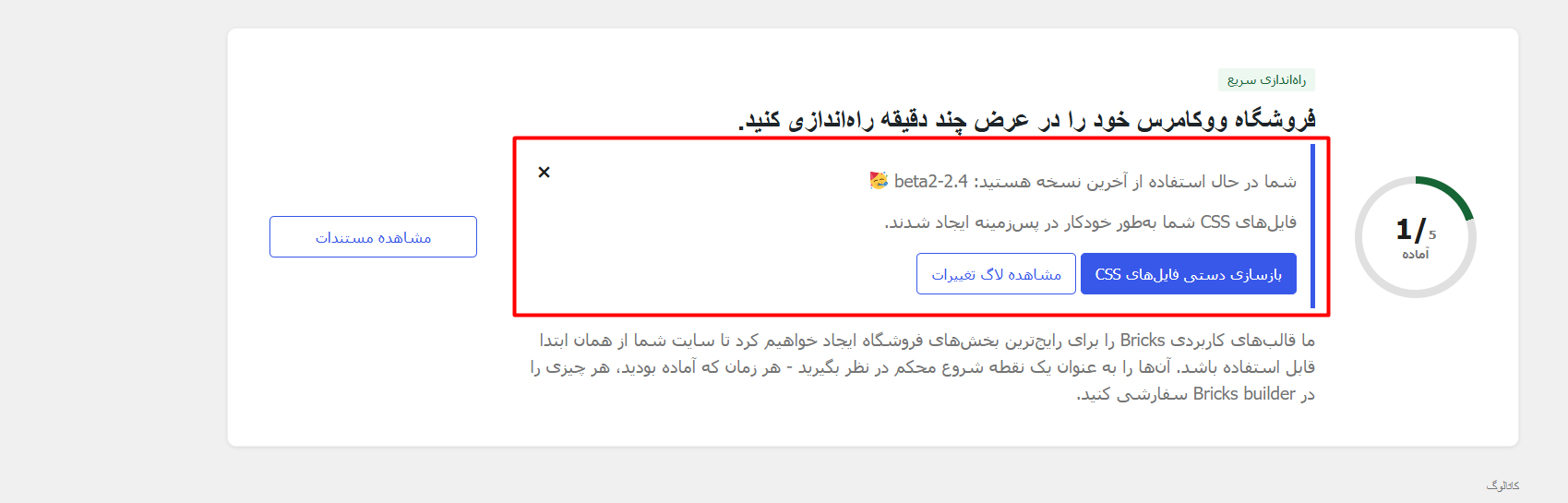
1- After updating to the new version, the notification to regenerate css files is displayed in the wrong position in the Woo setup wizard. Sorry, the content of the screenshot below is in Persian, but the problem is understandable. I don’t think this problem is just related to RTL.
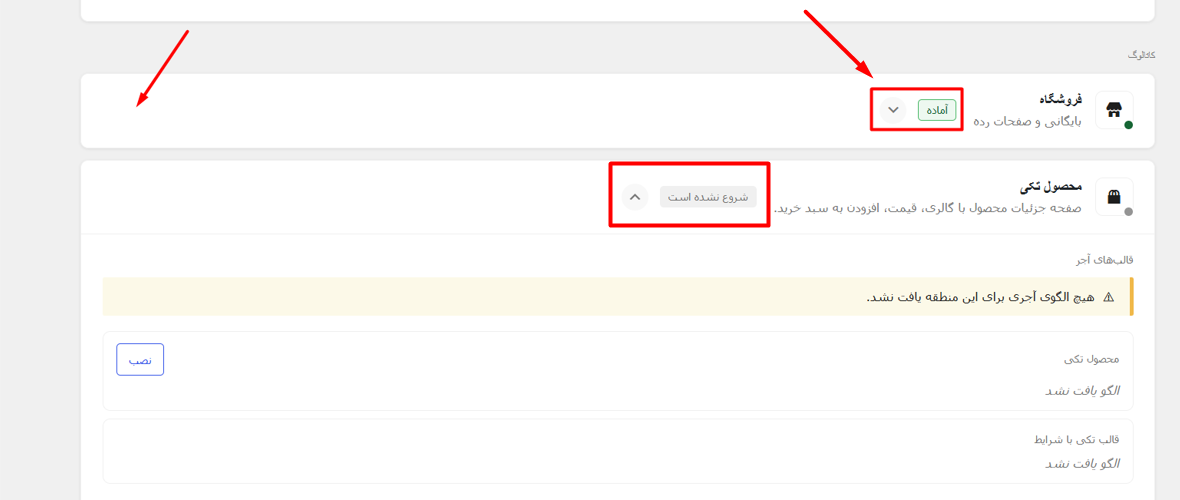
2- In RTL, some parts are not in the correct position.
Hi @HOSEIN ,

Thanks for the report. We are working on it.

Regards,
Jenn

We’ve addressed this in Bricks 2.4-beta3 (beta release), now available for manual download from your Bricks account.

Please read the changelog entry before testing, and let us know if you experience any issues. Note: beta builds are not recommended for production sites.