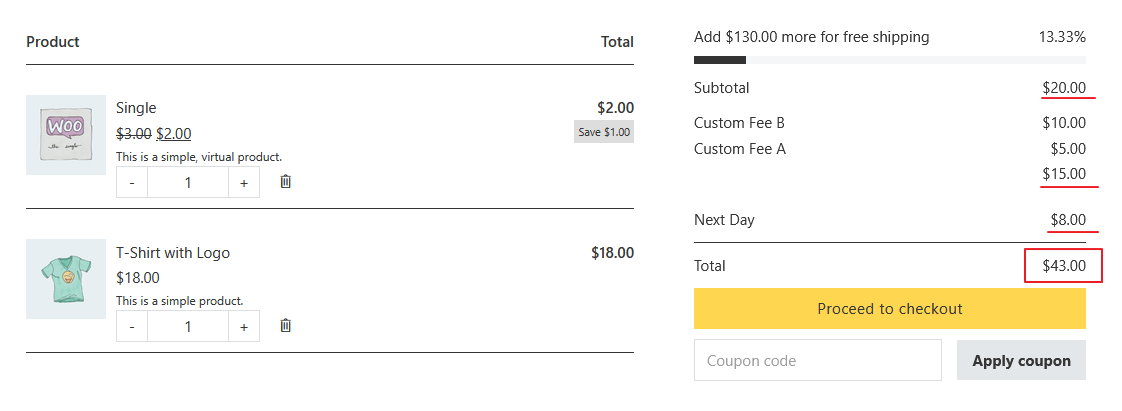
Browser: Chrome 110 OS: macOS / Windows / Linux / etc. URL: Link to a page that illustrates this issue Video: Short screen recording that illustrates this issue (free tool: jam.dev)
Hello,
1- By default, the dynamic output of {woo_cart_order_total} is rendered within a <strong> tag; consequently, it remains bold even if the font weight is set to 400. It would be more logical for the output not to be wrapped in a <strong> tag by default, as this would allow us to easily set the font weight to 700 or wrap it in a <strong> tag only when needed.
2- Even though the “Enable the shipping calculator on the cart page” option is disabled in WooCommerce > Shipping settings, the dynamic {woo_cart_order_total} data on the cart page still includes the shipping cost in its calculation. This can be confusing for customers, as the {woo_cart_order_total} amount ends up being higher than the sum of the items in the cart.
{woo_cart_order_total} and {woo_cart_order_subtotal} using native WooCommerce function to output the full HTML via wc_cart_totals_order_total_html() and wc_cart_totals_subtotal_html() You can use :plain to remove all tags. Example: {woo_cart_order_total:plain} It isn’t a bug.
Please provide a screenshot of what you can see on your cart page that is confusing. Also, you can create a dummy page and insert the WooCommerce Gutenberg Cart block as a comparison. We design the predefined structure following Gutenberg Cart block pattern.
1- I just checked the modern WooCommerce cart, and the “Cart totals” are not displayed within a <strong> tag there. Of course, I don’t know how to code, so I’m not sure what the difference implies. Regarding the use of {woo_cart_order_total:plain}, it works well. The only issue is that the price unit is no longer enclosed in a separate <span> tag, making it impossible to customize the style of the price unit.
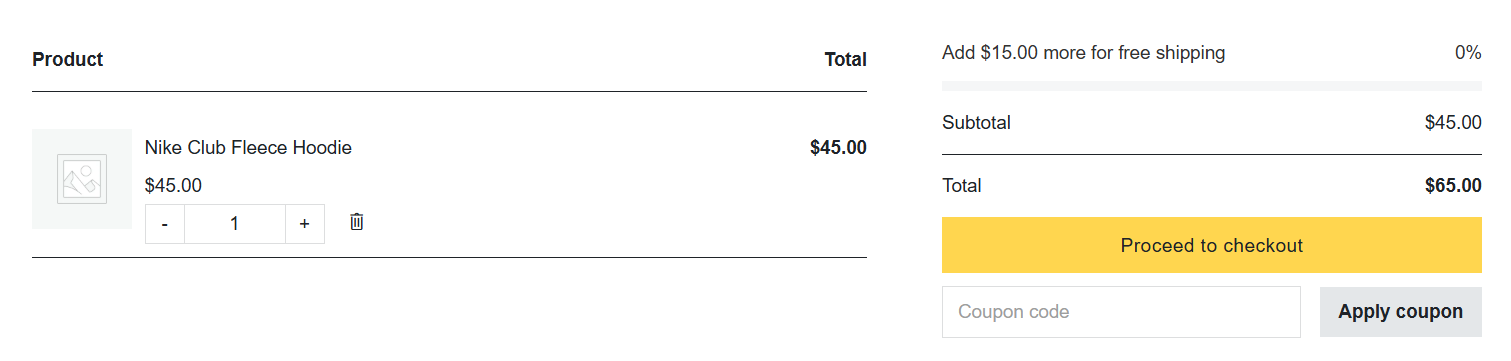
2- We do not display shipping costs in the cart because the cost varies depending on the province selected during checkout, and different shipping methods have different prices; therefore, showing the shipping cost at the cart stage would not be logical. Please refer to the screenshot below. Based on the product in the cart, the total should be $45.00, but it is calculating $65.00 because it has included the shipping cost. At this point, the question arises for customers: what is the additional $15 for?
We’ve addressed this in Bricks 2.4-beta3 (beta release), now available for manual download from your Bricks account.
Please read the changelog entry before testing, and let us know if you experience any issues. Note: beta builds are not recommended for production sites.