SOLVED: Remove Font Awesome, Ionicons & Themify CSS

I only use my own SVGs for icons and never use the Icon-loaded fonts. The Bricks “frontend.min.css” file is currently 228KB. I removed all the “.fa-”, “.ion-” & “.ti-” classes and file size went down to 94KB.

Is there a filter that can remove all the Icon fonts?

6 Likes

Are you using this?
Asset Loading Optimization – Bricks Academy (bricksbuilder.io)

Frontend file only loads 40KB css using above for me.

2 Likes

I’ve tried using the External files, but the site will be updated regularly and I’m not sure how often I’ll have to regenerate the CSS. And yes, the icon CSS is removed.

So I’ve been using the Inline styles, which looks easier to maintain.

As far as I know regenerating external CSS files is needed only once unless you import templates from a different site. I could be mistaken though. Need to test…

1 Like

Each version seems to require regeneration too (recommended in the admin banner when you upgraded to 1.4 for example), but I’m hoping they’ll consider just auto-regenerating the external CSS files too during such events.

3 Likes

I want this as well! Loading unsued css libraries seems like a waste of data.

@philipp Icon library CSS files are only loaded when needed (i.e. you’ve selected a Font Awesome icon, etc.). If that’s not the case with your setup, please let us know via help@bricksbuilder.io, so that we can investigate further.

3 Likes

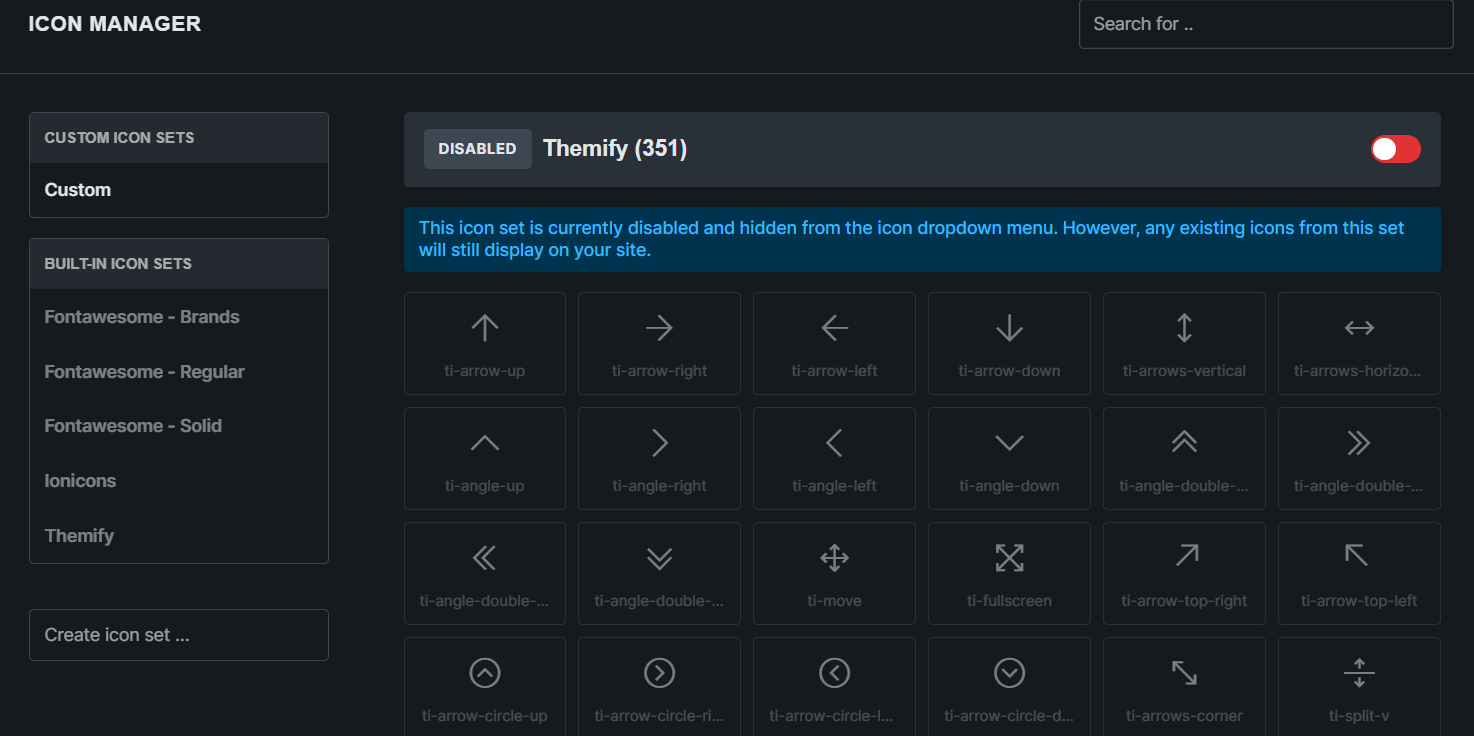
@thomas I have disabled themify icons but they still in the list.


image

Bricks version 2.0rc2
Windows 10
Chrome 138

@ayoubkhan558 Could you email us some WordPress admin login details so we can take a quick look at your site?

Already reported bug here, You can reproduce the error, If you are unable to reproduce error I will provide you login details.

Hi in other site, I have disabled font awesome icons. But bricks still load the fa-brands-400.aoff2

How to fix it?

you just dequeue it like this. This will dequeue icon sets that you had disabled in frontend only.

add_action( 'wp_enqueue_scripts', 'dequeue_disabled_icon_sets_assets', 999, 1);

function dequeue_disabled_icon_sets_assets() {
    $disable_icon_libraries = get_option(BRICKS_DB_DISABLED_ICON_SETS, []);
    $dequeue_fontawesome_regular = 0;

    if ( !empty($disable_icon_libraries) ) {
	    foreach($disable_icon_libraries as $icon) {
		    if ( $icon === 'fontawesomeBrands' ) {
			    wp_dequeue_style('bricks-font-awesome-6-brands');
		    } else if ( $icon === 'themify' ) {
			    wp_dequeue_style('bricks-themify-icons');
		    } else if ( $icon === 'ionicons' ) {
			    wp_dequeue_style('bricks-ionicons');
		    } else if ( $icon === 'fontawesomeRegular' || $icon === 'fontawesomeSolid' ) {
			    $dequeue_fontawesome_regular++;
		    }
	    }

	    if ( $dequeue_fontawesome_regular === 2 ) {
		    wp_dequeue_style('bricks-font-awesome-6');
	    }
    }
}
3 Likes

You have to remove them conditionally though, because some icons are used in the bricks builder. You can set a condition for snippet to run when URL doesn’t contain ?bricks=run