Hi, I’m trying to figure out how to use the filter checkbox as an exclusion filter.
Basically I have a ACF checkbox for allergens in my Woocommerce products:
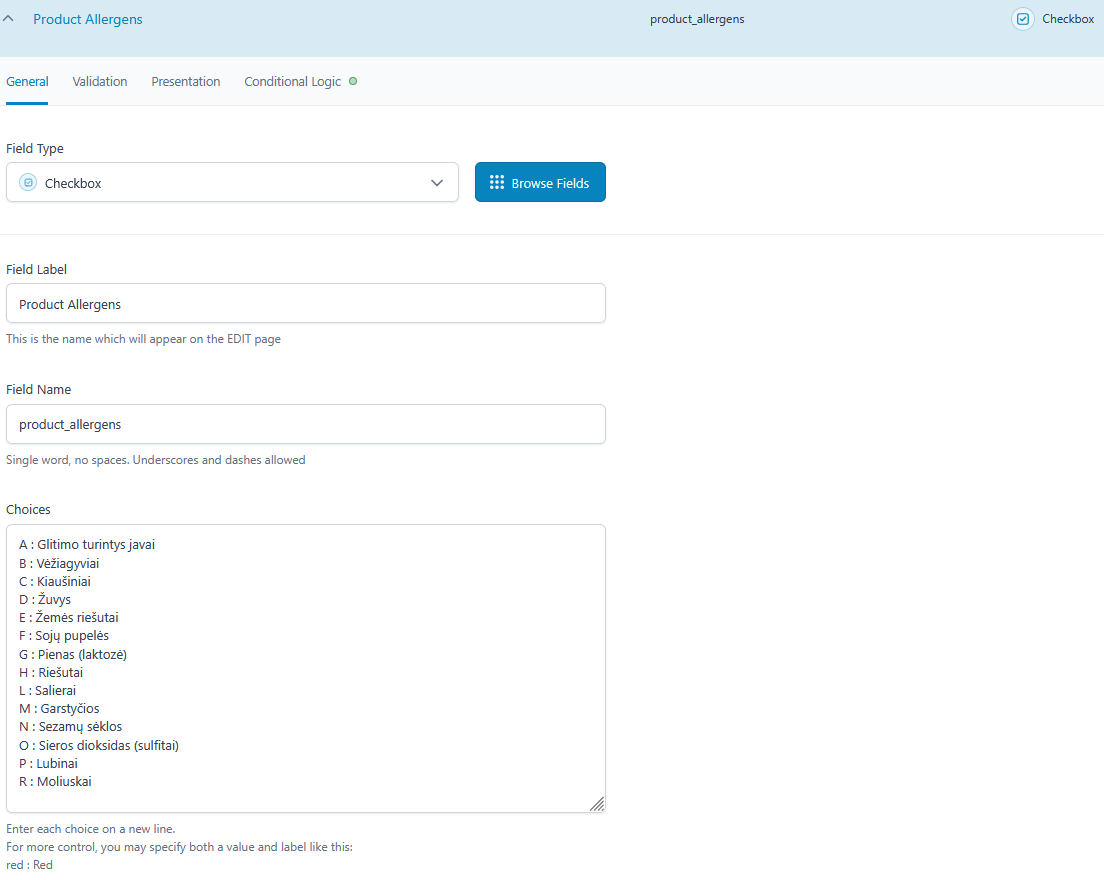
I want my clients to be able to select an allergen which they do not tolerate so the query does not show results for it.
The default behavior/current is that client clicks an allergen and the query results are only products with that/those allergens which is not exactly logical.
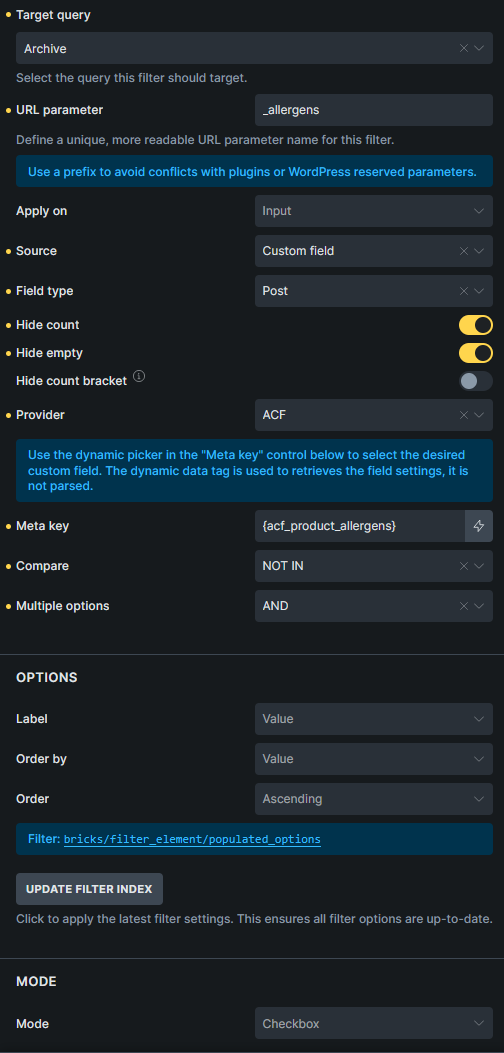
I tried the NOT IN method for comparison but it behaves exactly the same as default, because I assume under the hood it’s actually a LIKE query for serialized data. Any hooks or filters I can use?