SOLVED: Product Review Star rating

Clicking on a star to add a product rating always gives the appearance that you have chosen 5 stars - on submission the correct star rating will show but this is confusing for a website user
https://jam.dev/c/0ca5b478-7e7b-4f6f-85ac-f4c9155493dd

Browser: Chrome 110
OS: macOS / Windows / Linux / etc.
URL: Link to a page that illustrates this issue
Video: Short screen recording that illustrates this issue (free tool: jam.dev)

[Please describe this bug in as much detail as possible so we can replicate & debug this bug]

Hi @Alice,

Welcome to the forum! I was able to replicate the issue and have added it to our internal bug tracker.

Thanks @charaf do you have any idea the timescale on this? We’re hoping to launch the site at the end of september

We have a working solution already, so this should be included in our upcoming release. If this is urgent, here’s a temporary custom CSS workaround:

#reviews form .stars.selected a.active ~ a::before {
    color: #d5d6d7;
}

Amazing thanks Charaf!

1 Like

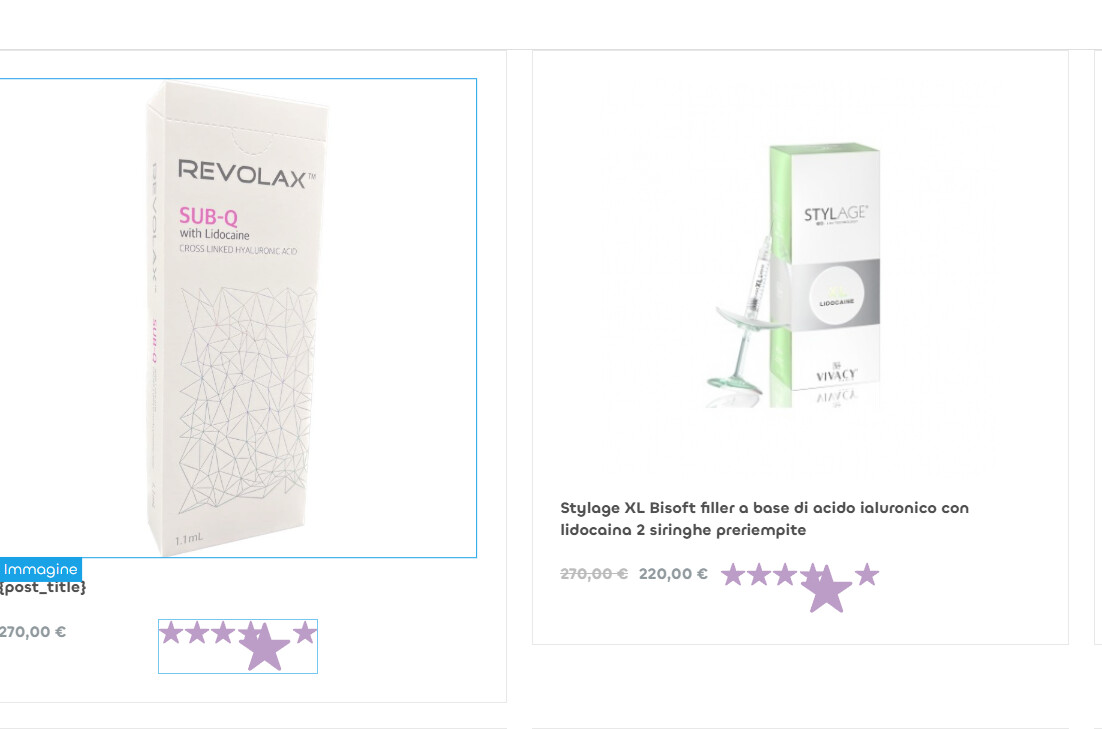
i don’t know if it’s connected to this, i’m trying to put star rating in a query loop of products, but i always have 5 stars, and if i try to set the “rating” filed to example 3.5 i have another star over the others. should this work on query loops or is exclusive of product template?
thanks (i already tried to use the css solution)
Hi @caffeine666,

I believe you are using a different element than the one discussed in this thread. It would be best if you could create a new report for this issue.

We fixed this issue in Bricks 2.1 beta, now available as a manual download in your account (see changelog).

Please let us know if you are still experiencing issues.

As with any pre-stable release, please do not use it on a production website. It is intended for testing in a local or staging environment only.