SOLVED: Problem with nested components in slots

Browser: any
OS: any
Video: videoscreenshot (dropbox)

Hi everyone. I need help with components.

I created new components, such as Mini Card in Slot and Component. I filled in the fields in the Mini Card component.
Problem: I couldn’t edit/add/change text or rich text. The only things that are working are image and switcher.
Here’s the video demonstration of the issue: videoscreenshot (dropbox)

Will appreciate any help or advice. Thank you in advance, and have a lovely day :slight_smile:

Hi Oleksii,
Thanks so much for your report!

Unfortunately, I cannot reproduce the problem. Please provide us with both components, so we can try to replicate it.

Best regards,
timmse

Ok. Can you send me your email, so I could give you access to staging website, where you can see everything?

Sure thing. Please send temporary login credentials and a link to this thread to help@bricksbuilder.io using the email address you used during the purchase.

Can I email you with my own email address, because the owner of the account (my boss) is not available right now?

Just CC him, so we can verify his email address.

Hello.
I’ve sent an email with all the details.
Thank you :slight_smile:

Thanks so much for the login details!

The problem arises as soon as the “block in card” component’s heading and rich text elements are wrapped. If you unwrap them, they’ll work as expected.

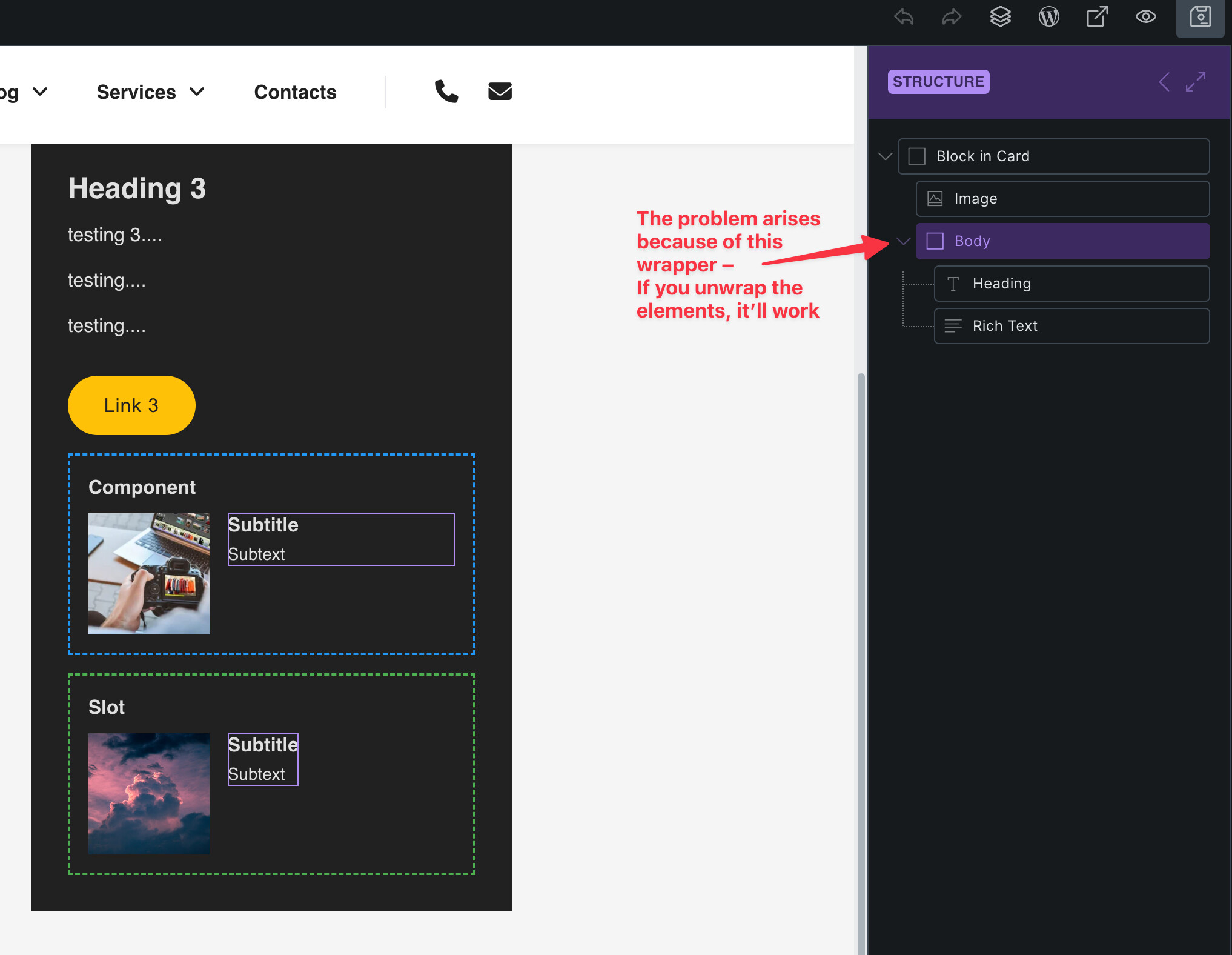
We’ll update this thread once it’s fixed.

Thank you so much for your time and help :slight_smile:

We fixed this issue in Bricks 2.2, now available as a one-click update in your WordPress Dashboard.

Please take your time to read the changelog entry before updating, and let us know if you continue to experience issues.

Good morning. Thank you so much for your swift response and help. Now everything is working perfectly :slight_smile:

1 Like