Browser: Chrome 110
OS: macOS
Video: https://www.loom.com/share/2dac5a8eb90449b1b769ea44c8056157?sid=48c66840-6d3b-41c3-a02d-3e37637acfcd
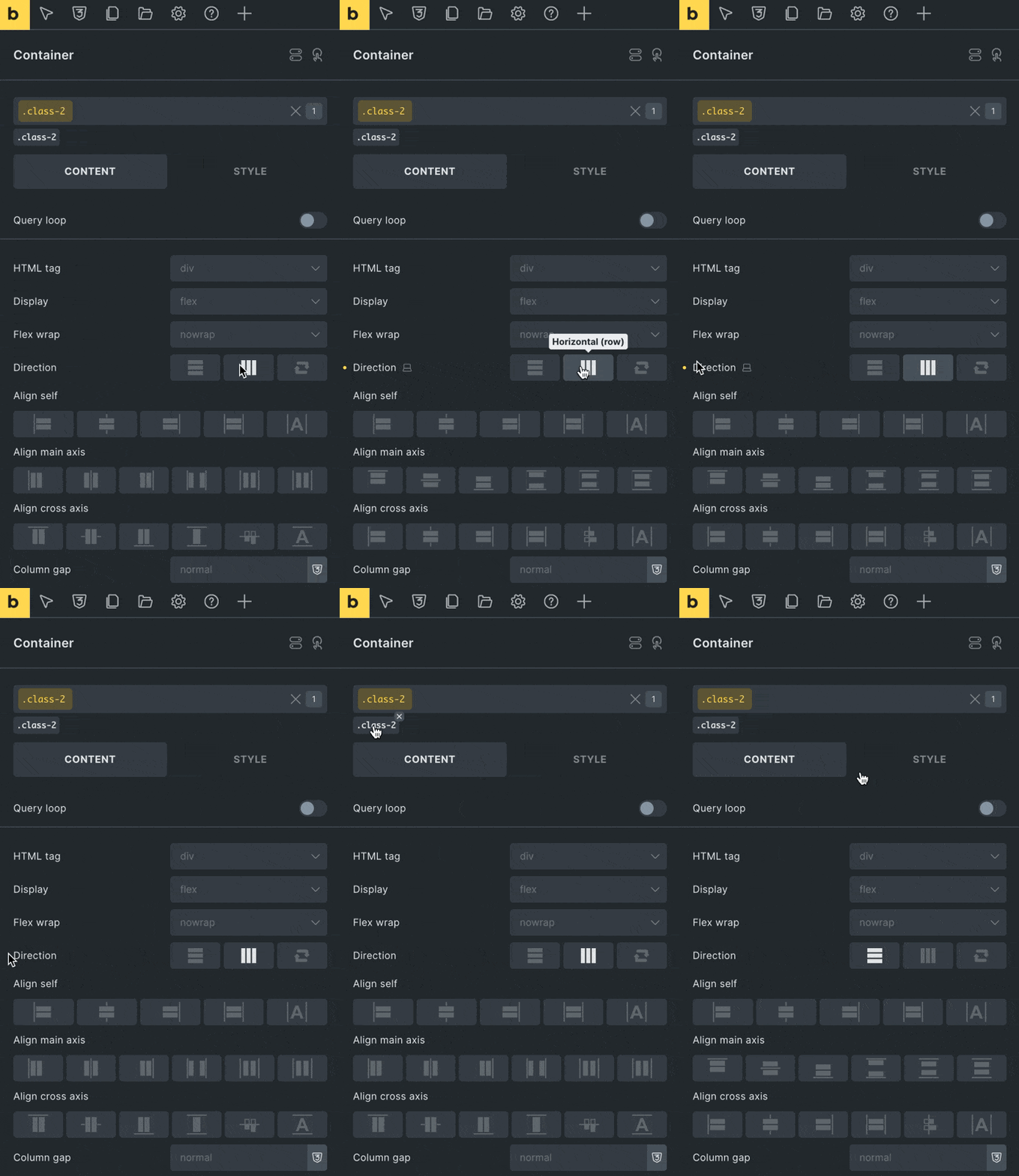
Works as expected when styling on ID, but when styling on class:
- On a Container or Block, set flex direction to Horizontal
- Unset that setting by clicking the yellow dot
… The setting panel does not revert to indicating Vertical, even though it is visibly vertical on canvas.
This in turn causes confusion with the ‘Align main axis’ & ‘Align cross axis’ settings because they are contrary to the shown direction.