Hello,
Is there a way to have different icons and icon colors for each individual row/item inside the pricing tables? I want to achieve something like this:
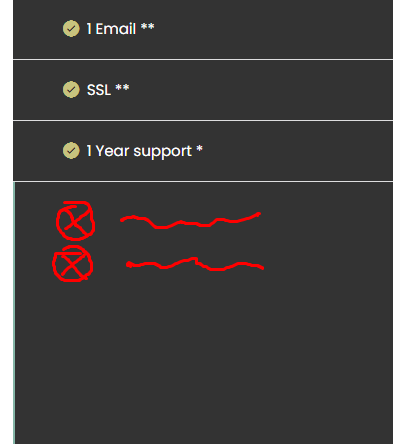
checkmark for available and crossed out for unavailable.
Kind regards
Hello,
Is there a way to have different icons and icon colors for each individual row/item inside the pricing tables? I want to achieve something like this:
checkmark for available and crossed out for unavailable.
Kind regards
Hi intovortex,
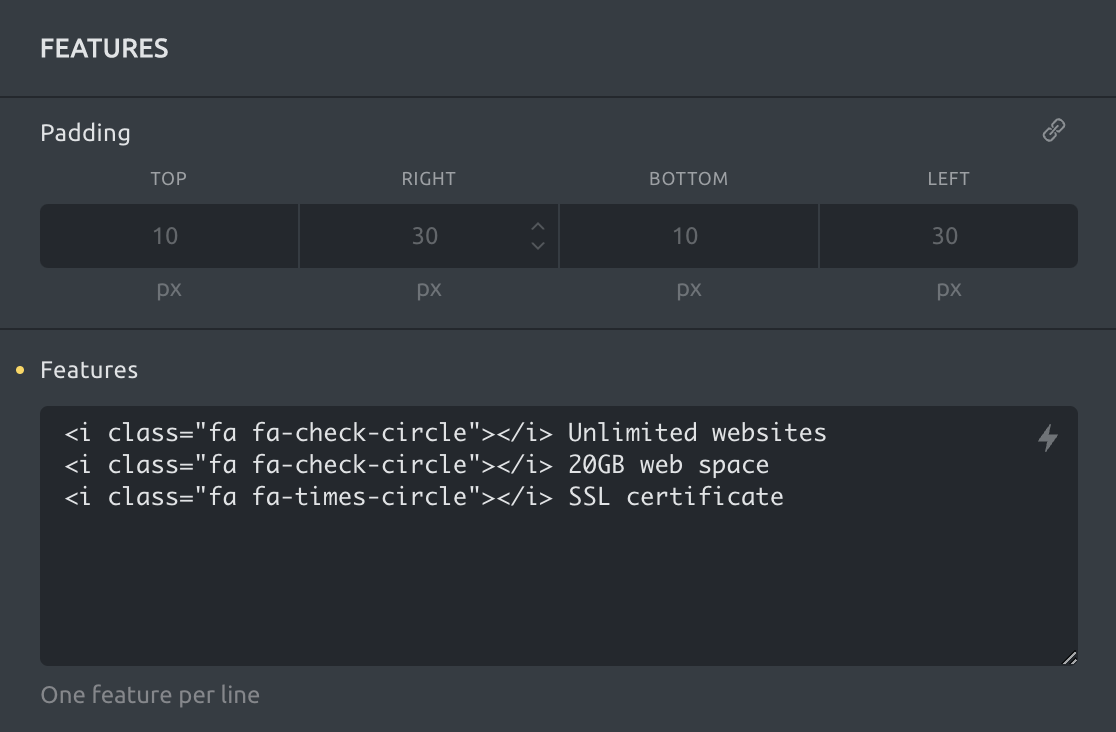
Sorry for the late reply! You can disable the icon for every element and place them manually (font awesome example):
<i class="fa fa-check-circle"></i> Unlimited websites
<i class="fa fa-check-circle"></i> 20GB web space
<i class="fa fa-times-circle"></i> SSL certificate
Make sure to include the icon styles as well if you have not already included an icon on the same page.
Go to settings (the little gear icon on the top left) » page settings » custom code » header scripts:
<link rel="stylesheet" id="bricks-font-awesome-css" href="https://yourdomain.com/wp-content/themes/bricks/assets/css/libs/font-awesome.min.css" media="all">
Best regards,
timmse
Hi,
no problem thank you for your kind help, I appreciate it!
It worked perfectly and solved my problem.
Have a nice day.
Kind regards