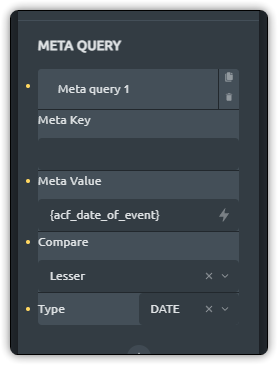
I’m creating an ‘events’ page that has dates to it. Is it possible to use the meta query to only show posts that are the same date or newer than the current date? I think I have it close, but not quite sure what to put into the meta key.
2 Likes
Hi Lyle,
it should be possible if the dates are saved using a comparable format, like “Y-m-d” or the UNIX timestamp in seconds „U".
The meta key should be “date_of_event” and the meta value the current date “{current_date:Y-m-d}” or “current_date:U”.
It is important to use the same date format for comparison.
Best regards,
timmse
1 Like
Hey @ocbroadband do you mange to solve the problem? I have a similar problem, i have tried the solution that @timmse proposed but it doesn’t work.
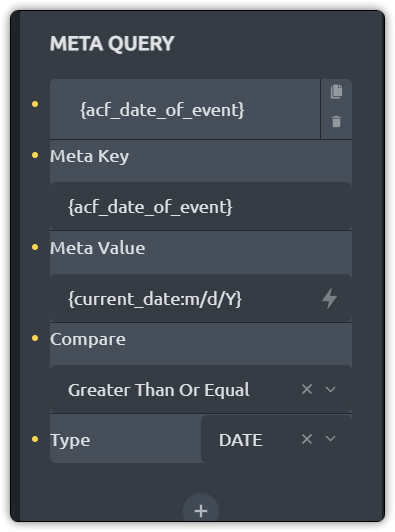
Hi Lyle,
please change the meta key to “acf_date_of_event” (without quotes and curly braces) and let me now if it works 
So, I actually just put “date_of_event” to match the ACF field name, and it appears to have worked. I am presuming that ‘Date’ should be the type though, correct? I noticed in another example, someone used numeric, but not sure why.
So, my posts show up, however, it doesn’t appear to filter correctly. I shows ‘all’ the entries regardless of the date, of which I’m using of course, current date as to determine showing or not. Couple screen shots below. If I pick greater than or equal, all the posts show up, if I pick lesser than or equal, they all disappear. Even though I have a test entry that is beyond todays date. I would expect either 2 or only 1 depending on if its set to greater or lesser than, no?
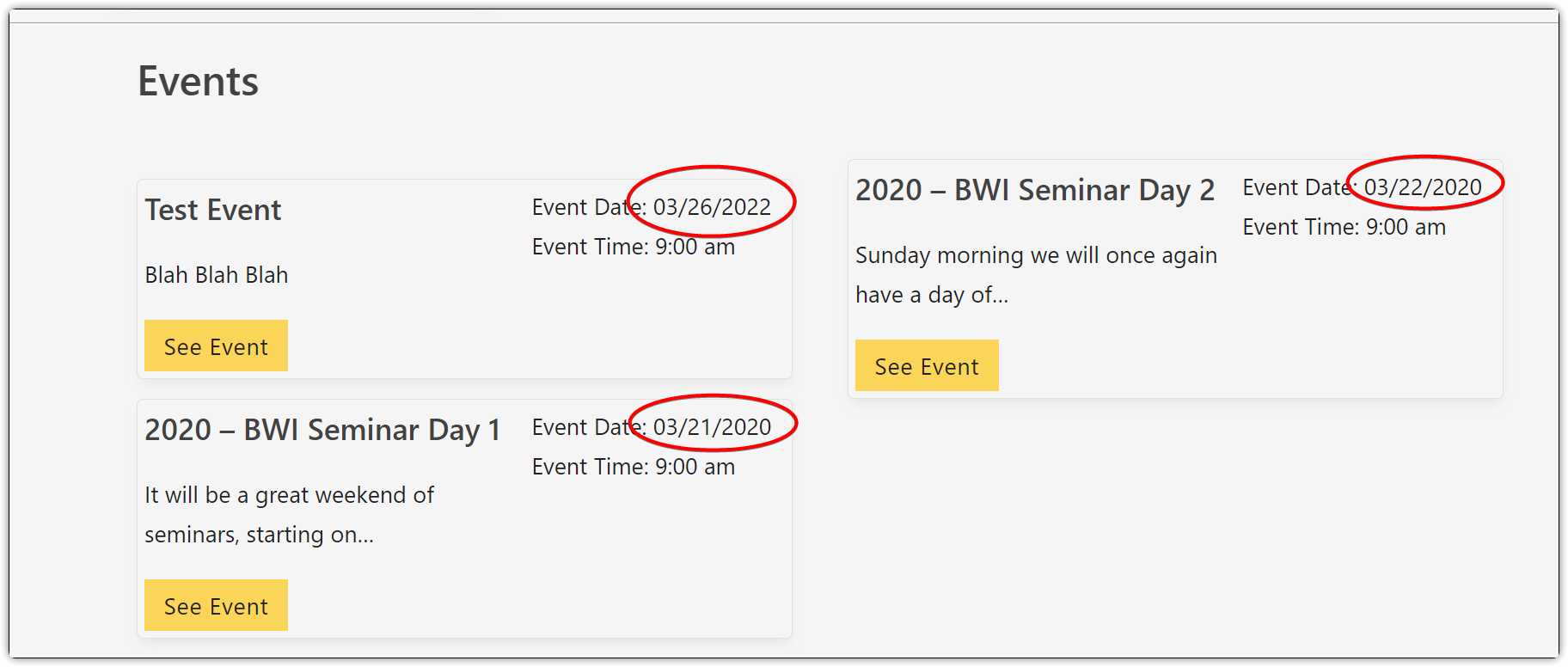
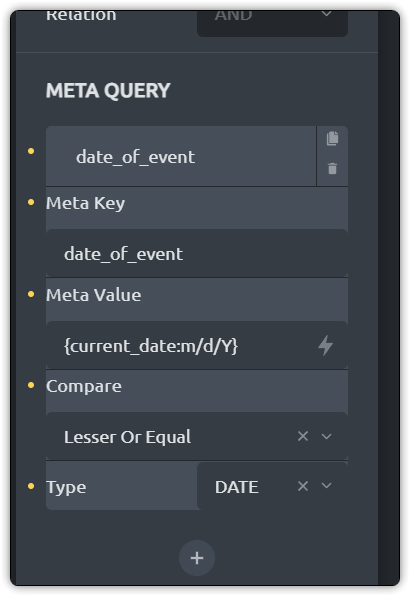

Hi Lyle,
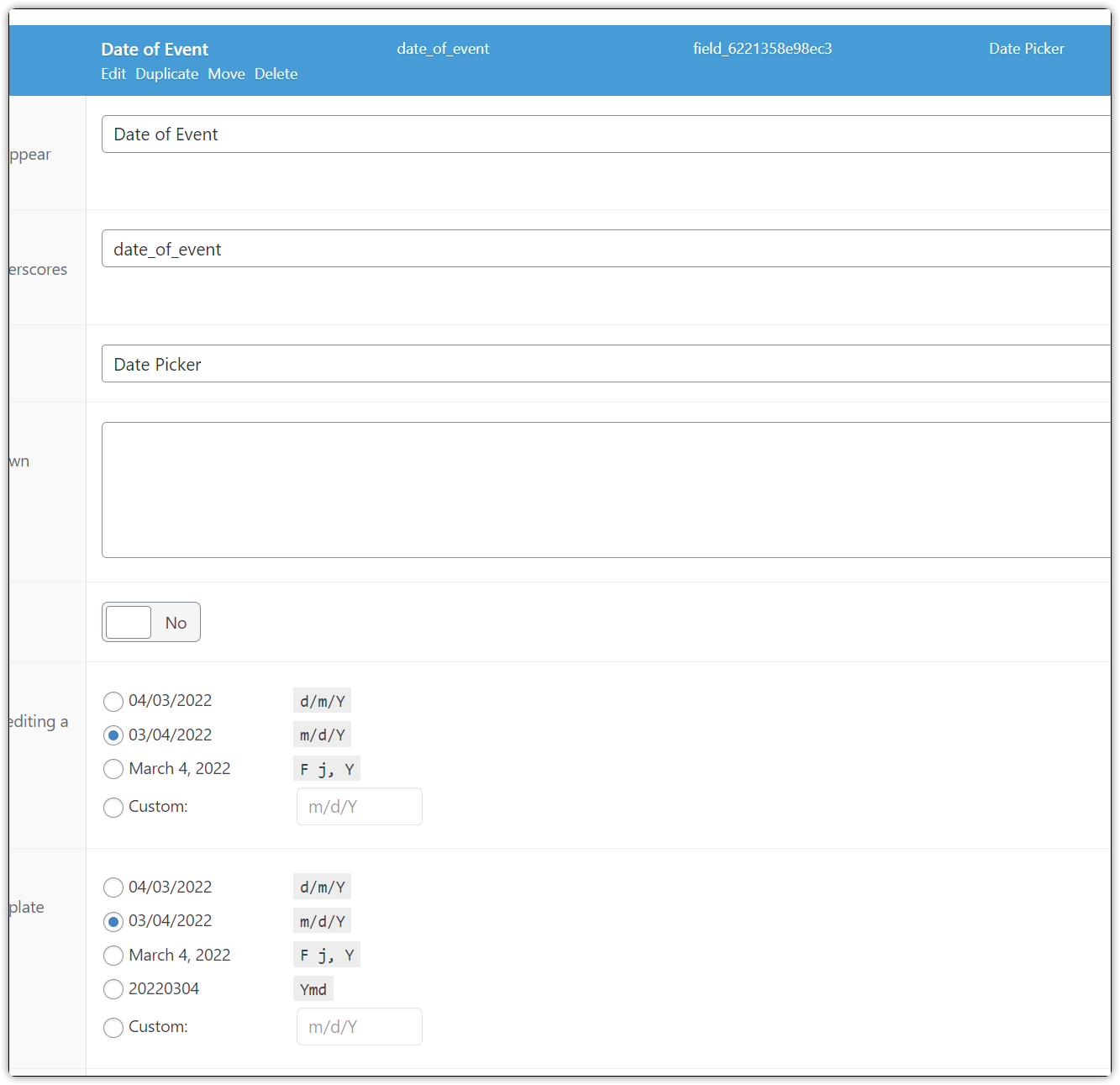
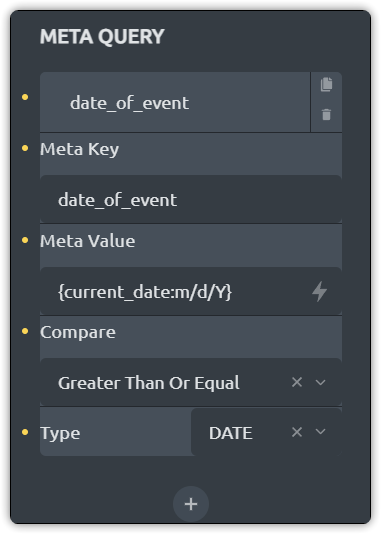
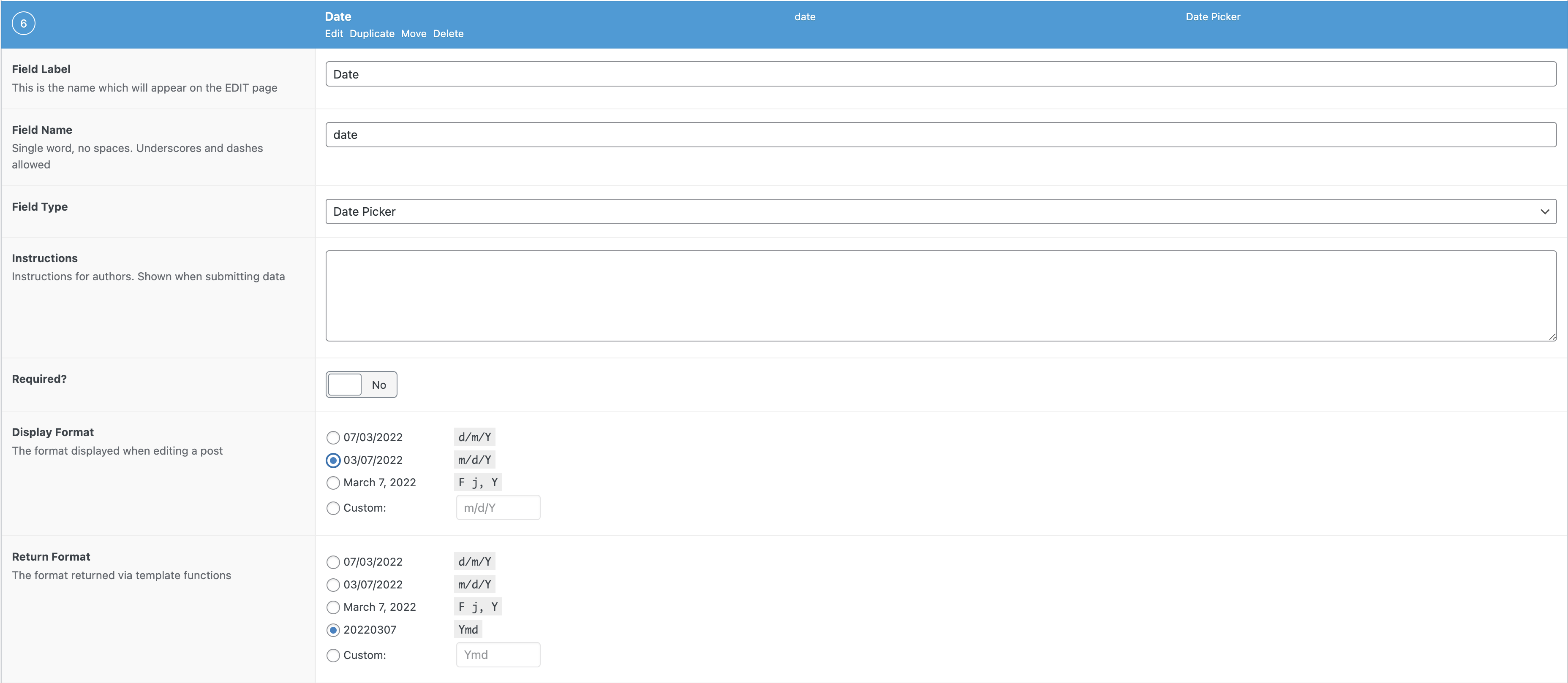
I’ve tried it myself, and it worked (at least I think it did) with the following settings:
ACF Settings (the most important thing is the return format)
Query Loop Settings
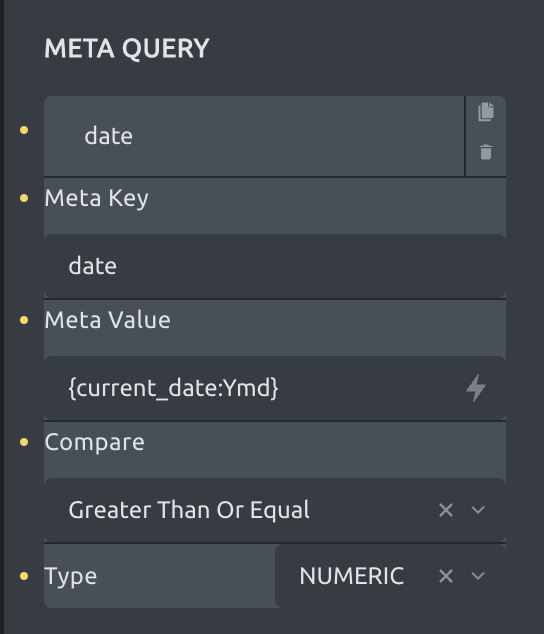
The only problem that comes up is the returned date format, that isn’t that much readable - but no problem, you can simply reformat it with the following PHP:
<?php
  $date = get_field('date');
  echo DateTime::createFromFormat("Ymd", $date)->format('m/d/Y');
?>
So instead of using a basic text element or whatever, use the code block to render your date in the format of your choice.
Best regards,
timmse
2 Likes
@timmse, Works great! Thank you! Still in the dark sometimes on why things work the way they do on the queries… Sometimes, they just don’t make sense why they work the way they do, like this one, numeric type vs. date. 
1 Like
Hi Lyle,
using the following settings should work as well (and you can get rid of the custom PHP):
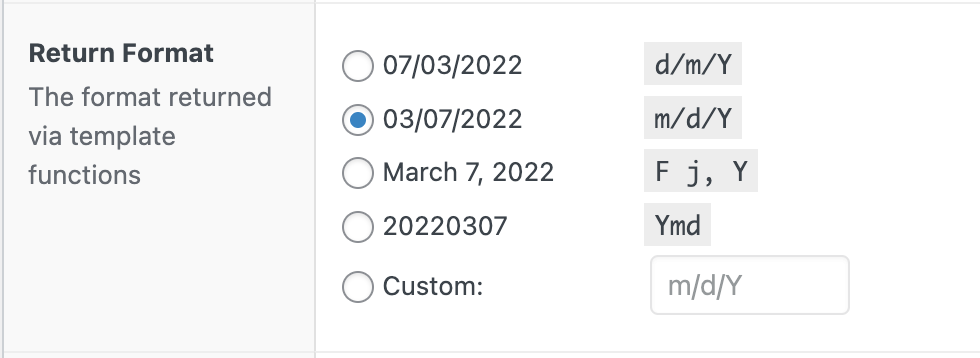
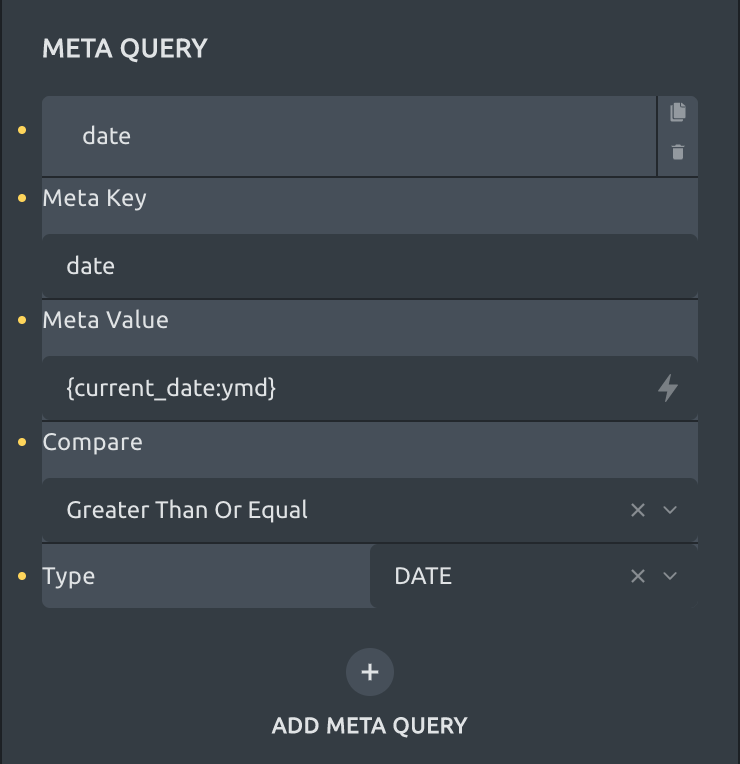
The ACF date values are stored as YYYYMMDD in the database (I just looked it up), regardless of which return format you’ve set. Accordingly, the current date must have the same format so they can be compared.

Best regards,
timmse
5 Likes
Even better! Thank you. Now, just need that conditional logic inside the page, and this would be just awesome so I can display something else if there is nothing in the loop.
2 Likes
One thing at a time 
Thanks for this info, it’s helped me set up my events too. I have another question though:
- I’ve set up venues using the relationship acf field, but how can I get only the event’s related to a venue to show? I’ve tried using this option but it’s still showing all events for all venues
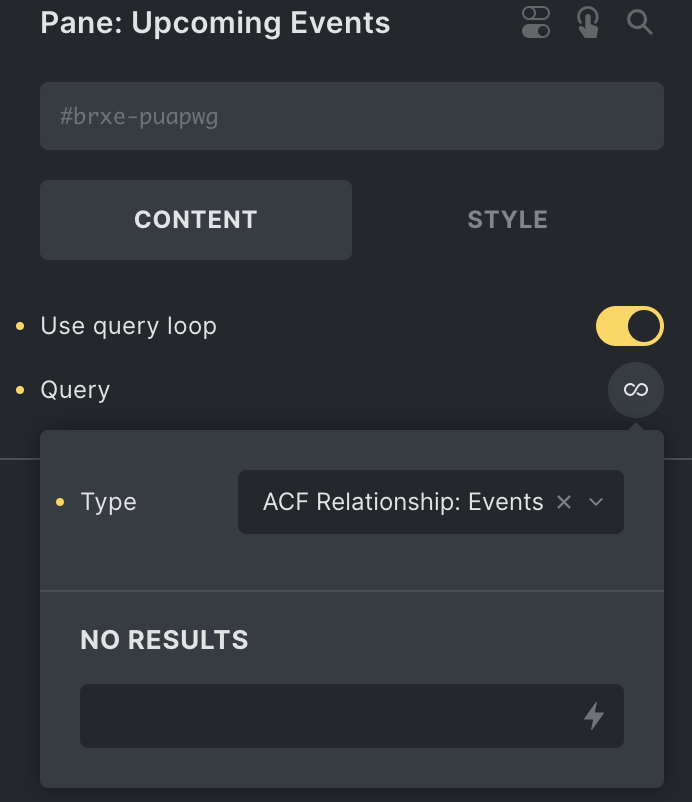
I’m interested in this too. Seeing if I can get this working from the Toolset DateTime custom field.
I see that ACF is more compatible in areas like this. Would Metabox be similar?
Amazing, thank you! This worked but for me, I was scratching my head a bit until I realised that grouped fields will need the parent meta key along with the field meta key. For example:
Group field name/key: event_dates
Field date name/key: event_date_1
So you meta key is actually: event_dates_event_date_1
Hope that helps someone.
3 Likes
What a life saver. Thank you!
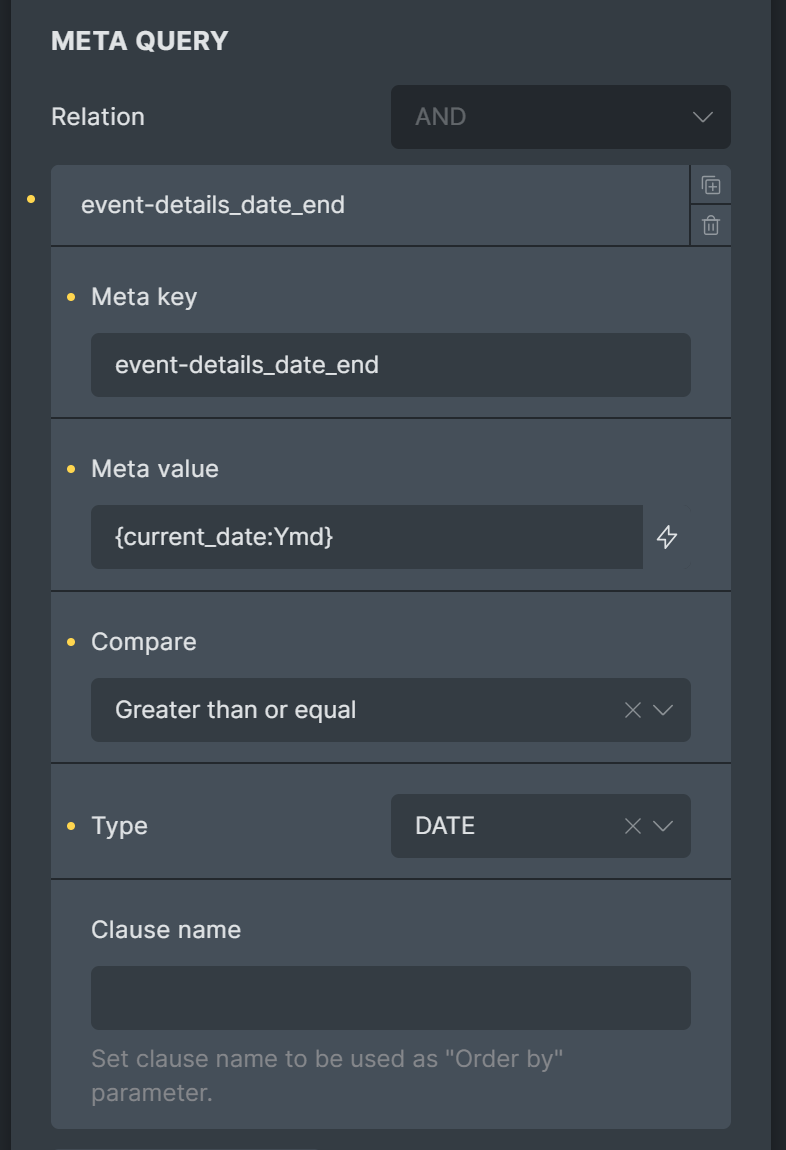
I was adding the following to Meta key: {acf_event-details_date_end}
Then stripped it into: acf_event-details_date_end
And finally striping it even more into: event-details_date_end
Now I think finally my head wrapped it.
Meta value will be the value to compare in the Meta Query. Meta key will be for the custom field term_name date_end. If the field is inside a group fields, then prefix it with group field term_name and an underscore resulting into event-details_date_end
This worked for me!
2 Likes
Question, why couldn’t one just use the year and Julien day, as it would return a simple number and is filterable, sortable and simpler than all of the data-time stuff? Julien Day used to be used far more than these days, yet it can make stuff so much more efficient.
That all said, I came across this thread, because I could not get either to work, and then remembered my JulienDay calls from a decade ago when doing far more complex stuff.
Doing a simple event_start_date:Yz and current_date:Yz seems to show the values, but I cannot get it to work in the meta filter.
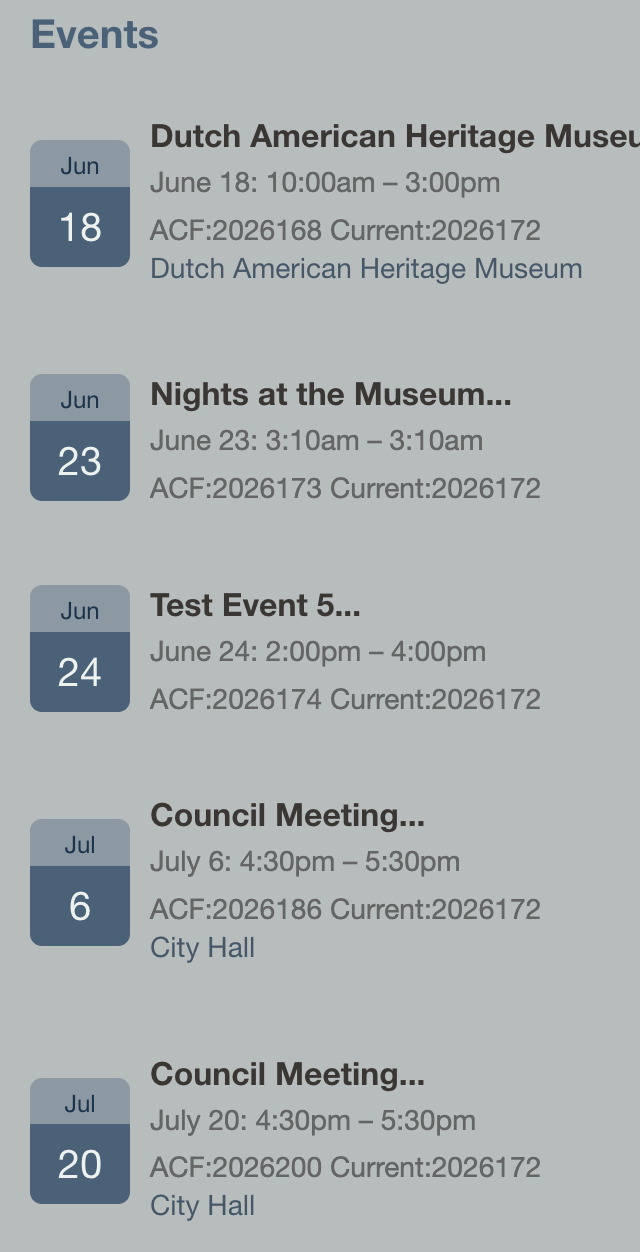
This is the field query in the loop content:
{acf_event_start_date:F j: g:ia} - {acf_event_end_date:g:ia}
ACF:{acf_event_start_date:z} Current:{current_date:z}
It fills in nicely
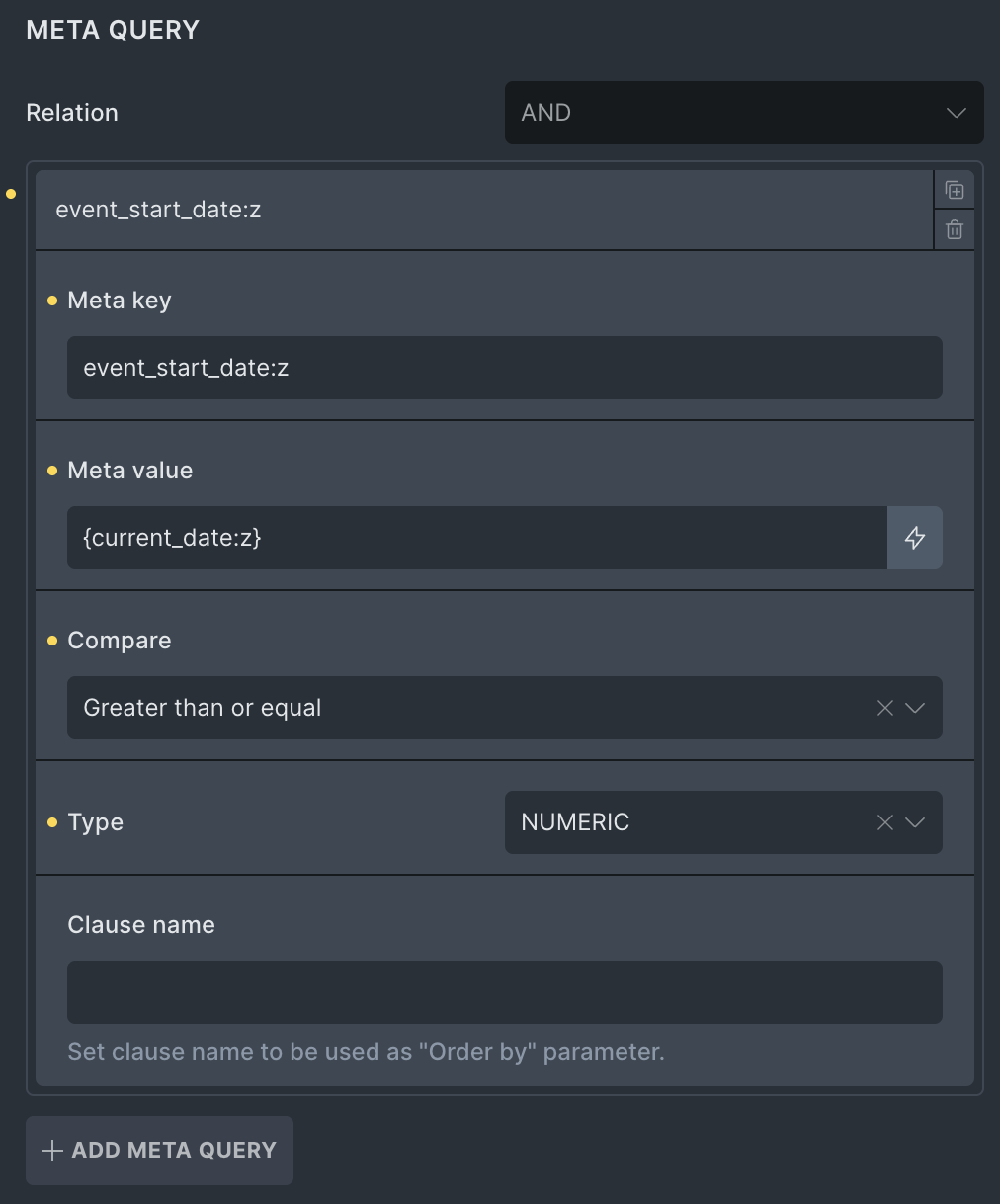
With the above, or even the accepted Ymd still results in no records. What am I missing?
I should have specified that I have to keep my current date (d/m/Y g:i a) return format intact for PieCalendar’s functionality.
@timmse Any chance I could get some help on this? Please
Do you have the filter setup properly in your functions.php file?
The meta query compares the value stored in post meta, not the formatted value rendered by the dynamic data tag in the loop content.
For an ACF Date Picker field, ACF normally stores the value as Ymd, so the Query Loop meta query should use the actual field name as the meta key, the current date in the same format as the meta value, and a numeric comparison. For example:
- Meta key:
event_start_dateor the real grouped-field key if the field is inside a group - Meta value:
{current_date:Ymd} - Compare:
>= - Type:
NUMERIC
{acf_event_start_date:Yz} can render correctly in the element output, but that does not mean the database value is stored as Yz. If you want to query by Julian day, you would need a separate stored meta value in that format; formatting the dynamic data tag output is not enough for the meta query.