Flagged via email - but thought I’d flag here just so it’s logged and if anyone has any solutions before having to figure out a move.
esdWe’ve come across what appears to be a compatibility issue between Bricks Builder and Polylang Pro relating to the media language switcher, and we’d really appreciate it if someone could take a look as this is quite urgent and currently blocking work on a live multilingual site.
Environment
-
WordPress
-
Bricks Builder (latest version)
-
Polylang Pro (latest version)
Issue
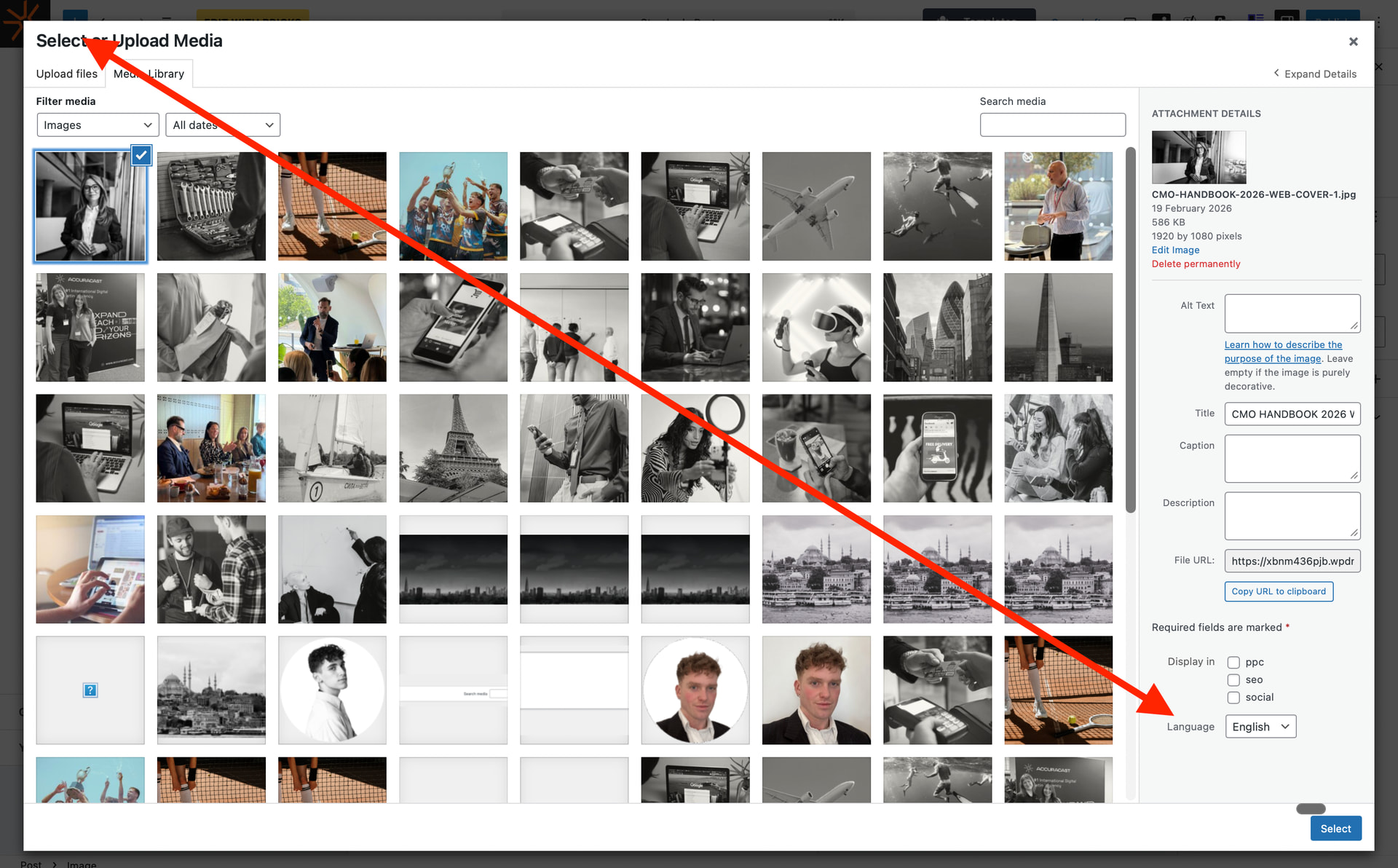
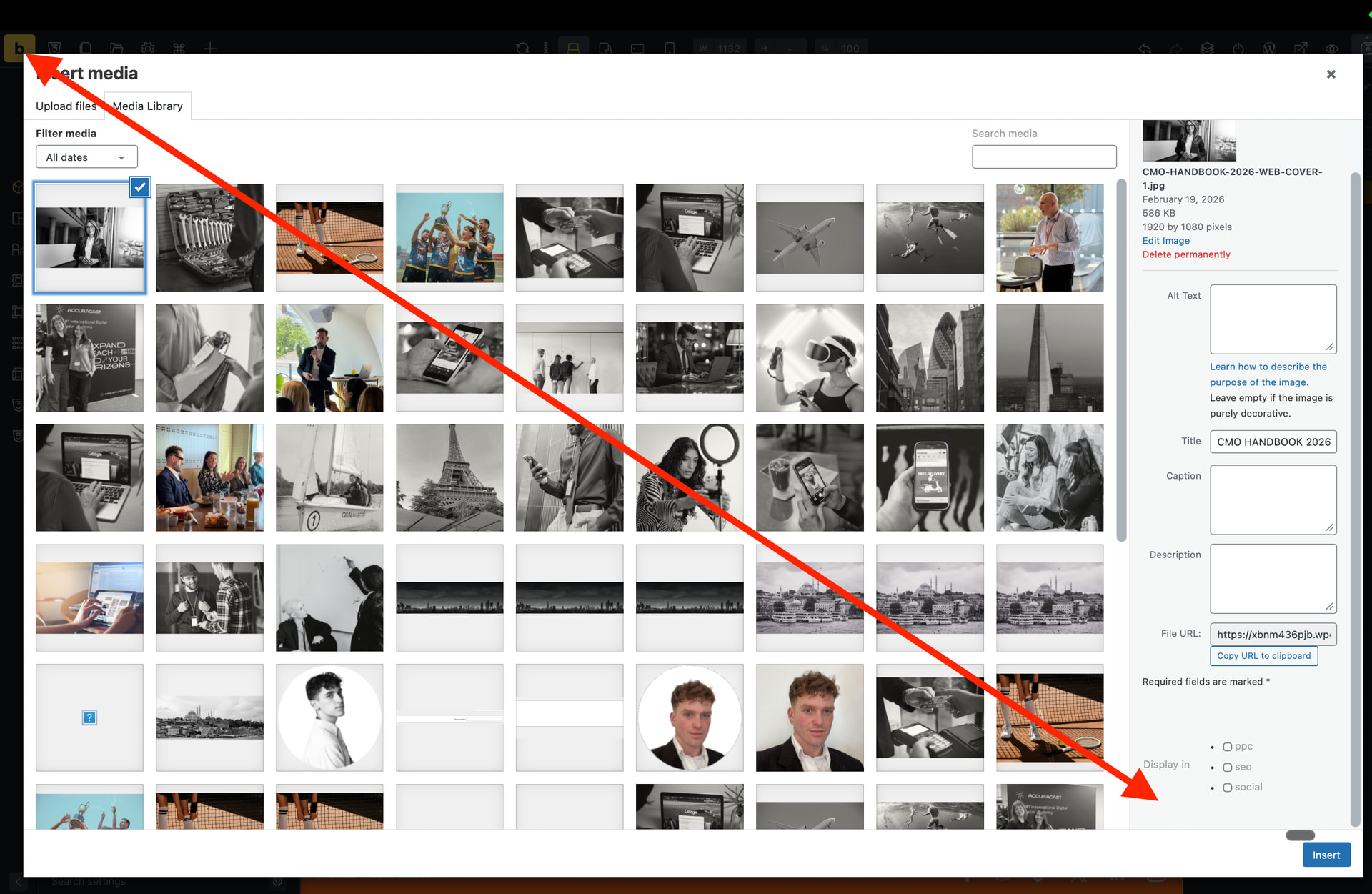
When selecting an image inside Bricks Builder (for example, within the Image element), the WordPress media modal opens as expected. However, the Polylang language switcher/filter is missing from the media modal UI.
Because of this, we cannot switch between media assigned to different languages when selecting images inside Bricks.
See attached screenshots of the modal in Bricks and Modal within Guternberg.
Expected behaviour
When using the standard WordPress Media Library, the Polylang language switcher appears and allows filtering media by language.
This also works correctly when using other page builders such as:
-
WPBakery
-
Elementor
-
Divi
In those builders, the Polylang language dropdown appears in the media modal, allowing users to filter media by language.
Current behaviour in Bricks
Inside the Bricks image picker:
-
The media modal opens normally
-
Images are visible
-
However, the Polylang language switcher is not present
The language filter does appear in the normal Media Library screen, so Polylang itself is working correctly.
Polylang response
We contacted Polylang Pro support and received the following response:
They mentioned they are not aware of how Bricks handles the media modal internally and that they haven’t developed direct compatibility themselves. They also mentioned that the Bricks team had previously contacted them about compatibility and were provided licenses for testing.
They advised us to reach out to the Bricks team to investigate further.
They also mentioned they are happy to assist from their side if needed.
—
This is quite critical for our multilingual workflow and for SEO/Alt texts, so we’d really appreciate it if someone could have a quick look when possible.
Screen recording: https://doc.clickup.com/9015810387/d/h/8cp4pak-10095/4db0a7354b4229c
—