Hello everyone,
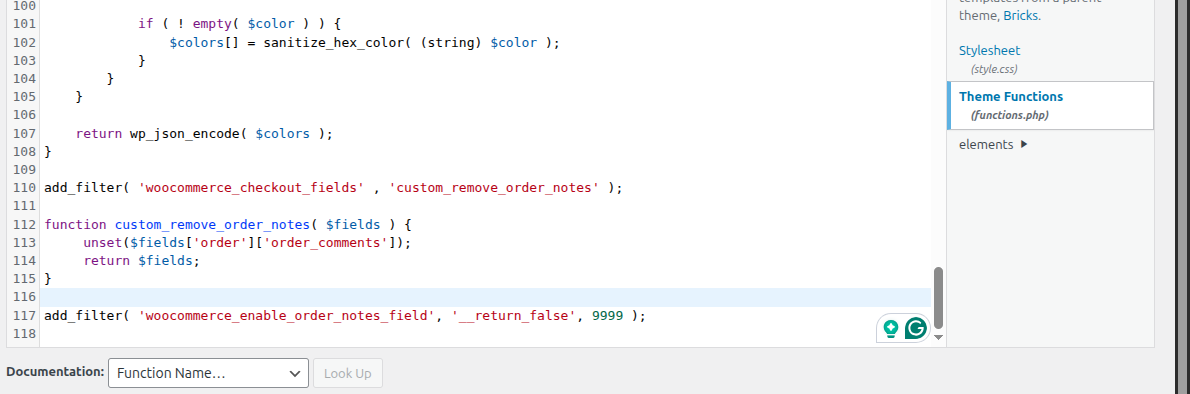
I have been trying to use the simple PHP code snippet in functions.php of bricks child theme but they are not working at all.
For example,
Bricks Parent theme: version 2.3.2
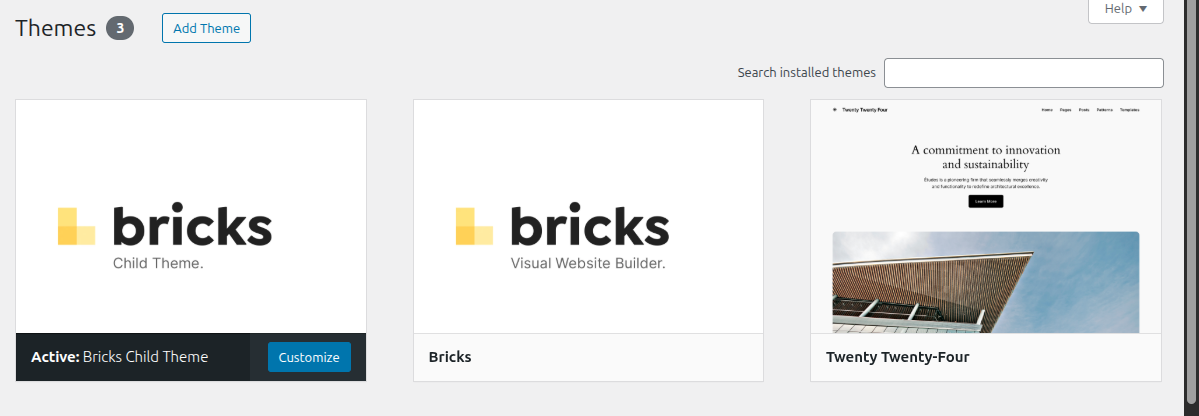
Bricks Child theme: version 1.1
Code execution: enabled
Role: Administrator
Debug.log: no error/empty
Tried code snippets:
add_filter( ‘woocommerce_enable_order_notes_field’, ‘__return_false’, 9999 );
add_filter( ‘woocommerce_checkout_fields’ , ‘custom_remove_order_notes’ );
function custom_remove_order_notes( $fields ) {
unset($fields[‘order’][‘order_comments’]);
return $fields;
}
Hi @Painkiller ,
Did you activate the child theme?
Regards,
Jenn
Hi @itchycode ,
Yes, it was activated from the start.
Regards,
UrumBee
Hi @Painkiller ,
Unfortunately, I am not able to replicate this issue locally.
You could first try to deactivate plugins and just keep WooCommerce + Bricks + Child theme to check if it could be caused by other custom code/plugins.
If it’s still the same, please send your admin credentials to help@bricksbuilder.io and include this forum thread URL in the email as a reference.
Regards,
Jenn
Hi @itchycode ,
I have deactivated all the plugins but the issue persists.
I have sent the website credentials through the email.
Regards,
Urumbee
Hi @Painkiller
As per my email reply, your checkout page is using the WooCommerce Gutenberg checkout block.
The classic hook will not work for the Gutenberg checkout block, which is not a Bricks issue.
Thanks.
Docs for Bricks classic checkout: Checkout (WooCommerce) – Bricks Academy
Regards,
Jenn