Browser: Chrome 110 OS: macOS / Windows / Linux / etc. URL: Link to a page that illustrates this issue Video: Short screen recording that illustrates this issue (free tool: jam.dev)
Hello bricks team
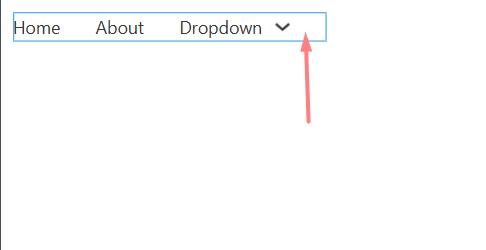
1- After adding the nav nestable, there is an empty space on the right side of it, which only exists in the builder.
I was able to reproduce the #1 issue you mentioned and I’ve added it to the internal bug tracker.
The second one is known, and we already have a task for it. They are not related, because this gap is happening because of the not specific enough selectors.