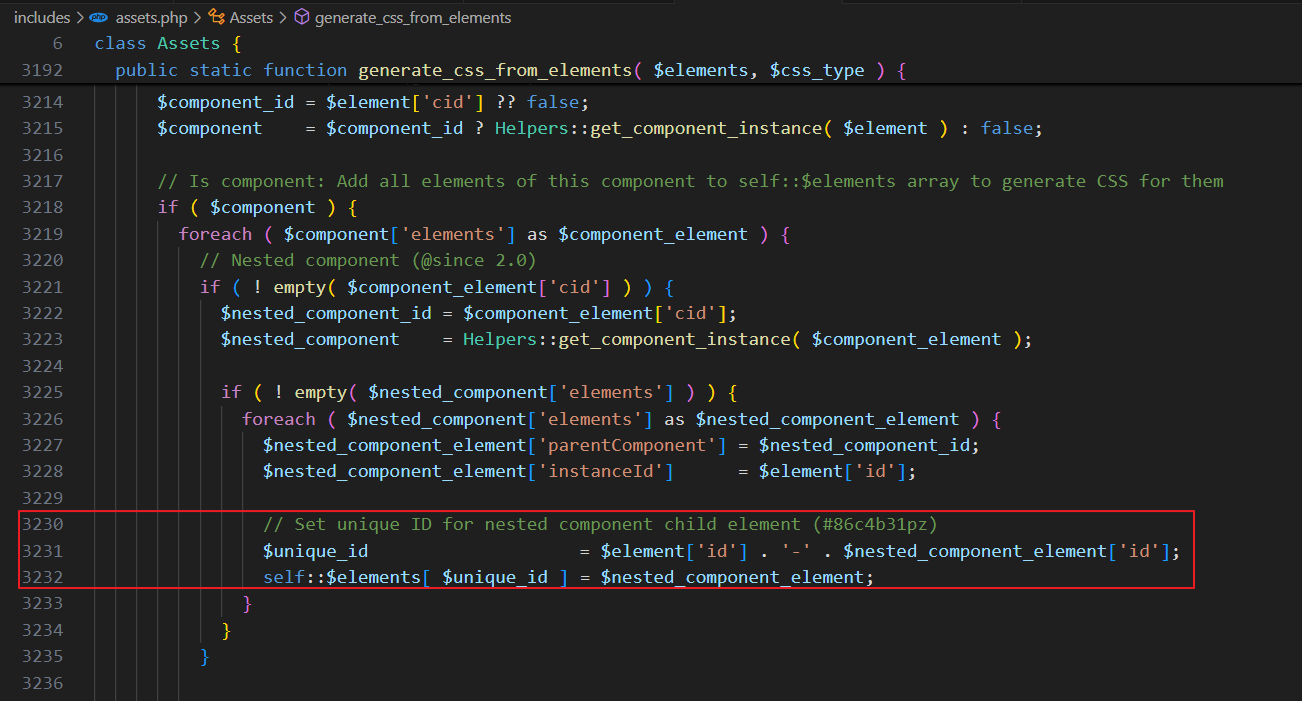
After updating to v2.0-rc2, some styles for elements in components such as SVGs/icons and text are missing. When I inspect the page, I see that these styles have been added inline on Production but are missing on Staging.
Switching the CSS loading method between ‘External files’ and ‘Inline styles’ and clearing the cache several times does not seem to have any effect. Strangely, only the components seem to be affected.
Furthermore, I would actually expect these styles to be included in a stylesheet when ‘External files’ is selected, but that’s perhaps a topic for another day.
Can you please send staging site admin credentials to help@bricksbuilder.io so I can follow your component setup and replicate the issue? (Please include this thread URL as a reference)
Just for clarification: what is the expected place to define styles for components?
I just did a fresh install with only Bricks v2.0-RC2 and created a simple card component. All styles added to this card are being rendered as inline styles inside bricks-frontend-inline-inline-css inside the <head>, unless I style them at the ID level!
Yes, thank you very much! Your temporary fix does seem to be working. Could you please provide some more information about what you’ve added? Nevertheless, I’ll wait for the update in the next release. I’m sure it will include other minor bug fixes.
Also, thanks for confirming that. I found that thread earlier and was surprised by its creation date.
We’ve fixed this issue in Bricks 2.0, now available as a one-click update in your WordPress Dashboard.
Please take your time to read the changelog entry before updating: Bricks 2.0 Changelog – Bricks, and let us know if you continue to experience issues.
Please provide us with the components, or send us the details, login credentials, and a link to this thread at help@bricksbuilder.io if the issues do not occur within component slots - if slots are involved, it’s a known issue.
This is happening in version 2.3.8, I created an icon component which is nested in a card component. The CSS inline sets class chaining via ID instance and a general class, if I move it outside it works just fine but once it’s nested it loses the CSS styling.
But in the builder preview it does render correctly.
Hi @cdeweerdt ,
Yep, we’ve already received a report about this via email and are working on a fix.
We’ll update this thread as soon as there’s any news