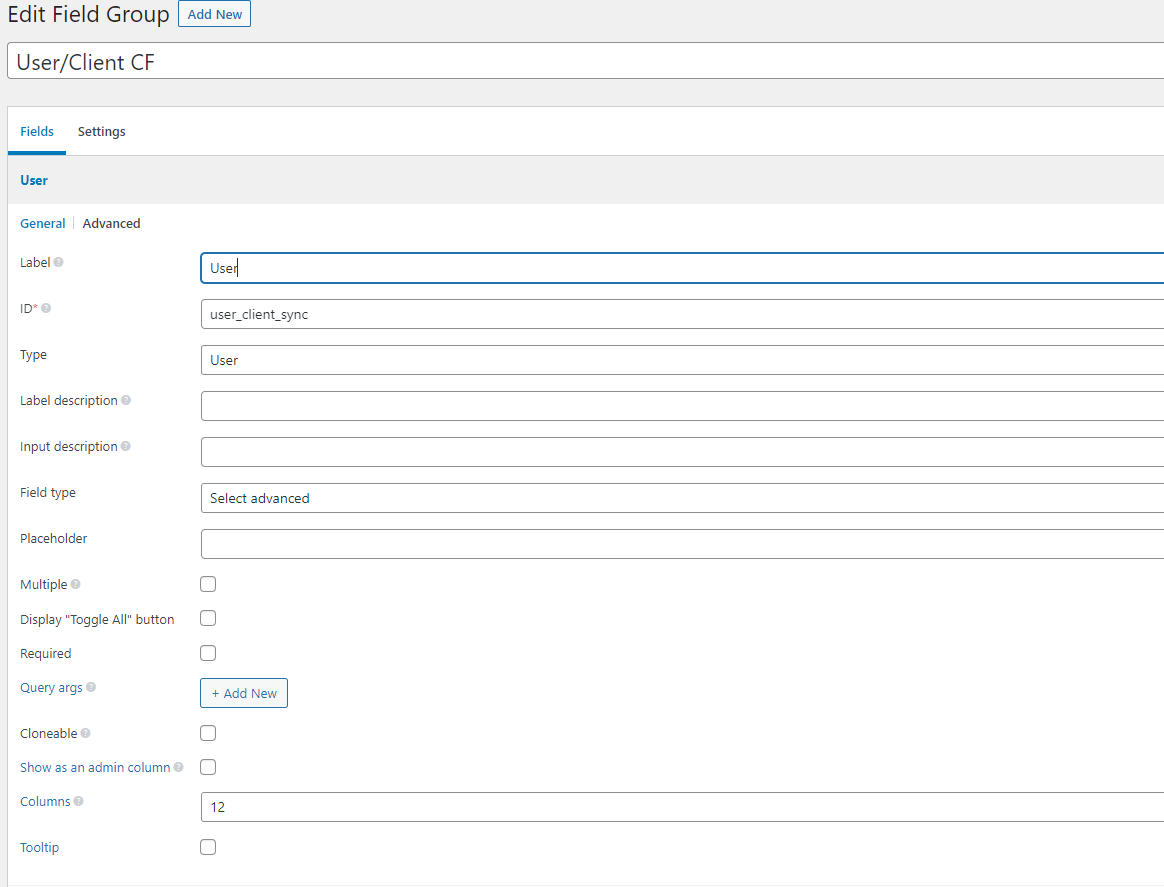
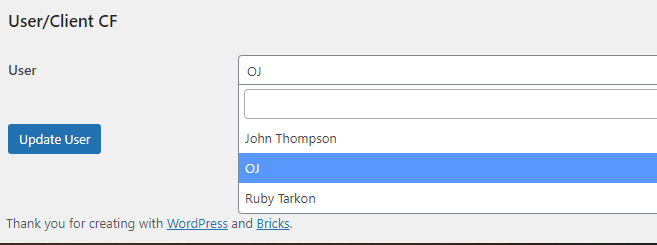
I am using Beta 1.5 - I am creating a query loop of users and I have a Metabox “user” select custom field so I can assign a user to a client. The query loop works fine, but the meta query doesn’t.
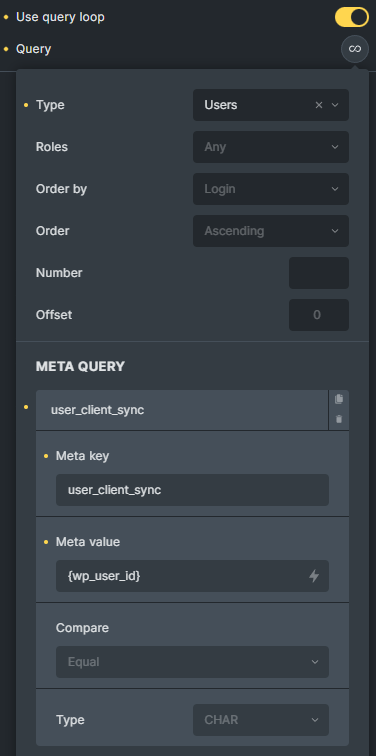
Let’s say my name is John, I only want users that John is assigned, to show up. So I put in the query key that I got from metabox which is “user_client_sync” and I set the value to “{wp_user_id}” but then nothing shows up for the loop.
I know for a fact that “user_client_sync” meta key returns a user ID, hence why I make the meta value have to equal the user ID. But it won’t work for me. Am I doing something wrong?
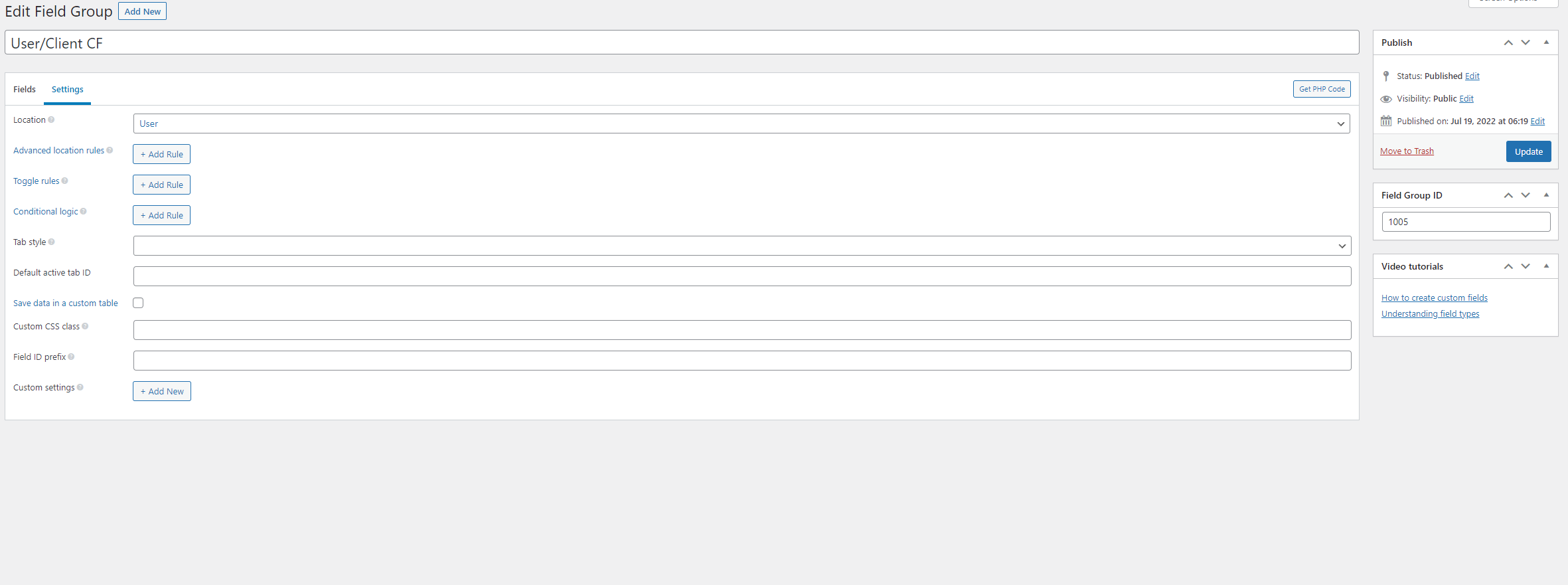
Here is the location settings, I’m not sure how this will help though - Like I said I want to assign Workers to particular Users. As seen in these screenshots.
But whenever I try to output the return value using bricks it gives me the user’s display name from my metabox field instead of a user ID.
So I thought I had figured it out by changing the query from user id to user display name instead but it still does not filter out the info, it returns no results instead.
Make that reversed and then you’ll be on the right track to what I’m trying to do.
John,Sally → Client A
meanwhile,
Mary → Client B
I want there to be list of ALL users and then use the meta query so that way only John,Sally can see whoever they are bound to, in this case Client A.
Meanwhile, Mary has no idea Client A exists, she can only see Client B, because that is who she is bound to.
But as I have shown from these screenshots if I add in my custom meta query, with JUST the meta key, it will show up.
If I try to add a value to that custom field key, then it shows no results!
Okay, see I thought that maybe {wp_user_id} was getting the user of the loop, but it’s not very clear and in my opinion those variables SHOULD NOT be tied to the loop I am executing lol.
But in my testing, the user ID should be “1” for John → Client A. Putting in “1” manually works, but trying to use a custom function just doesn’t work. Is there anyway to fix this or work around it? I really need this to work
add_filter( 'bricks/users/query_vars', function( $query_vars, $settings, $element_id ) {
	// if this is not the correct element, return the default array
	if ( $element_id !== 'ywwnnl' ) {
		return $query_vars;
	}

	// get the current user ID
	$current_user_id = get_current_user_id();

	// declare an empty array to store the user IDs that should be included in the query
	$matching_user_ids = [];

	// create an array of IDs of all users in the database
	$user_ids = wp_list_pluck( get_users(), 'ID' );

	foreach( $user_ids as $user_id ) {
		// get the user's client sync value as integer values
		$client_sync = intval( get_user_meta( $user_id, 'user_client_sync', true ) );

		// if the user's client sync value equals the current user ID, add the user's ID to the $matching_user_ids array
		if ( $client_sync === $current_user_id ) {
			$matching_user_ids[] = $user_id;
		}
	}

	// if the array is empty, return the default array
	if ( empty( $matching_user_ids ) ) {
		return $query_vars;
	}

	// set user query's include parameter to the array of matching user IDs
	$query_vars['include'] = $matching_user_ids;

	return $query_vars;
}, 10, 3 );
Replace ywwnnl with the Bricks ID of your repeating element.
Ok this works, however if a user has no relationship to any users, it just spits out all the users instead of showing my “No Results Found” text.
Also after further testing… {echo} does not appear to work at all when used inside the meta query box. Not sure if this is a Bricks 1.5 issue or not, but echoing custom functions that I have made or ones built into WP just do not work.
// if the array is empty, return the default array
if ( empty( $matching_user_ids ) ) {
	return $query_vars;
}

// set user query's include parameter to the array of matching user IDs
$query_vars['include'] = $matching_user_ids;
to
// if the array is empty, exclude all users from the query
if ( empty( $matching_user_ids ) ) {
	$query_vars['exclude'] = $user_ids;
} else {
	// set user query's include parameter to the array of matching user IDs
	$query_vars['include'] = $matching_user_ids;
}
I’m glad to announce that we fixed the issue with dynamic data not parsed inside of the Meta Query (Query Loop) in Bricks 1.5 RC. Did you check it? In the meantime, we released Bricks 1.5RC2, which is now available for manual download from your account page.
If the fix isn’t working as expected, please let me know here.