When I create multiple megamenus side by side, like the video I attached. there is a BUG that occurs when I hover one menu to another (a short description is when I hover the first menu and I want to move the mouse to a position below the second menu which is still in the content of the first megamenu, this will open the second menu), this happens in the safari browser but in chrome it looks safe. for details VIDEO.
thank you for the video. @timmse and I were able to replicate the issue on your website and locally as well.
To solve the issue, can you add this to the Nav Menu element, inside Custom CSS, and let us know if this solves your problem? If yes, then I’ll go ahead and create an internal task for this and we will provide a fix.
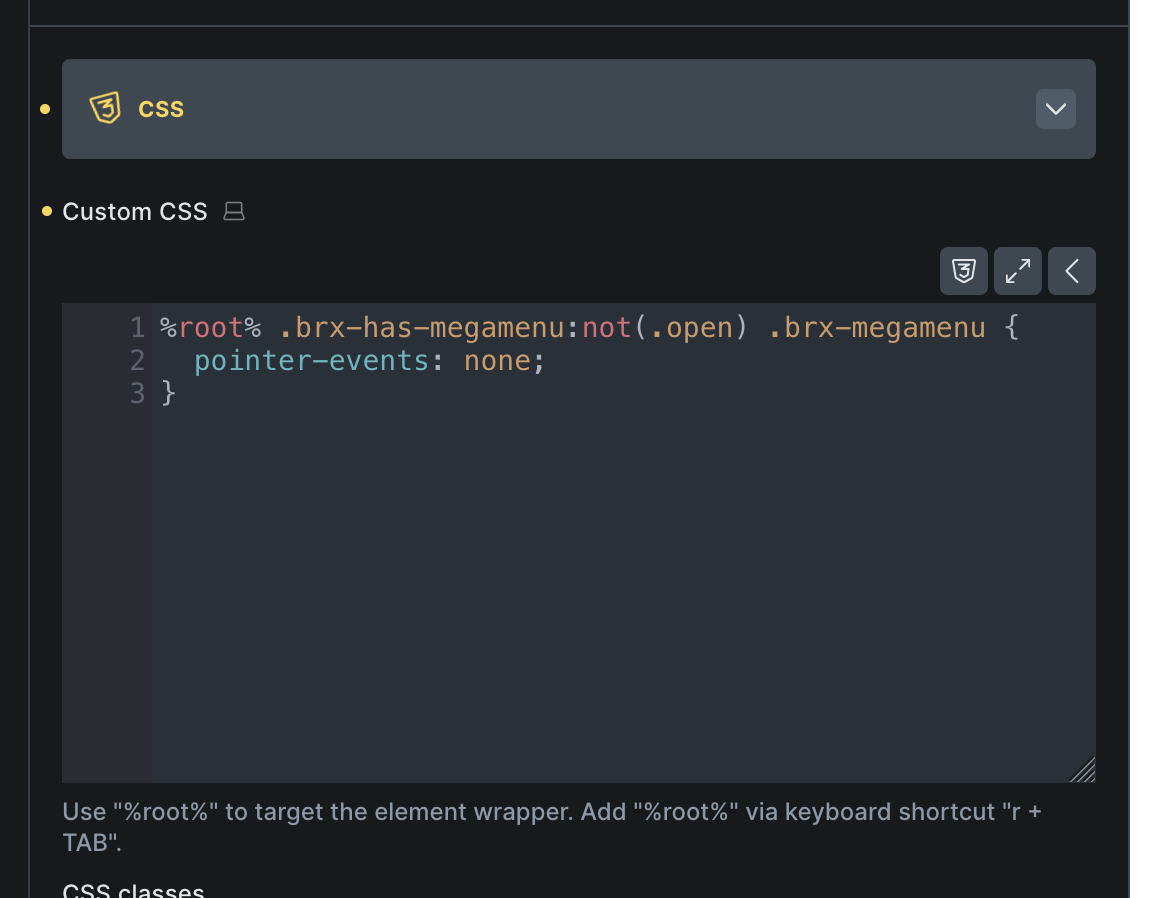

 I’ve noted the issue in our internal bug tracker, and I’ve also mentioned the fix