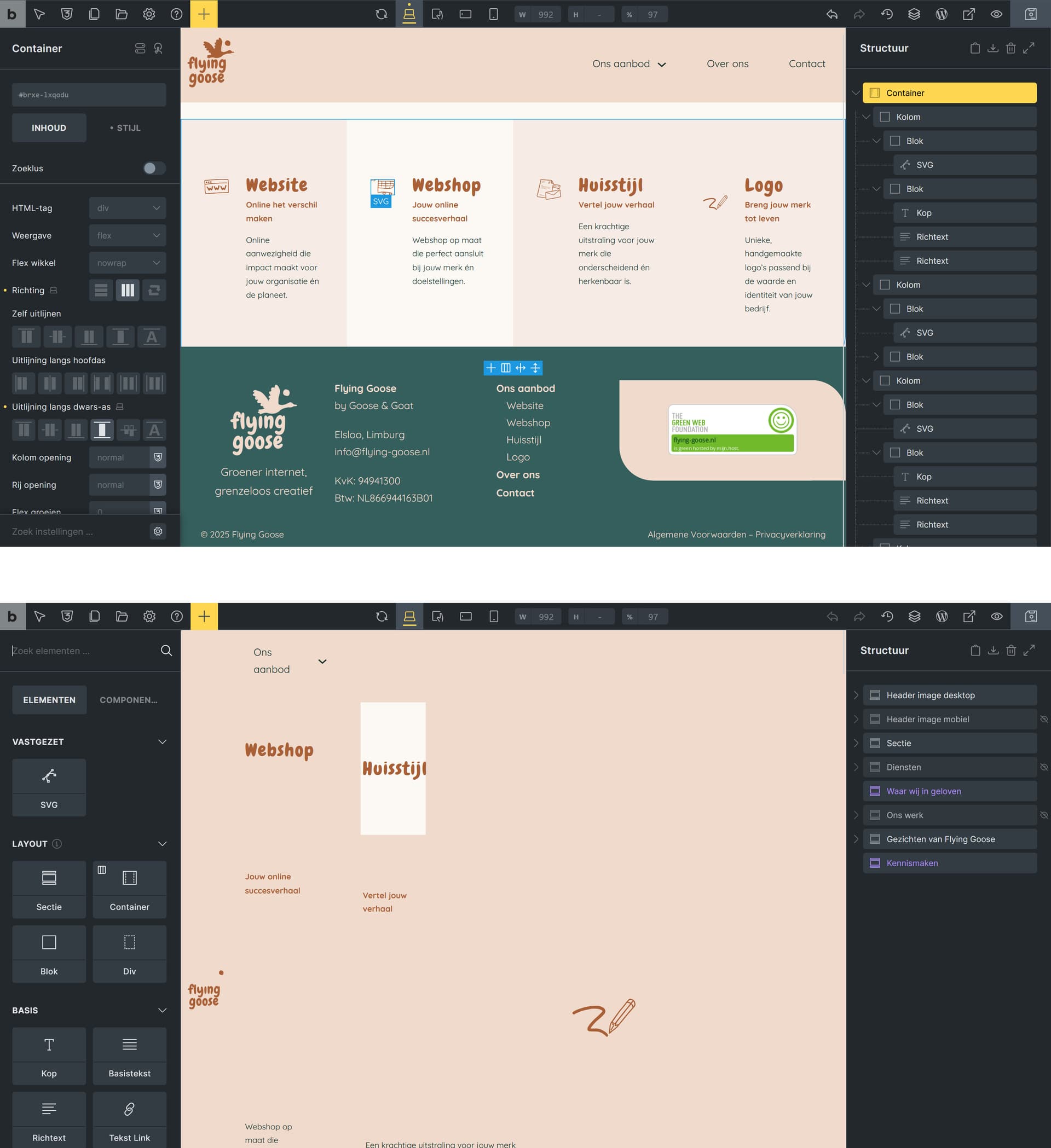
Whenever I go to a page editor, the header looks like the printscreen on the bottom and makes it almost impossible to change anything inside the wysiwyg editor, because the menu is everywhere. On the website itself the mega menu is showing like it is supposed to.
Am I doing something wrong or is this a bug? Hope someone can help me
Unfortunately, I cannot reproduce the issue. Please send temporary login credentials and a link to this thread to help@bricksbuilder.io using the email address you used during the purchase.
Thanks so much for the login credentials!
I narrowed it down to your mega menu template’s “Code” SVGs. Please change them to “File” mode and see if it resolves the issue (for now).
I already created an internal task to fix the issue.
Please let us know if you are still experiencing issues.
As with any pre-stable release, please do not use it on a production/live website. It is only meant for testing in a local or staging environment. The more feedback we get, the better