Hello,
For this one:
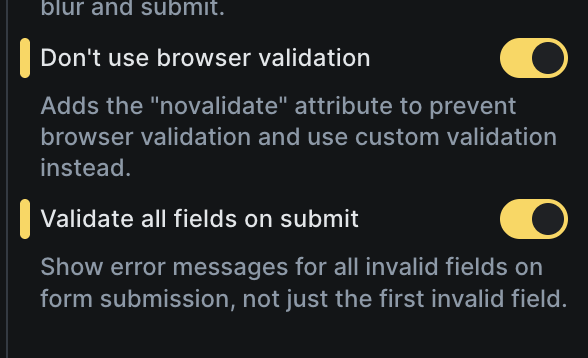
Form: Show error messages for invalid fields on form submit
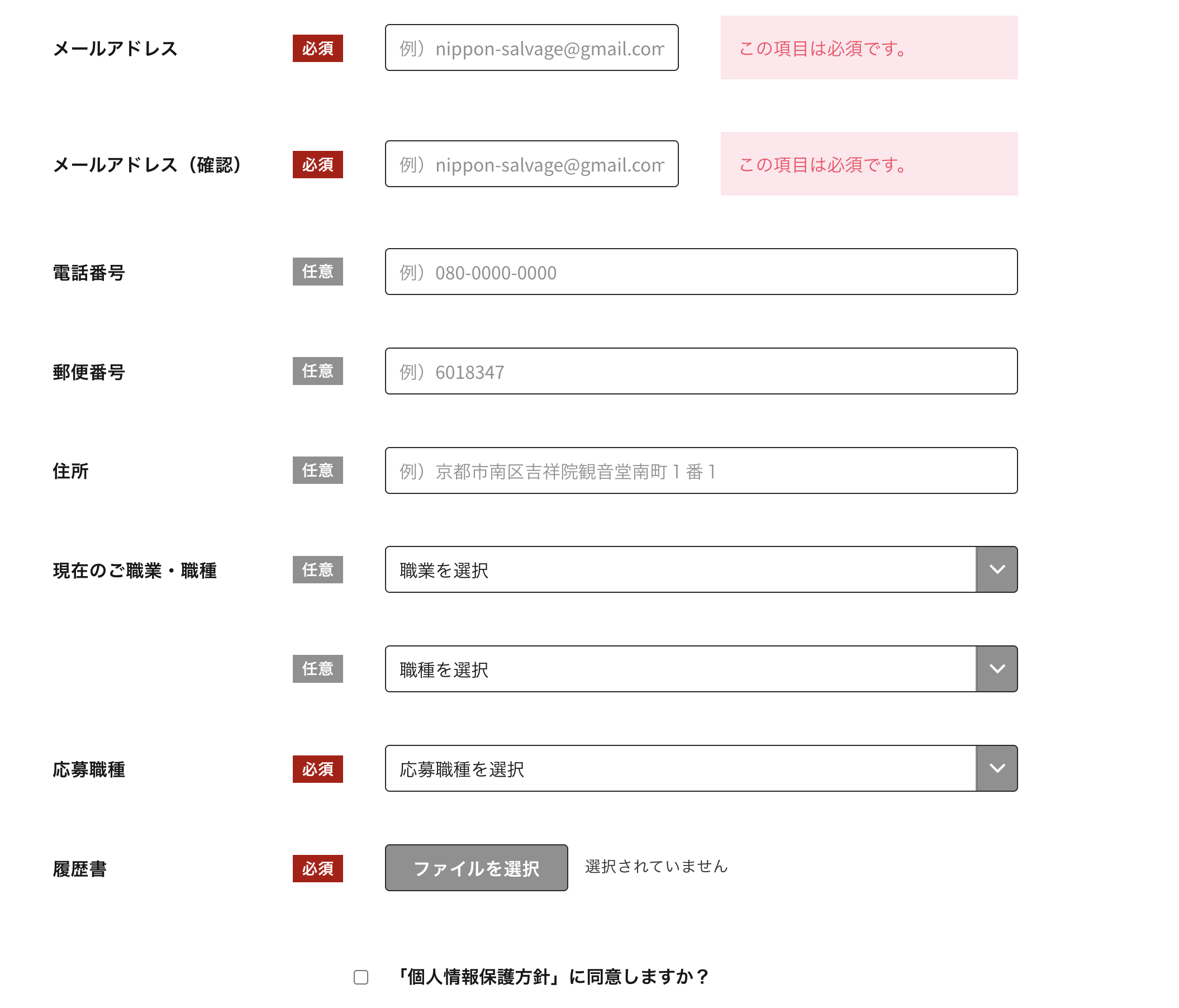
It seems that all type fields are not included (like files, checkbox…):
Hello,
For this one:
Form: Show error messages for invalid fields on form submit
It seems that all type fields are not included (like files, checkbox…):
Hey @tibo,
I believe this will only work/show for fields that has “Error message” input control, because that’s what we show there.
The input fields are not available for hidden, radio, checkbox, select, file, datepicker.
As you could notice even before, there was no error message for those fields next to them. Only at the very bottom, when submitting the form.
Matej
Thanks for the reply.
if it doesn’t work for hidden, radio, checkbox, select, file, datepicker so what’s the point having an error message not appearing even if the field is mandatory?
Sorry but I will keep my solution rather than having an half cook solution.
Hi @tibo,
the error will appear, but at the end of the form. It’s just that those fields never had custom error message, that’s why it’s not implemented now.
You are free to have it your way, nothing wrong with that.
Saying that, I’ll create an internal task where we will explore if we can add error message controls to those fields as well (except hidden).
Best regards,
Matej
OK clear thank you (hopefully all fields will get same treatment).
We fixed this issue in Bricks 2.2, now available as a one-click update in your WordPress Dashboard.
Please take your time to read the changelog entry before updating, and let us know if you continue to experience issues.
Hello,
Thank you for the update and the the final 2.2.
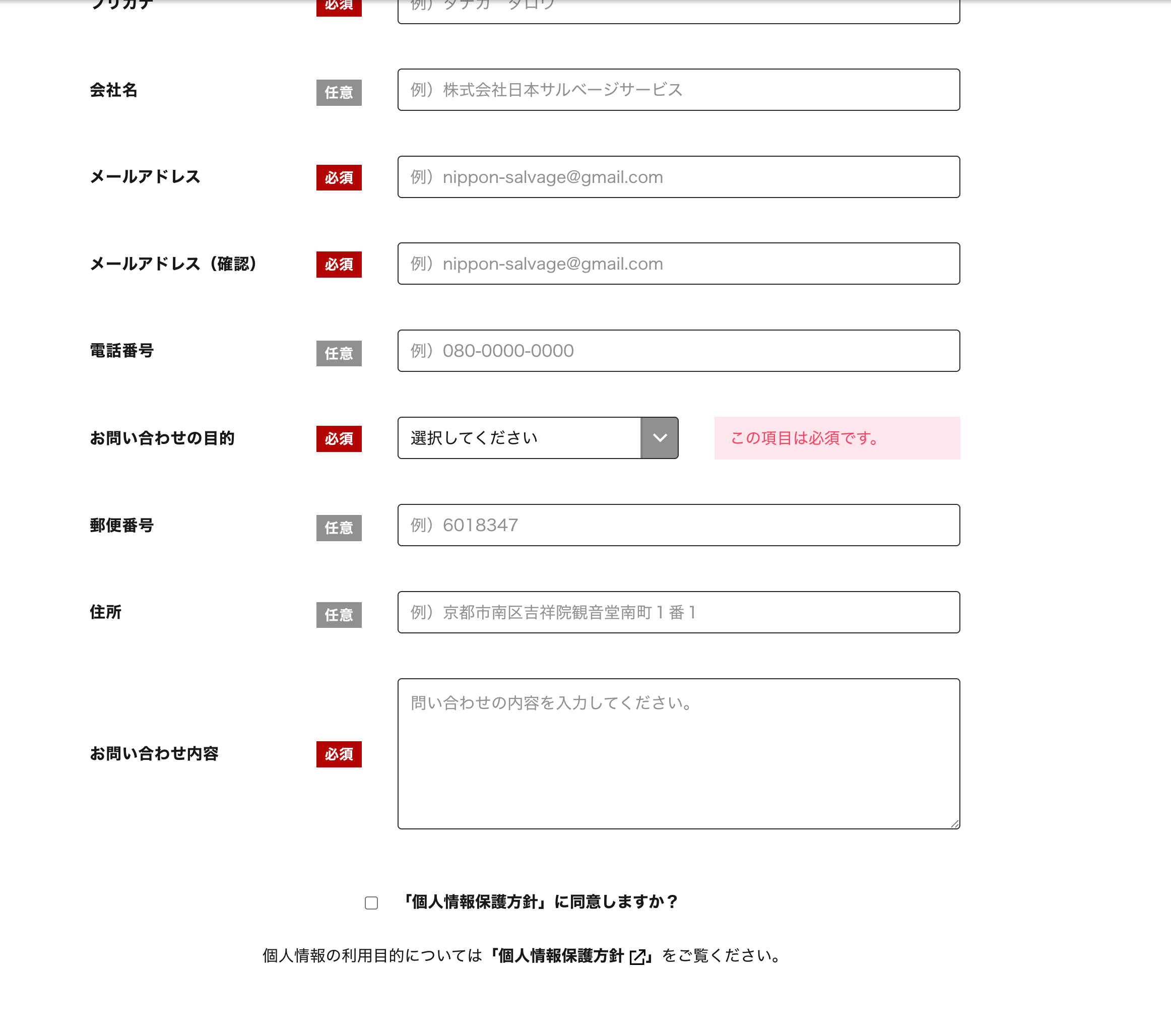
I just checked (updated to final 2.2) and it seems that all mandatory fields are not considered.
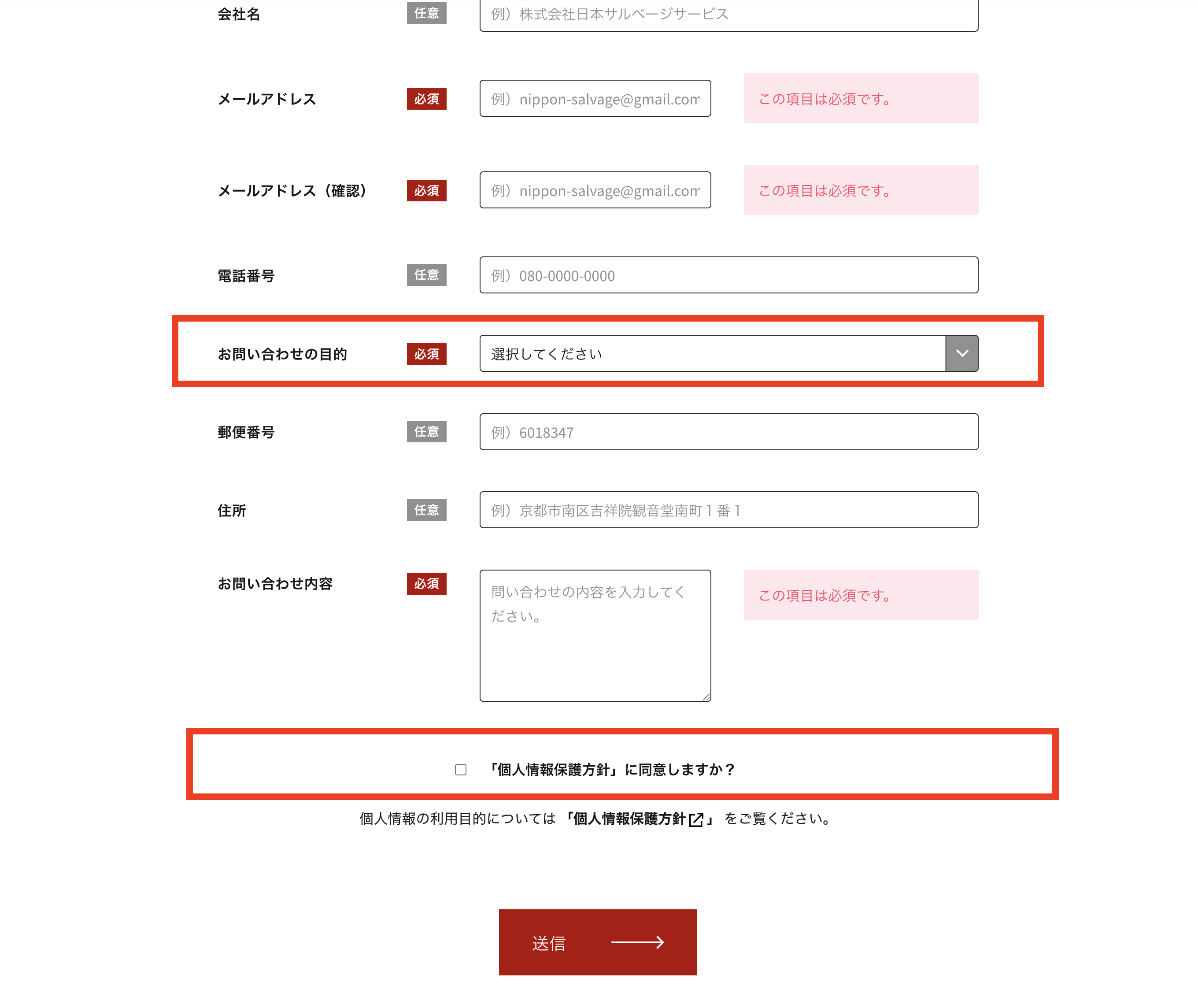
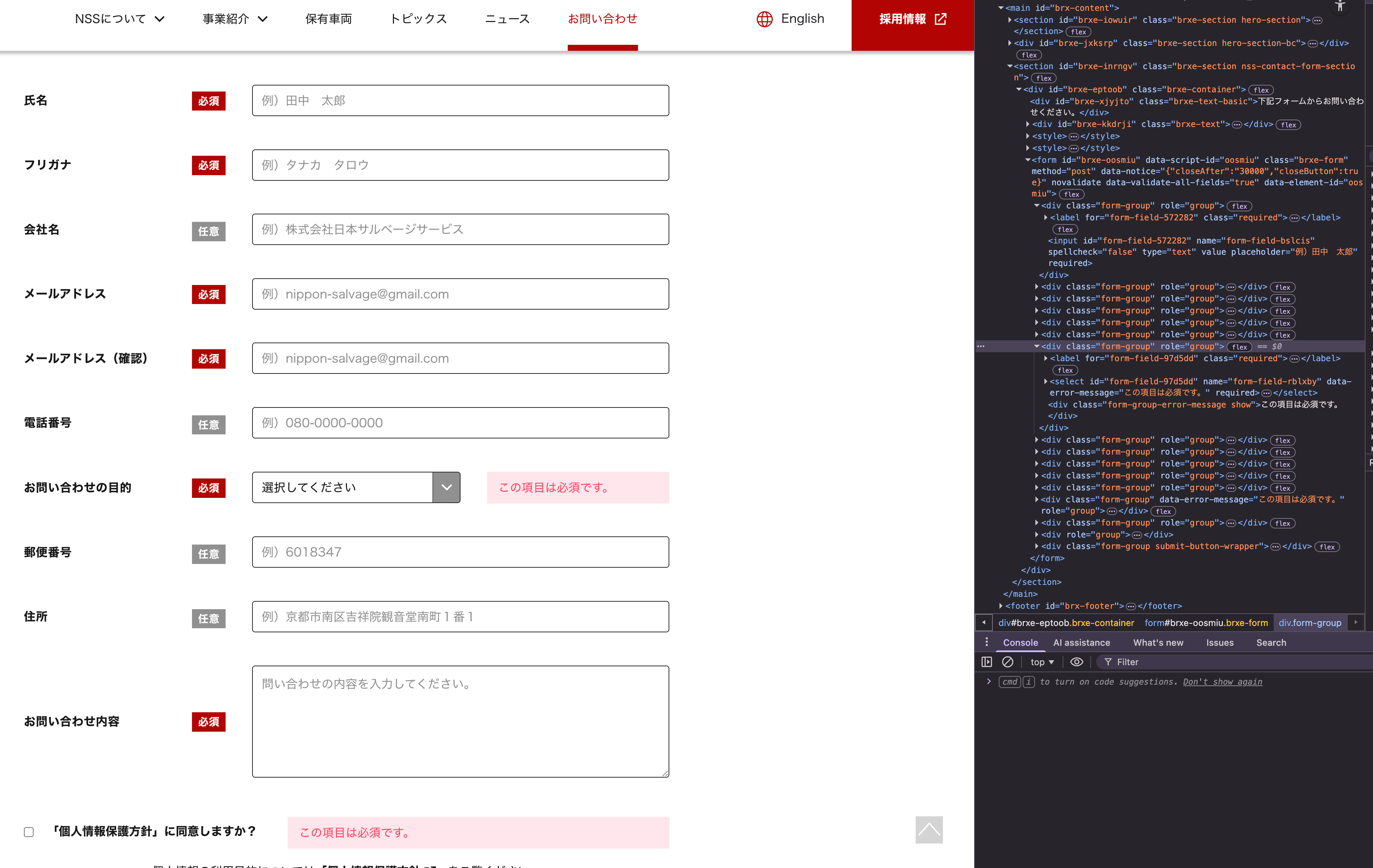
For instance on this form the select and checkbox fields are mandatory but do not get the message as the other mandatory fields.
Sorry for the pain, maybe I am missing something.
Thank you
Hi @tibo,
I can see that the first field is “Select”. The element can’t be empty, so in which case you would show the error message?
What is the second element? Checkbox?
In the image I sent there are 2 fields highlighted in red.
Please let me know if still not clear.
@matej, Thank you for your support.
Hi @tibo,
thank you so much for response.
Ok, but in your case, I can see that something is selected. By default, the select field should select the first item/option, so based on that, when would we need to show the error?
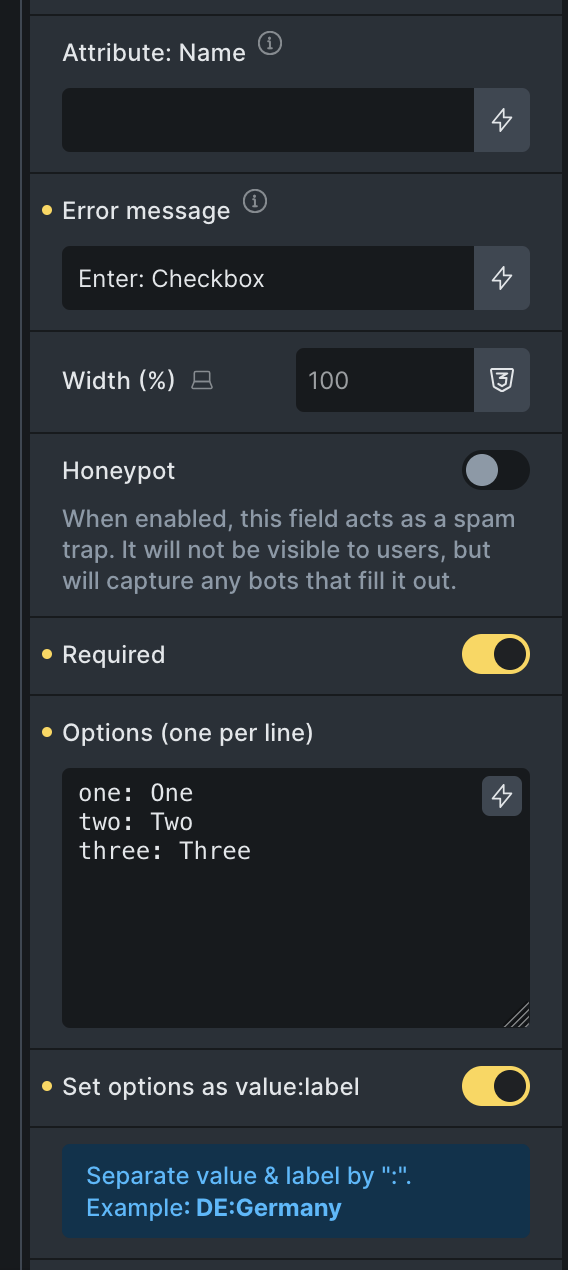
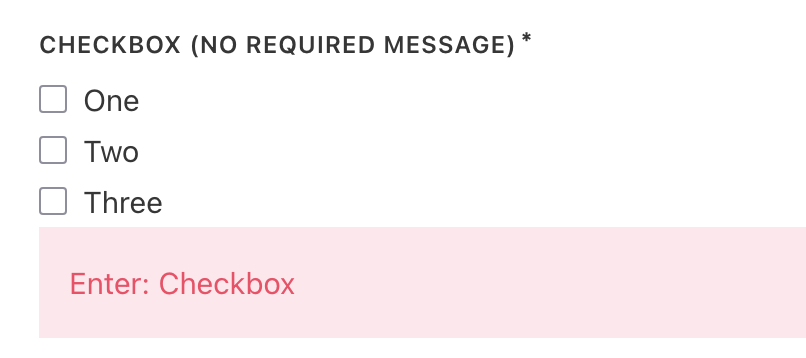
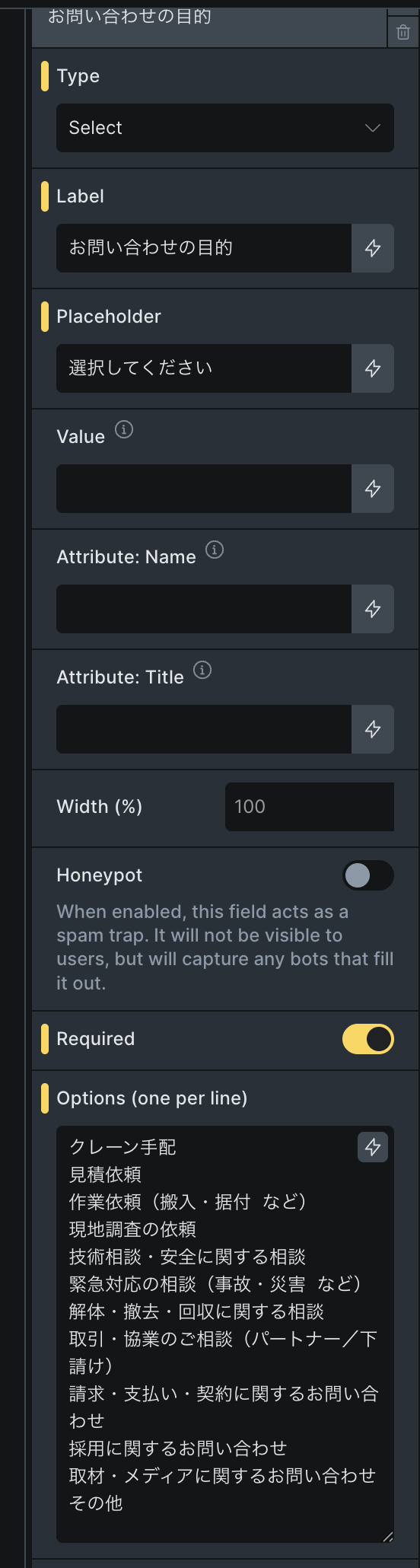
Hmm, I can’ replicate this one with the “Checkbox” field  . Here is my checkbox field setup:
And here is the frontend, after submiting the form, but checkbox fields are not checked.
Please let me know what I’m missing.
Thank you,
Matej
thank you @Matej
For 1. Sorry, japanese may be misleading, nothing is selected, this is just the placeholder.
For 2. Found it, my bad, the error message was not inluded in the field (but compensated in my JS in the case it was missing together with the translation, that mislead me). That is maybe why in the case of 1. it is not working too as there is no field where to input error message despite the field marked as mandatory.
Hi @tibo,
thank you so much for the response. I can confirm the #1 now, it looks like it was an oversight on my end when I was implementing this task.
I’ve created another internal task and will implement this for the Select field as well.
Thank you so much and sorry for the trouble.
Matej
We fixed this issue (again) in Bricks 2.3, now available as a one-click update in your WordPress Dashboard.
Please read the changelog entry before updating, and let us know if you continue to experience issues.
Hello,
Thank you for the addtion. I just moved to 2.3.1.
The error message appears for some fields but not for others.
Since the original change in 2.2, I added the error messages to 2 fields. Those are reflected when I press the send button for instance, but all the other fields that had the error message included before the change are now ignored (used to work before recent addition).
I tried to delete/re-input the message to those fields. Activate/de-activate the functionnality with no luck.
if necessary link and password the access the page to see the inspector (but through email).
Thank you.
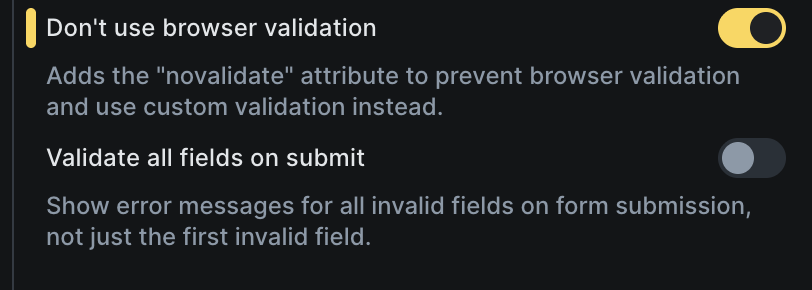
I tried also to deselect “validate all fields on submit” and the one that had the correction in 2.3 is the only one appearing now.
Hi @tibo ,
Your issue sounds pretty much related to this one:
Feel free to send your website login credentials and a link to this thread to help@bricksbuilder.io, and we can test the fix we already have in the pipeline.
Thanks for the reply, that’s the same. I will wait for the official fix then,