Browser: Waterfox, but i guess it’s broken everywhere OS: macOS but… again
Bricks version: current
Ok, this is a very generic thread about a behavior that applies to many different items in bricks (icons, menu/pop-up/map pin toggles) so the explaination won’t provide much detail, but I will help more information if needed.
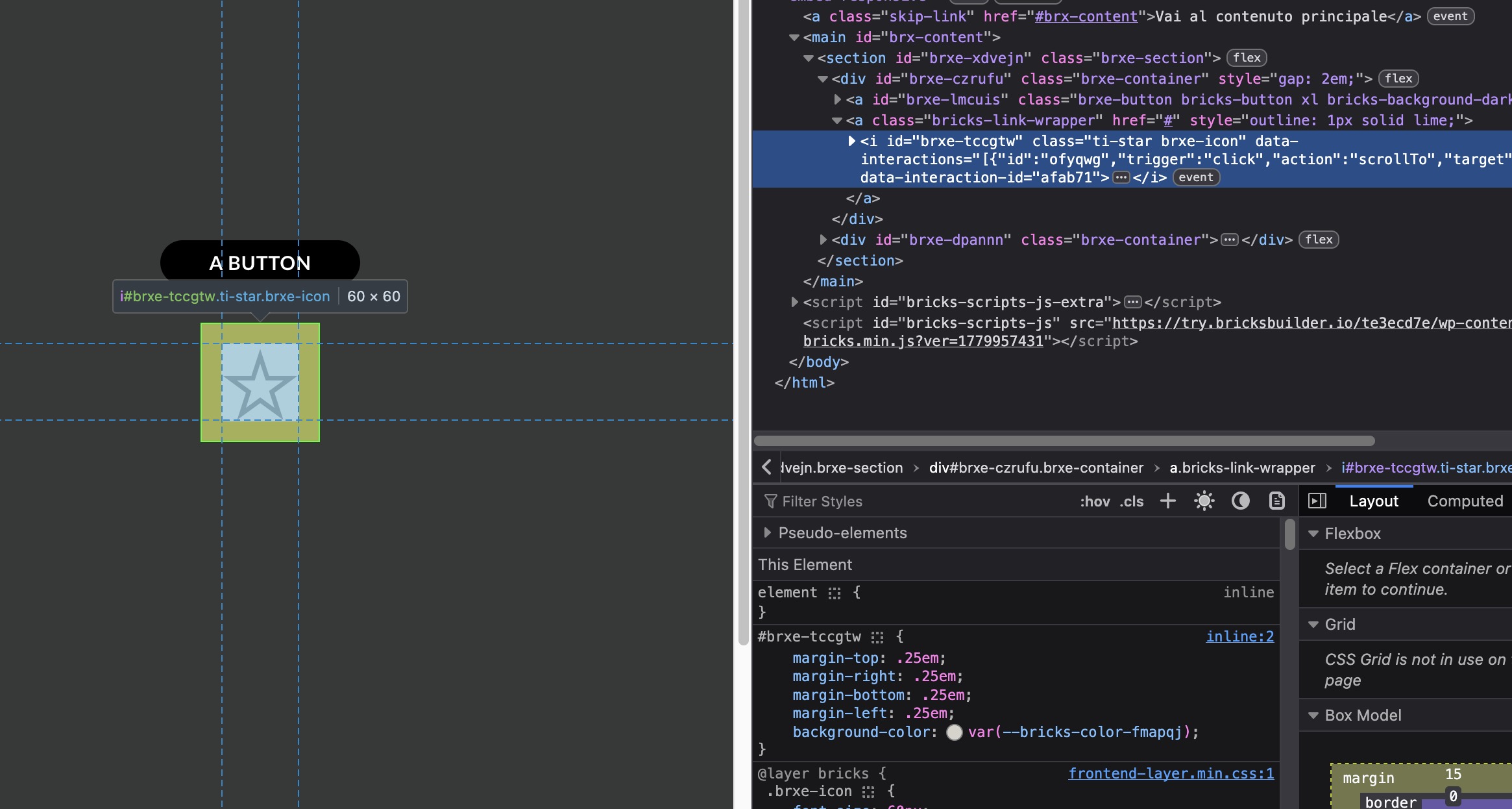
The elements I listed above (well… some of them and I guess more) of course allow to set a click interaction, or already have one attached. So… imagine you use the icon item to create a scroll to top button in the footer. You would pick the icon, which provides a link wrapper so you can access it via keyboard… then you would set the click action to scroll to main.
And that will work… as long as you are clicking, but you cant interact with it with the keyboard. The <a> element will have focus, but the trigger is attached to the contained icon.
So what you have to do is create a container first, to carry the interaction, configure it to be an <a> element so it can bey keyboard selected… and and then put an icon into the container.
Similar things happen to other elements. You can open a map pin infobox with the keyboard, but you can’t close it.
thank you for the report. I am considering moving this to the Feature Requests / Improvements, based on what we figure out. I would love to have a list and examples of all affected elements.
So, for now, I was able to replicate this for:
Google Map element + infobox. Although we can press the InfoBox close icon, clicking it with the mouse will close it, but pressing Enter will not.
Icon element with link + interaction. Clicking on it runs an interaction, but pressing enter redirects the page. The question is, why have link + interaction on same element anyway?
A good starting point would be to check any item that’s allowed to carry a link (icons, images…) via item settings. I guess there are more, and I will gladly list them here as soon as I find them.
Then about #2:
You need that to make so that the item is selectable via tab. The fastest way is of course to create an icon and use the icon’s option to wrap it. But that’s not working. You could otherwise use a button, set an icon for it and un-style the button. Or you could use a wrapper and set it to be a <a/> tag. But you are in those cases using a workaround and not the “suggested shortcut” Bricks offers. Not a big issue, but what I’m pointing is that the item has no default way to set a kb interaction which I somehow expected.
Look at the image item behaviour: the middle one has a click interaction, but no “link” setting, so its not selectable via kb. When given the # link it becomes selectable and the interaction is there (left and right images). That’s because the interaction for the image item is attached to the <figure/> wrapper, which then contains the image and eventually the anchor and the interaction does then bubble up. Also worth noting that of course the middle image has no pointer cursor, since there’s no<a/> tag.
For the Icon/Image + interaction case, the answer from this older topic still applies:
If an element is meant to behave like a button, the best approach is to place the interaction on a semantic/focusable element, for example a wrapper set to the button HTML tag, and then place/style the icon inside it. This way the browser handles keyboard activation correctly, instead of relying on an icon or decorative element itself to behave like an interactive control.
The Google Map infobox close icon is a different case, though. That close icon is rendered by Bricks and is already focusable, so pressing Enter/Space should close the infobox. I was able to confirm this doesn’t currently work, so I’ve created an internal bug report for it.
Isn’t this exactly what’s happening on the icon item? The bricks interface allows you to wrap it in a <a/> but the button like interaction is still applied to something which has not the property you are referring to. Another workaround would be to set something like a tabindex or a button role to the icon itself whenever click interaction is applied…
With the div set as a button, it still functions correctly if the interaction is applied directly to the div, rather than to the icon element itself, right?
I reviewed the older internal discussions, and one topic was very similar to this. The conclusion reached there was that we should avoid automatically adding tabindex or role="button" attributes, as this could confuse users and the conclusion was that the workaround that was provided in the linked topic above is the one that you should take.
Actually whenever i work with an interactive icon i never use the default icon anchor wrapper.
The icon wrapper is broken, that’s the point.
Whenever I create an item and i attach an interaction to that item i expect the “whole” item to carry the interaction.
Actually in Bricks i create an icon, and in the icon’s own panel I can set the icon to be wrapper in an anchor. I guess we could tell this is Bricks default mode to set an anchor around an unstyled icon (as buttons carry their own styling…).
Styles, the same way as interactions are applied to the icon itself. If you have the <a> wrapped icon and you set a margin… the margin is applied to the icon resulting in a clickable area larger than a user would expect, while the custom interaction applies to a different area. This is very weird…
Imagine creating an icon navigation grid where some items open a different page and one opens a popup form: you are required to create 2 different items/styling to achieve the exact same “button”.
yes, I see what you mean. This is related to the keyboard interaction report, but it is not exactly the same issue.
The Icon element behavior you’re describing is related to this existing WIP issue:
That topic is about display: none applying to the icon instead of the linked wrapper, but the underlying concern is similar: the linked Icon wrapper and the element root do not always behave like one single interactive item.
We’ll have to be careful with any change here, as moving styles/classes/attributes/interactions from the icon itself to the wrapper could affect existing sites that rely on the current markup and selectors.
For now, the older workaround still applies:
So I’ll keep the Map infobox issue tracked separately and treat the linked Icon wrapper behavior as related to the existing WIP topic above.
The workaround you are suggesting is what I’m actually using as told in the opener.
I see your point, but I also think there’s no point in keeping the “bad” (take no offense pls…) implementation and let users still have it around longer than necessary, as this just makes a stronger leverage to procrastinate the fix.
A way this could be fixed is to leave the actual icon as a “legacy” item, with a notification similar to the orphaned child when that item appears in the builder suggesting the user to switch to the correct one, which will just have a different classname. Make finally the legacy item appear in the builder only if it already is in the current template.
Yeah, I was just summarizing it when providing a link
I totally get you point and the suggest you added is actually the only way that I see that could keep the compatibility. We do have an internal task for this, so I’ll just mention this inside.
No, I haven’t checked this one. I’ll take a look if maybe somebody else has picked it up already or not.