SOLVED: Issue with relevanssi. no active theme style if bricks_template shortcode used in page content

I created a template for search results but doesn’t get along with relevanssi? The styles are different IF any of the results has a bricks template shortcode. An example where I set the container width to be 1300px (in theme styles, red border), using the excerpt


The container is not 1300px


The container is 1300px.

In the meantime, I have to use this piece of code in order to get it fixed, or uncheck Create custom search result snippets in Excerpts and highlights

// It works on local but not on staging
add_filter('relevanssi_disable_shortcodes_excerpt', function($values) {
    $values[] = 'bricks_template';
    return $values;
});

I see compatibility with that plugins was added in v1.3.2 but I don’t know if this would be a bricks or relevanssi issue.

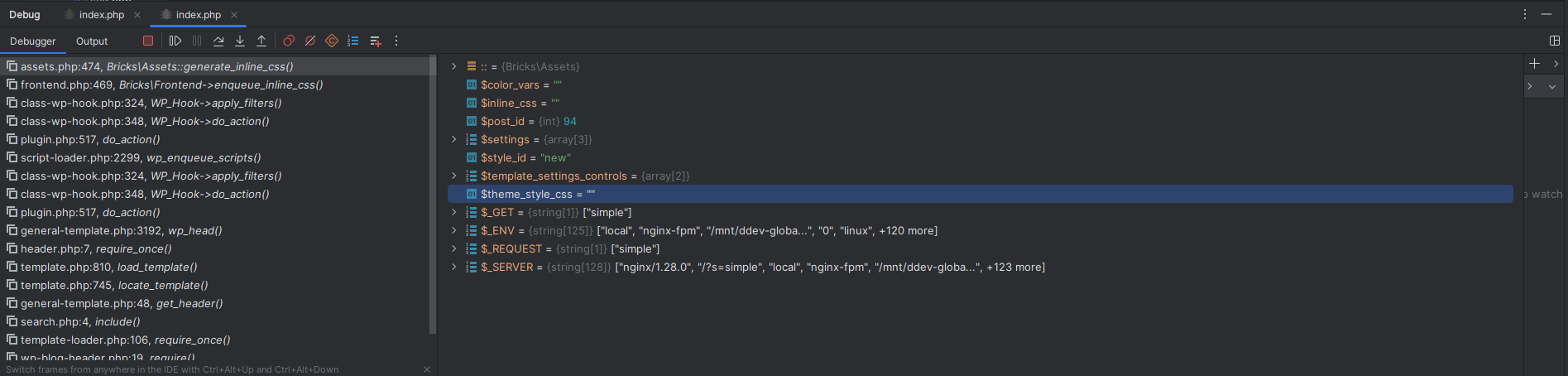
Some differences I see while debugging:

This is where the result doesn’t have a bricks shortcode


Why is there a .woocommerce selector? Not using it

This is where the result has a shortcode

For some reason if there is a shortcode, the styles are not present?

Edit: Only happens if the CSS loading method is set to inline styles

Hi @joseadrian ,

Thanks for reaching out.

Unfortunately, I am not able to replicate this issue.

Can you please try to clone it on a publicly accessible domain and send the admin credentials to help@bricksbuilder.io (Include this forum thread URL)

I will check that.

Created a test site with a fresh copy of wordpress and reproduced the issue. Credentials were sent.

We fixed this issue in Bricks 2.2 beta, which is now available in your account.
Changelog: Bricks 2.2-beta Changelog – Bricks

Please let us know if you are still experiencing issues.

As with any pre-stable release, please do not use it on a production/live website. It is only meant for testing in a local or staging environment. The more feedback we get, the better :v: