Browser: Chrome 110 OS: macOS / Windows / Linux / etc. URL: Link to a page that illustrates this issue Video: Short screen recording that illustrates this issue (free tool: jam.dev)
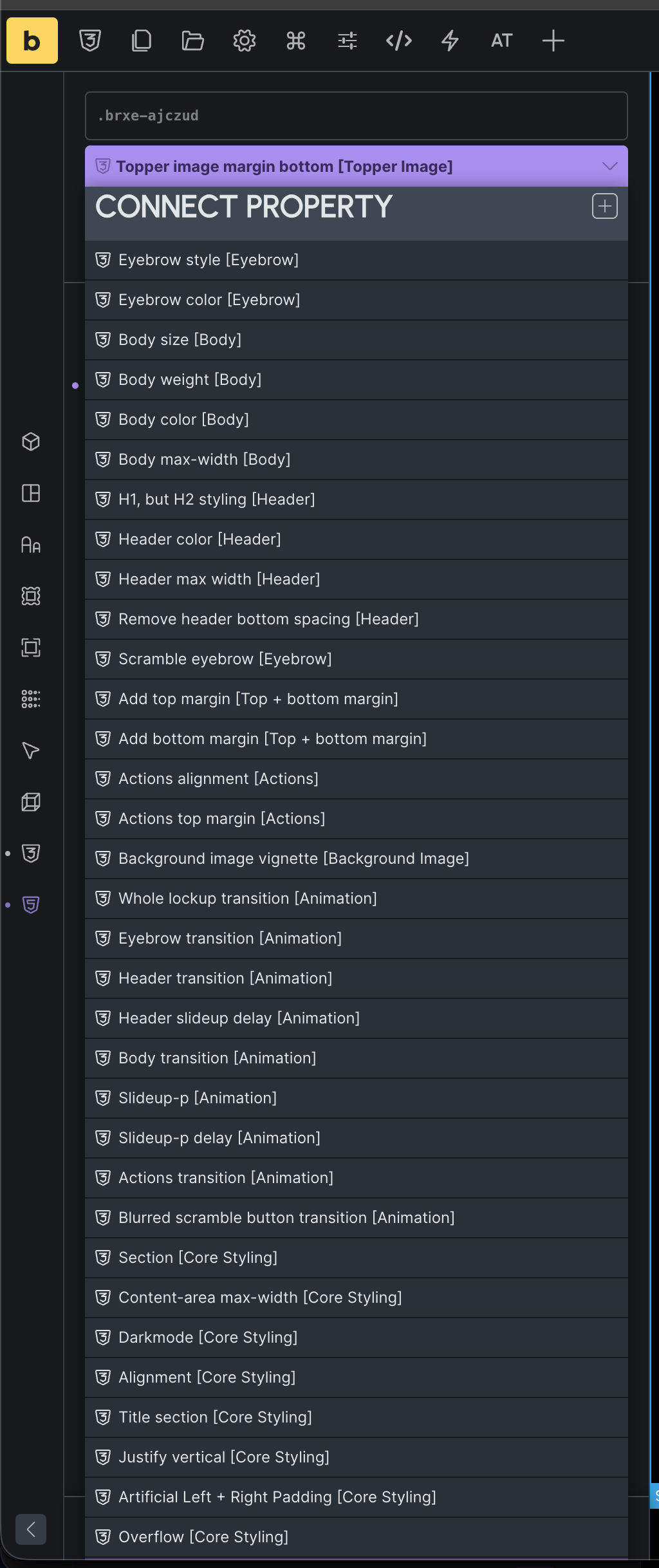
I have a lot of component properties. When I try linking them to elements, the dropdown exceeds the height of my viewport, and I am therefore unable to see or select the ones at the end.
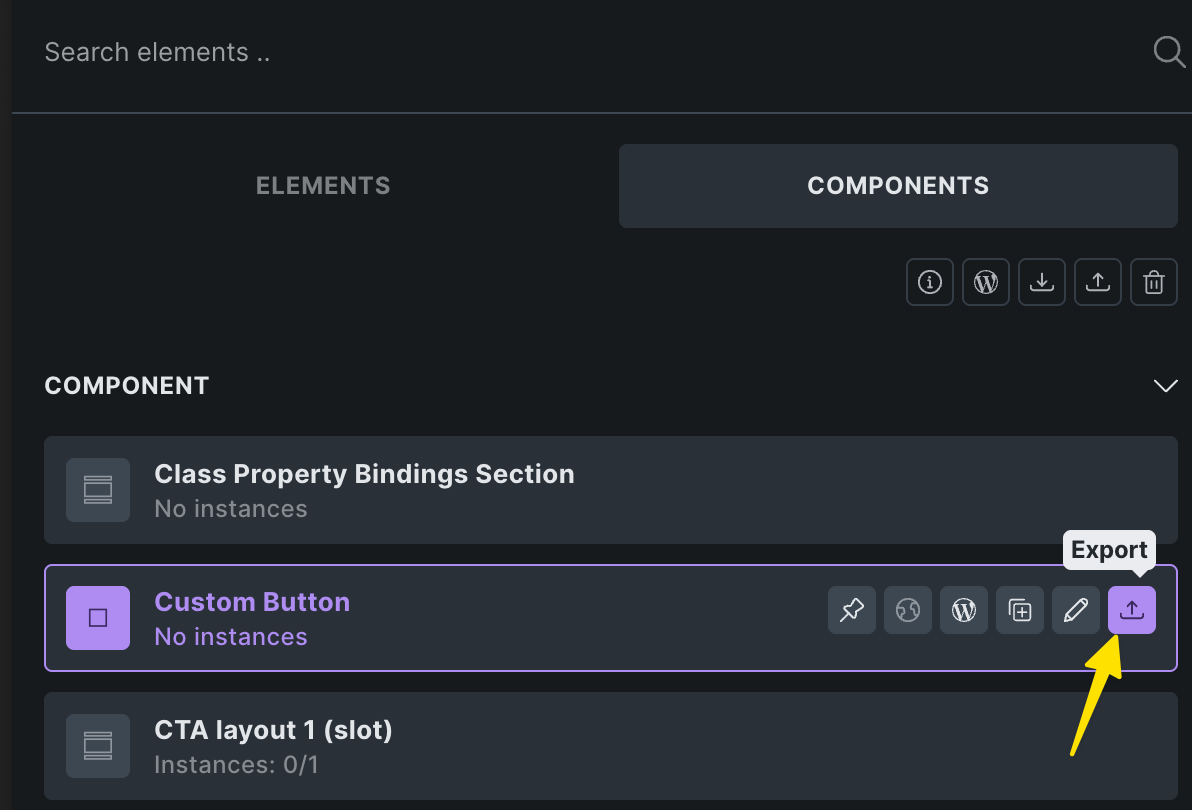
Thank you for looking into this — yes, of course! How do I share this, sorry? I saw you can export as a JSON, but unsure how to do this in the Builder.
Thanks so much for sending the component! 67 props… brooooooo
It just about fits on my 32" screen… but I can definitely see the problem, and have created a task for it
Off topic, feel free not to reply.. but I’m interested in what the use case is of having a global component with so many props?
(I’m thinking - if each instance is designed to be very different - due to lots of props changing lots of things, what’s the benefit of syncing them at all? Why not just have them as seperate elements?)
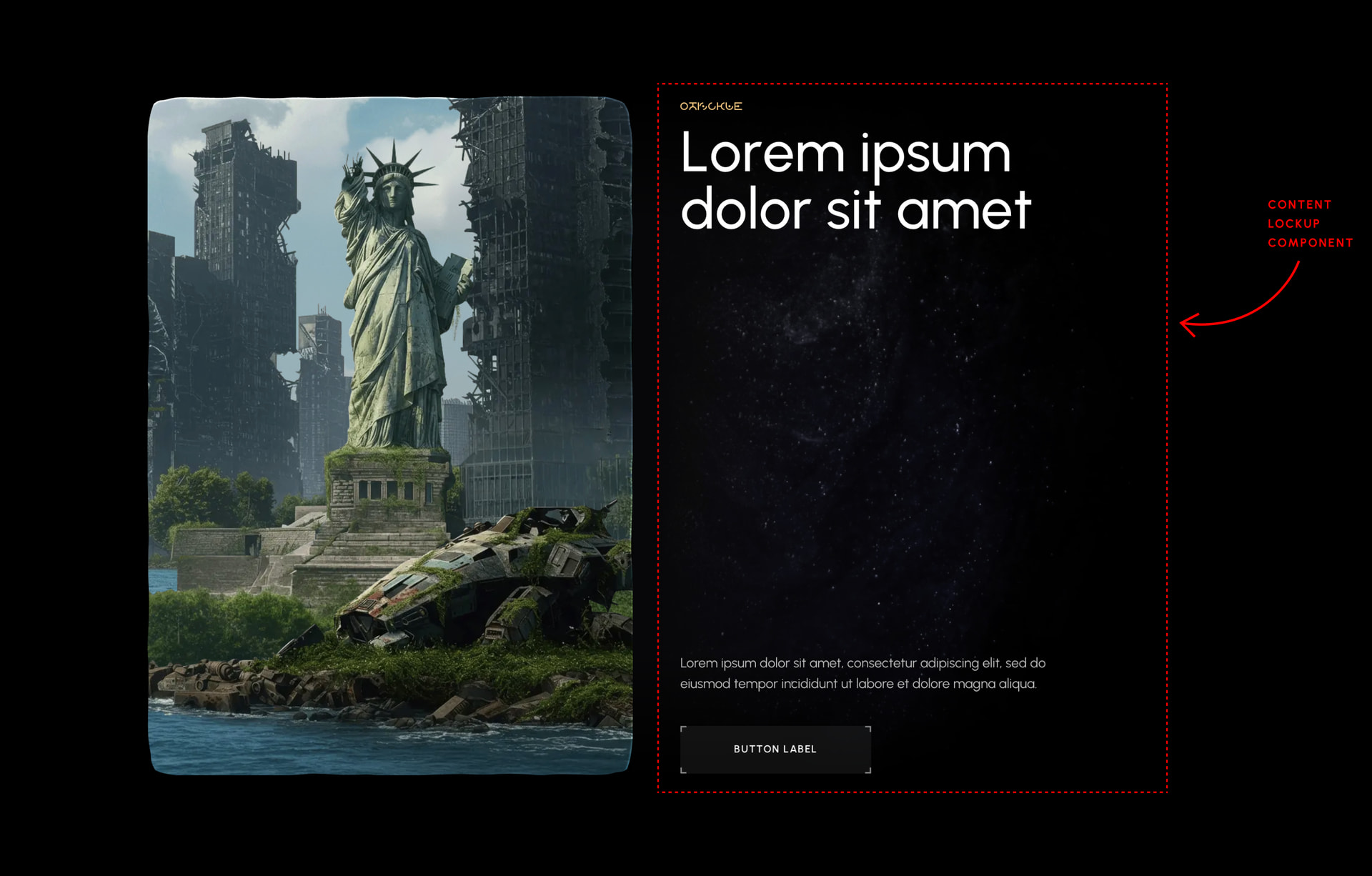
All good — happy to explain my reasoning. This particular component is my content lockup component. So, it comes with every combination of eyebrow, title, body copy, buttons, and links I could ever need. It just makes my life easier when I’m building out a site and my template, I can just drop this single overpowered component in and know it has me covered in terms of the content. All those component properties cover things like colours, spacing, toggling elements on / off, adjusting animations, etc (I’m building out a sci-fi site, so a lot of bizarre, complex effects are needed).
I was worried at first such a large component would slow down my page, but I haven’t had any issues with it. It just makes it easier (at least, for me) having a one-stop shop component I can use for everything, instead of lots of smaller specialised components that I’ll lose track of. I’ve organised these component properties into groups so it’s easy to navigate.
 Thanks!