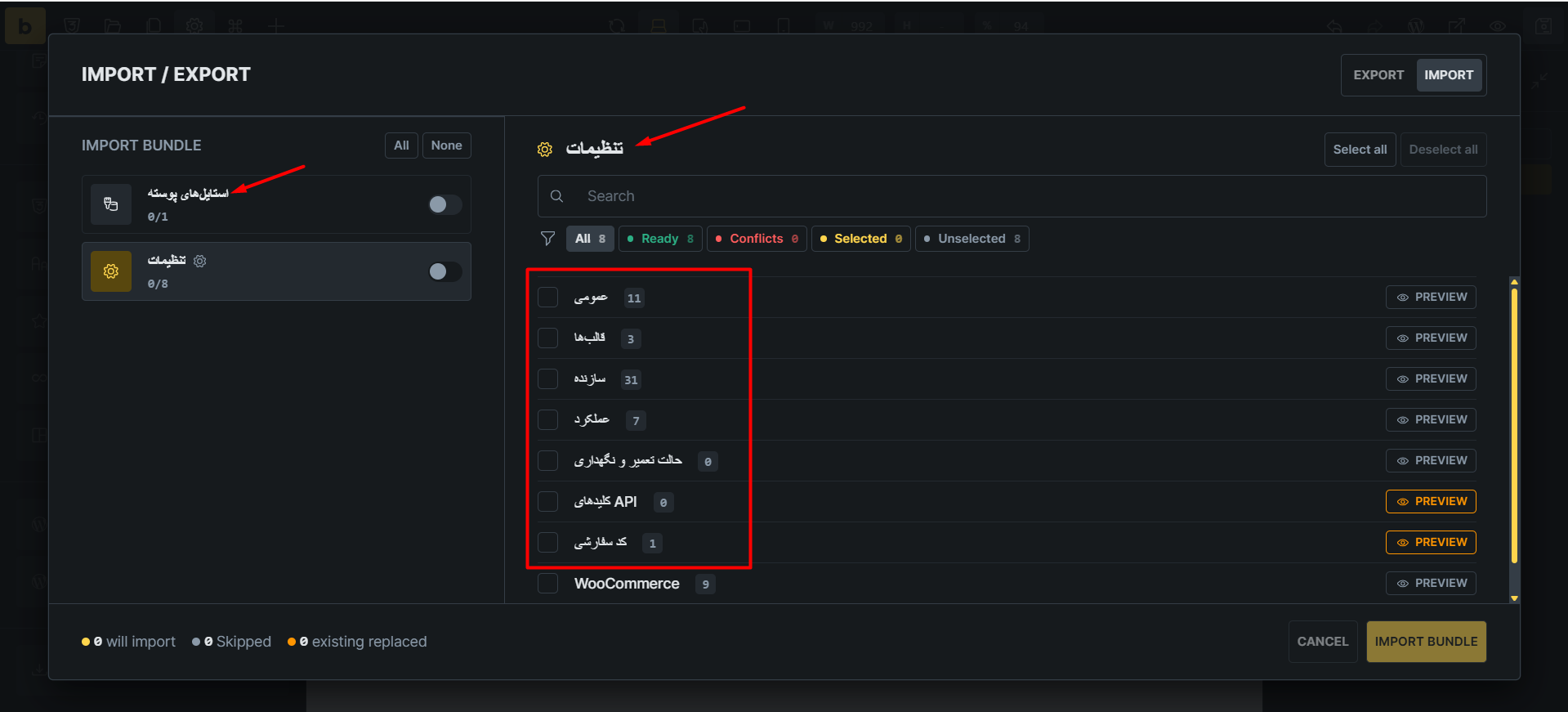
Browser: Chrome 153.0.8010.54
OS: Windows
Hi Team,
If, for example, the source website is in Persian and the destination website is in English, some sections will be displayed in Persian (the source website) when importing.
Hey @HOSEIN,
thank you for the report. I replicated them and I’ve added it to our internal bug tracker.
As for a note, please next time do 1 report per one topic, otherwise it will get confusing if we don’t fix all of them in one release.
Thank you.
Matej
Hi Matej,
I’m sorry, you told me before but I forgot. I’ll do it right now.
We’ve addressed this in Bricks 2.4.3, now available as a one-click update in your WordPress Dashboard.
Import preview system labels now use the destination Builder language. User-authored names remain unchanged; the other settings and icon-set issues discussed here are separate.
Please read the changelog entry before updating, and let us know if you experience any issues.