SOLVED: Icon library resources are still loaded

When developing the site, I used fontawesome and ionicons icons. Then I stopped using them and loaded svg. But the problem is that the icon library resources are still loaded. :frowning:

Previously, there were no problems with this approach, but now I can’t solve it. I’m sure I replaced everything the same way I checked on a completely clean page with no data at all.

Perhaps in such a case a solution is needed as with fonts, to forcibly prohibit the use of fontawesome.

Hi,
Thanks so much for your report!

Without a live link/login, it’s hard to say why, but I see some potential reasons:

  1. Icons are still being used somewhere (can be easily overlooked)
  2. The page contains “corrupt” Bricks data: the elements are not displayed, but the code still contains references to the icons.
  3. Some caching

Best regards,
timmse

The site is local, I can’t provide a link yet.

As I said above, I deleted everything, so finding invisible icons is excluded.

I don’t have any caching. I also cleared the browser cache.

I can’t check broken elements, I don’t have enough knowledge.

I wouldn’t like to come up with another fix for such errors :frowning:

It would be easiest if you could make the website live and send login credentials so we can find the culprit. Otherwise, unfortunately, we can’t do anything concrete at this point.

The hidden broken element is to blame. I did a test. First I pressed the delete all button, checked that everything was ok. Then I deleted all the partitions one by one, and the problem occurred.

Now the main question. How to find or remove a broken element if it is not visible?

We are currently working on a solution to remove such elements automatically.

Unfortunately, we still don’t know how to create them, which would help massively. If you can remember the specific steps you took before the issue occurred, please let us know.

A potential temporary solution is:

  1. Manually copy elements from the current page (section by section, not using “Copy all”) to a temporary dummy page.
  2. Delete the original page and remove it from the trash. Make sure all related meta values are cleared.
  3. Create a new page with the same slug as the deleted page.
  4. Paste the copied elements back from the dummy page (you may now use “Copy all”).

Let us know if that resolves it or if you can reproduce the issue again.

Yes, it helped.

  1. I copied all the sections one by one into a separate page. I checked that everything was fine.
  2. Removed all sections from the problematic page at once
  3. I copied all the data from the current page and pasted it onto the problematic one.

Hooray. It worked :slight_smile:

Ok, cool :muscle:
We’ll let you know once the “cleanup fix” has been implemented.

It would be better if we knew how the problem arises in the first place, so if you find a way: be sure to let us know! :fist:

Hi,

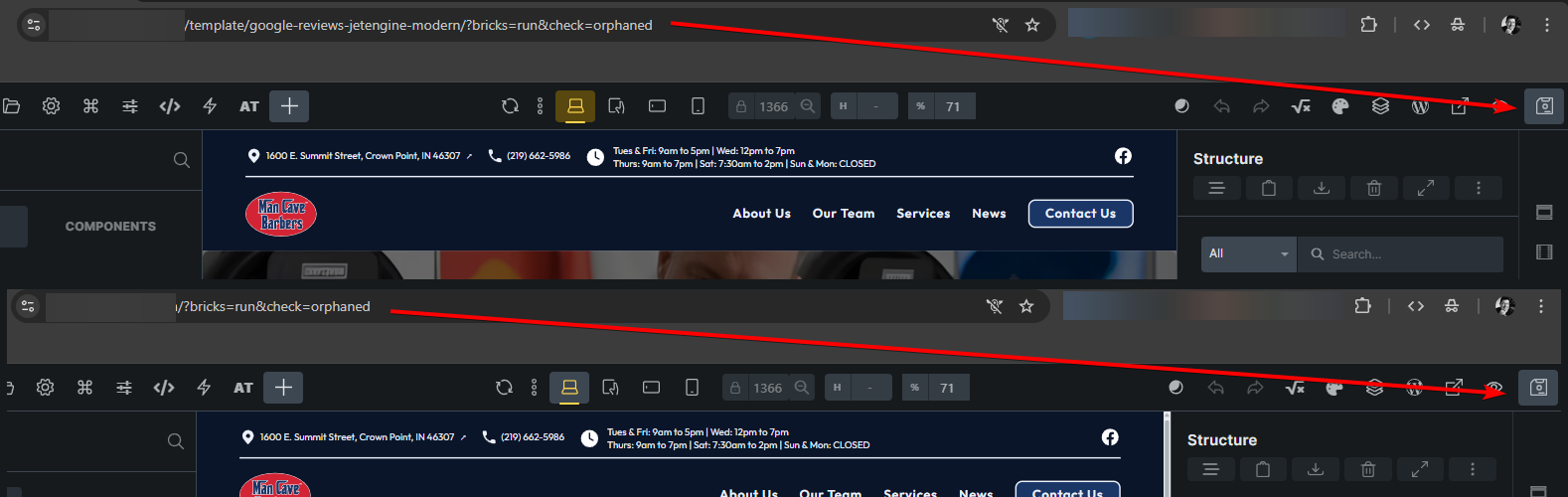
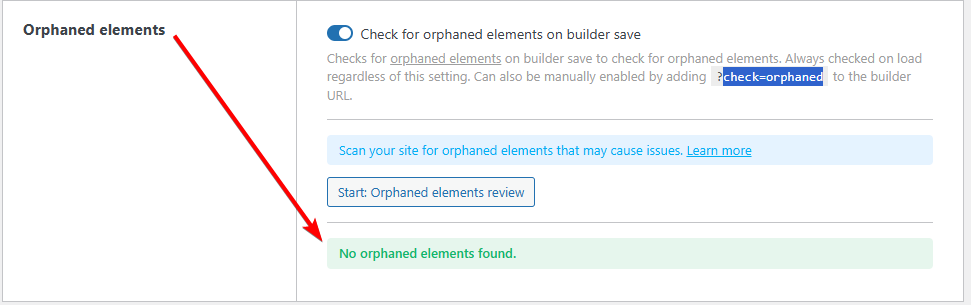
We added a “data integrity check” (Bricks » Settings » Builder » Data integrity) in Bricks 2.0 beta, which is now available in your account.

Changelog: Bricks 2.0-beta Changelog – Bricks

Please let us know if you are still experiencing issues.

As with any pre-stable release, please do not use it on a production/live website. It is only meant for testing in a local or staging environment.

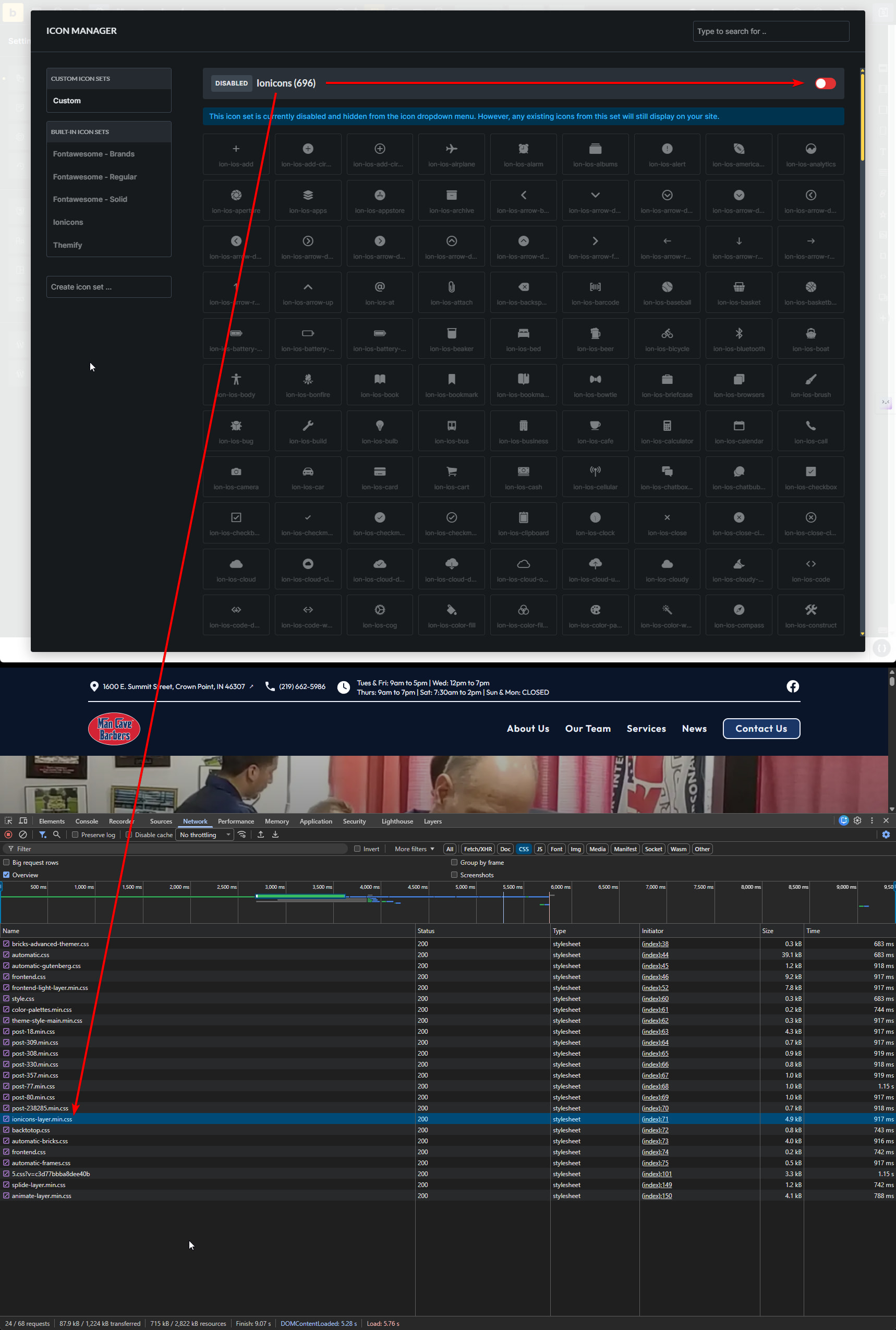
This does not seem to be working for me on version 2.3.2. I have all the built-in icons disabled, and using my own SVG icons on the page; however, the ionicons are still loading.

In that case, it’s not due to an orphaned element, but perhaps to a hidden element?

My approach would be to search for “ion-” in the HTML in both the frontend and backend dev tools. Then you should definitely find the culprit.

I will check and report back.