Browser: Brave Version 1.74.51 Chromium: 132.0.6834.160 (Official Build) (64-bit)
OS: Windows 10
URL: Page no longer has issue, but contains the relevant form - Click button to show form
Video: Too hard to capture the subtleties of this in a video
Overview
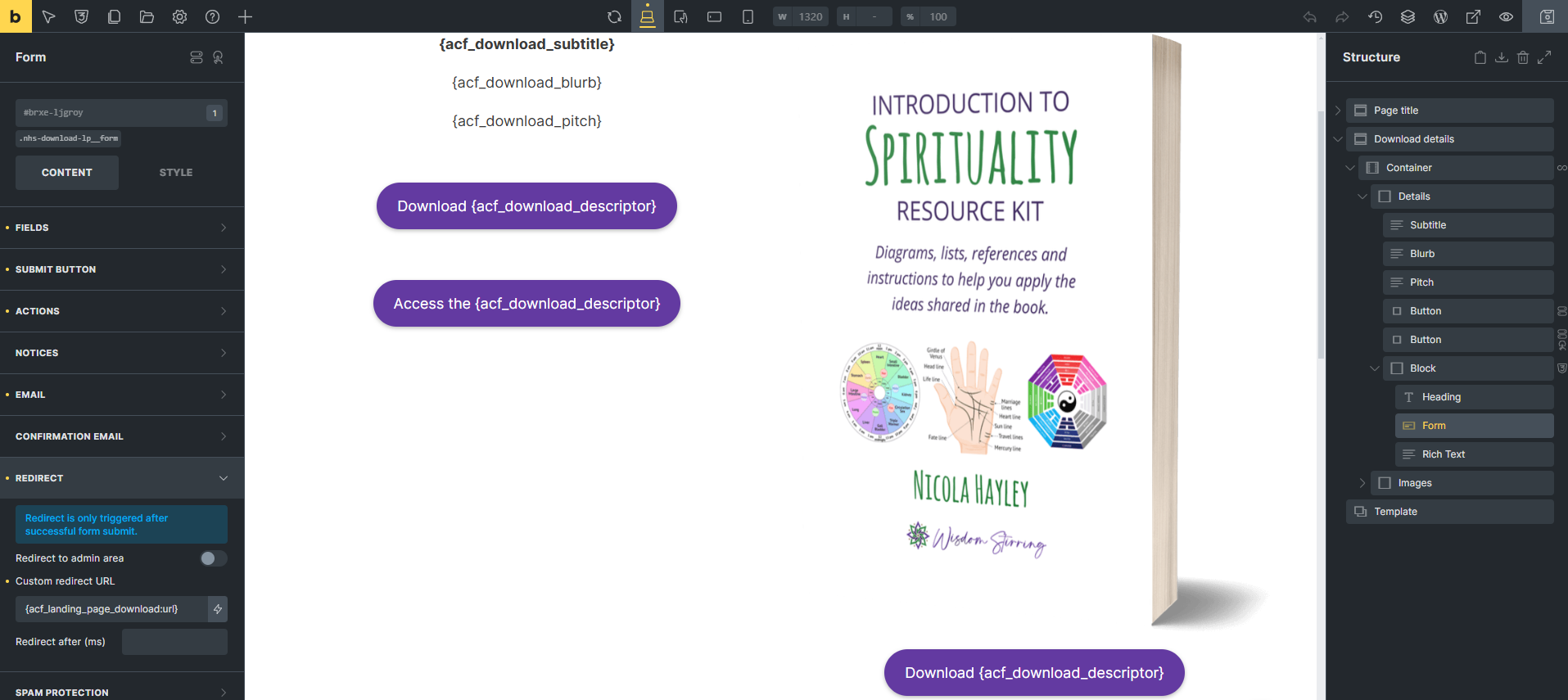
When embedding a Bricks form within a query, the redirect field references the parent page post (the page on which this content is embedded), not the current CPT post object.
Note: These two objects are connected by an ACF bidirectional relationship field. The query is created by specifying the ID from the associated CPT.
I know that the form is generally referencing the current CPT post object, as it pulls other dynamic data correctly.
e.g. I can set the button text to “Get the {acf_download_descriptor}” where the “acf_download_descriptor” is a custom value from the current CPT post object, not the parent page post object.
Expected Behaviour
I should be able to enter the dynamic data {post_url} into the “Custom redirect url” field, and have the form redirect to the URL of the CPT.
Observed Behaviour
Instead, the form redirects to the parent page URL. To get the form to behave as expected, I need to use
{acf_landing_page_download:url}
which is a custom field attached to the parent page post object, NOT the current CPT post object.
Steps to Reproduce
- Set up a CPT using Advanced Custom Fields.
- Create a bidirectional relationship between this CPT and pages, named something like associated_page and associated_cpt respectively.
- Create a CPT with some content (and optionally some custom fields). Give it a unique title.
- Create a page that displays content from the associated CPT via a query. Give the page a unique and different title.
- Add a form to the content within the query.
- Pull the button label dynamically from the CPT (eg using post_title) and see that it is displaying the correct value on the button
- Set a redirect on successful submit that goes to the CPT page using {post_url} in the “Custom redirect url” field
- Submit the form
- Observe that the form redirects to the parent page URL, not the CPT post URL
- Now use {acf_associated_cpt:url} instead in the “Custom redirect url” field
- Submit the form again
- Observe that the form now correctly redirects to the CPT URL, not the parent page URL