SOLVED: Font manager save icon background-color

Hey there,

I’ve found a small bug in the new Bricks release. I checked the forum and found only a similar bug related to the icon color, but it was in a different place and is already marked as solved in v2.2 RC.

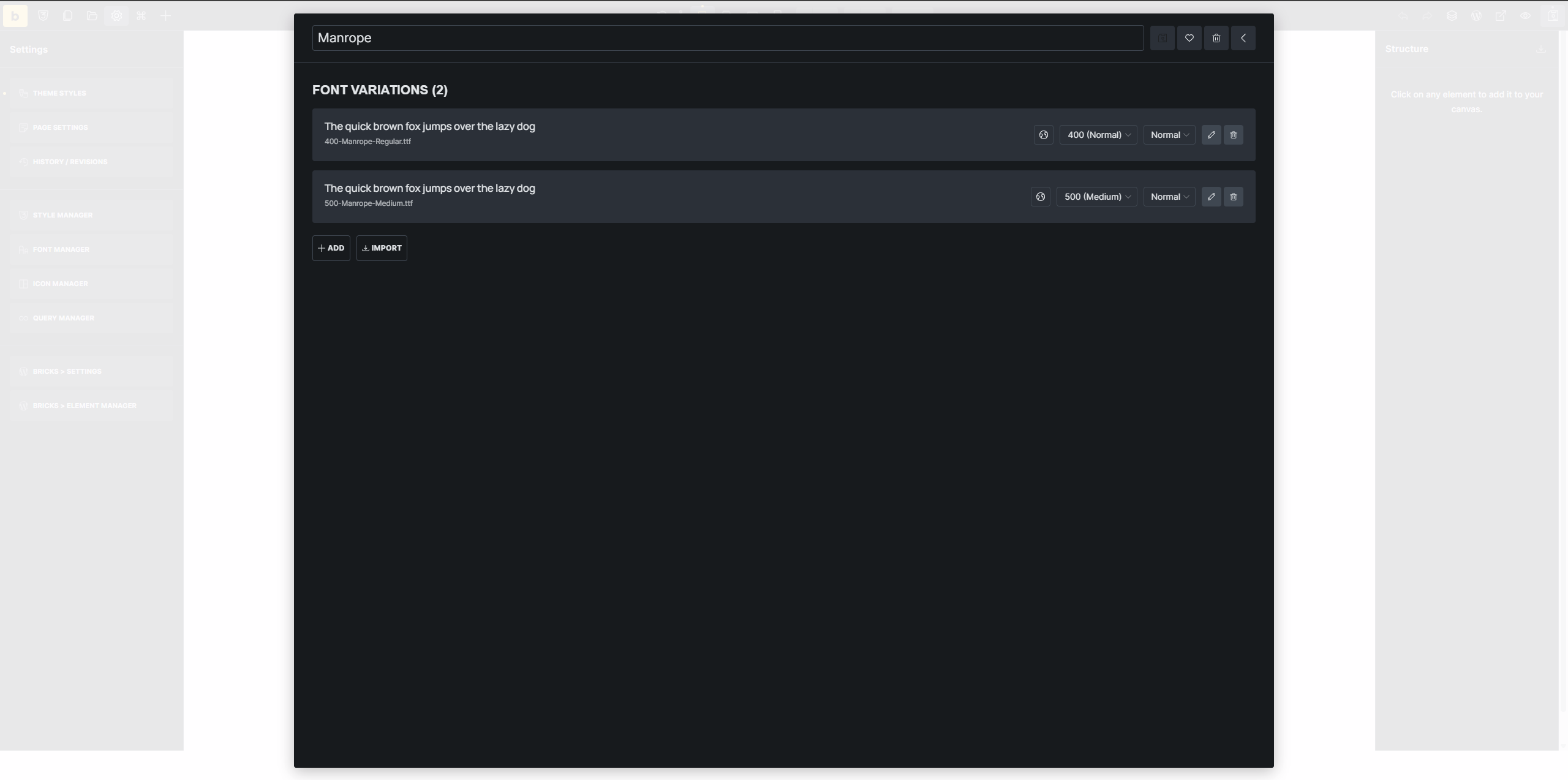
As you can see in the image below, when adding a font via the Font Manager, the save icon is dark. It works correctly and the hover state is also correct, it’s just dark when it’s supposed to be white.
Hi Jindřich,
Thanks so much for your report!

Yeah, actually it’s the background color that is being overwritten. We will update this thread as soon as the problem has been fixed.

Best regards,
timmse

1 Like

We fixed this issue in Bricks 2.3, now available as a one-click update in your WordPress Dashboard.

Please read the changelog entry before updating, and let us know if you continue to experience issues.

1 Like

I’ve run into similar UI glitches before where the icons just don’t play nice with the background colors in the builder. It’s such a small thing, but it definitely makes it hard to see what you’re clicking!

If you’re still seeing that weird contrast issue, one thing that helped me was to double-check if there’s a global ‘Admin UI’ setting or a specific browser extension (like a Dark Mode toggle) that’s overriding the Bricks interface colors. Sometimes just ‘cleaning up’ the local CSS cache or even testing it in a private window first helps to see if it’s a persistent bug or just a temporary rendering error.