I noticed this while replicating another issue and already added it to our bug tracker
Seems to have crept in over the last few meters, as it worked wonderfully in the previous tests.
Thanks for the bug fix.
Basically the bug has been fixed for the issue of displaying different Google Fonts but a new related bug has appeared.
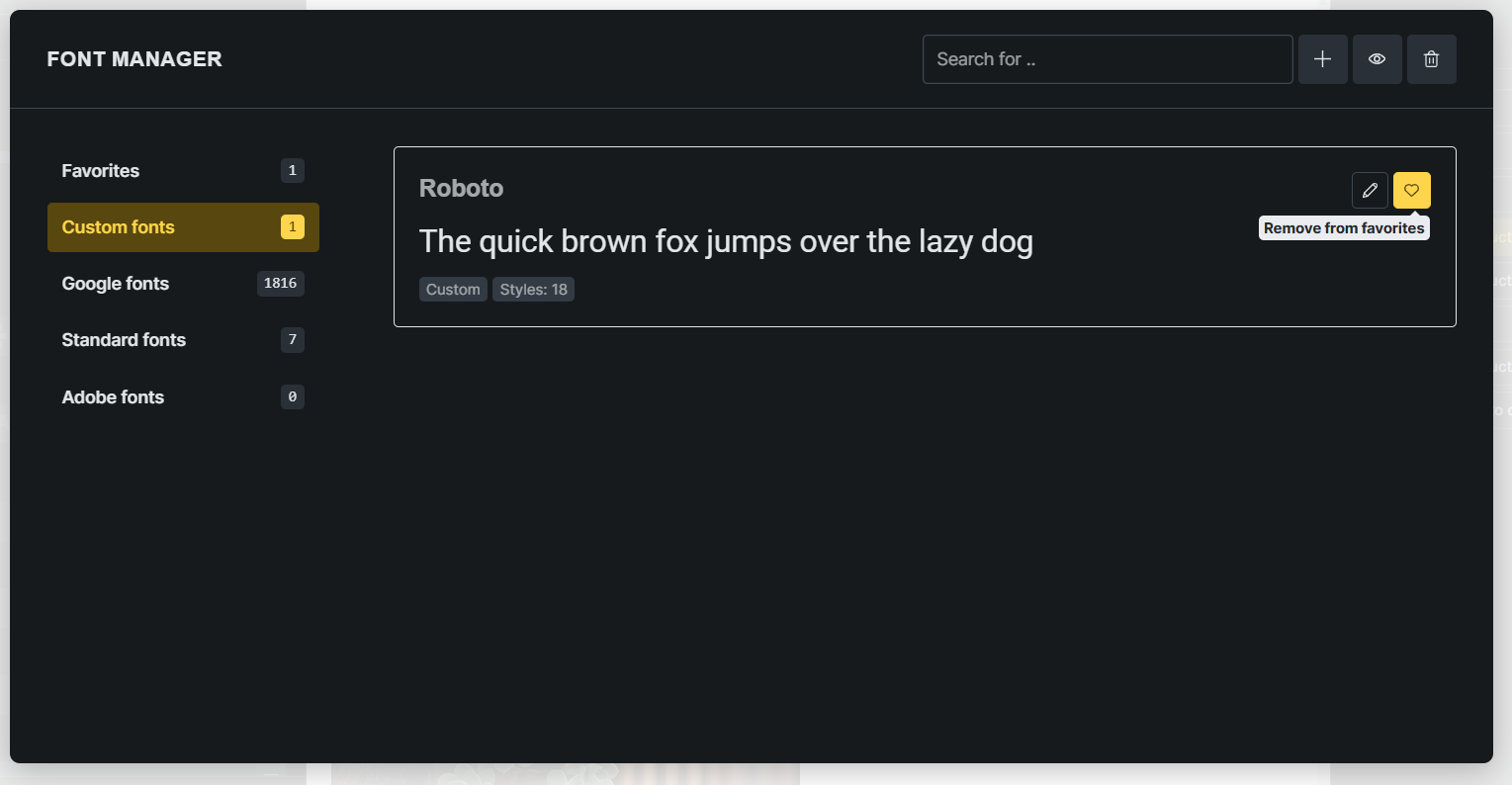
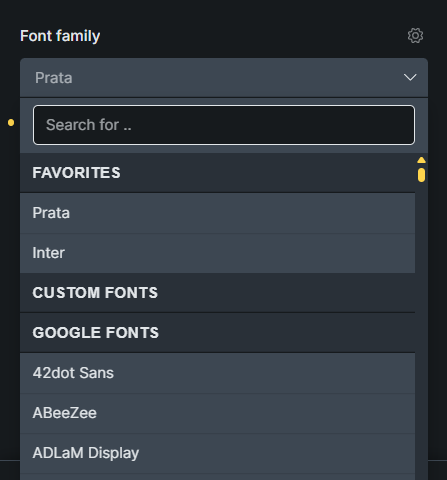
Favorites and Custom Fonts (Google Fonts downloaded) will be in Favorites, meaning there are Fonts in Favorites and Custom Fonts will not have any Fonts.
Steps to reproduce the bug:
(If Download (Custom font) first, Issue will not occur)
Issue:
Edit Page with Bricks / Settings / Font Manager
Google Fonts → Select Inter → Add to favorites
Google Fonts → Select Prata → Add to favorites
Favorites → Select Inter → Download (Custom font)
Favorites → Select Prata → Download (Custom font)
Return to Builder interface → Add Header Element
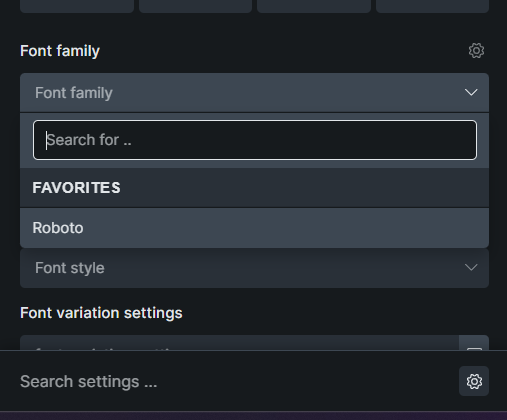
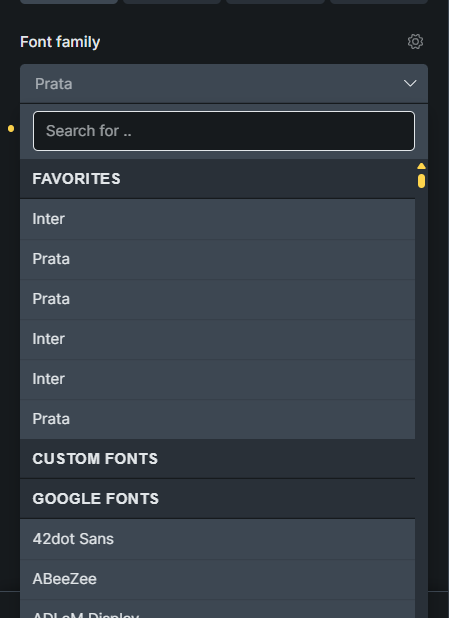
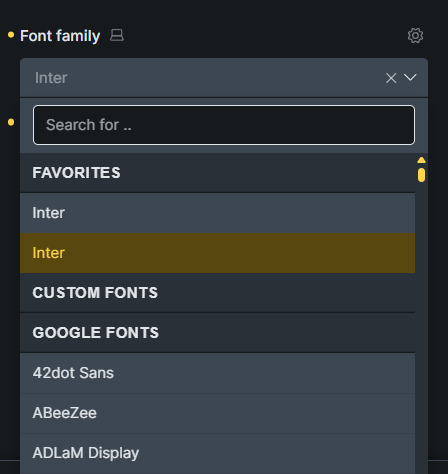
Go to Typography / Font family → We see Issue:
– Favorities: 4 Fonts: 2 Inter, 2 Prata
– Custom Fonts: 0 Fonts
Save Page, go back to Header Element check again, Issue still have.
Adjust the display of Fonts in Favorites and Custom Fonts, we will see the display as follows:
After the error Issue 1 occurs.
Edit Page with Bricks / Settings / Font Manager
Custom Fonts Select Inter → Remove from favorites
Custom Fonts Select Prata → Remove from favorites
Custom Fonts Select Inter → Add to favorites
Custom Fonts Select Prata → Add to favorites
Return to the Builder interface → Select Header Element
Go to Typography / Font family → We see the display:
– – Favorities: 2 Fonts: 1 Inter, 1 Prata
– – Custom Fonts: 0 Fonts
— Continue:
Custom Fonts Select Inter → Remove from favorites
Custom Fonts Select Prata → Remove from favorites
Return to the Builder interface → Select Header Element
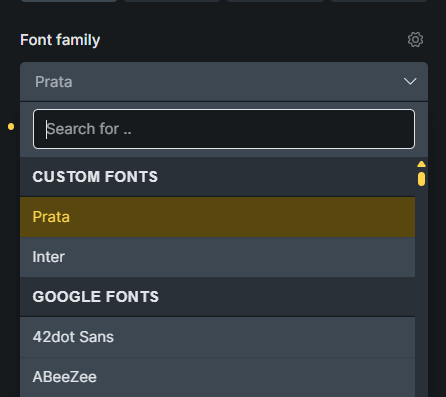
Go to Typography / Font family → We see the display:
– – Group Favorities not seen
– – Custom Fonts: 2 Fonts: 1 Inter, 1 Prata
even though it might look like a bug, it’s actually not. Once you download your Google Font, they are then two separate fonts - One local, one from Google.
You can then remove the Google Font from favourites, or you can rename the custom font.
I reviewed it and got it as you said. This is not a bug, it is a Flow and UX issue. We can describe and clarify it in the documentation. Because “Custom fonts” and “Google fonts” are 2 different categories and can be added to “Favorites”.
We’ve fixed this issue in Bricks 2.0, now available as a one-click update in your WordPress Dashboard.
Please take your time to read the changelog entry before updating: Bricks 2.0 Changelog – Bricks, and let us know if you continue to experience issues.