Hello,
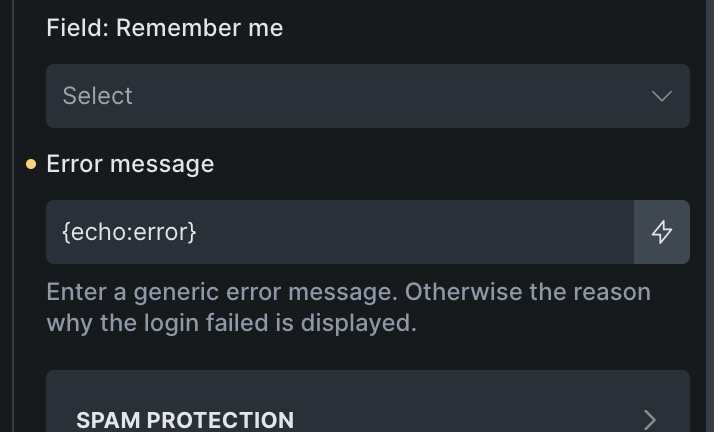
I’ve encountered a bug in the Form element while using dynamic data in the “Error message” field.
When inserting a dynamic data tag, it is displayed literally on the frontend instead of being interpreted.
Steps to reproduce:
-
Add a Form element.
-
In the “Error message” field, enter a dynamic tag (for example:
{echo:error}): -
Trigger the error message on the frontend (e.g. submit the form with invalid or missing data).
Expected behavior:
The dynamic tag should be parsed and display its evaluated value (e.g. error).
Actual behavior:
The dynamic tag is rendered as plain text. For example, the message displays:
{echo:error}
instead of:
error

Environment:
- Bricks version: 2.3.2 (latest)
Let me know if you need any additional details to reproduce the issue.
Thanks!