Browser: Chrome 110 OS: macOS / Windows / Linux / etc. URL: Link to a page that illustrates this issue Video: Short screen recording that illustrates this issue (free tool: jam.dev)
Hi bricks team,
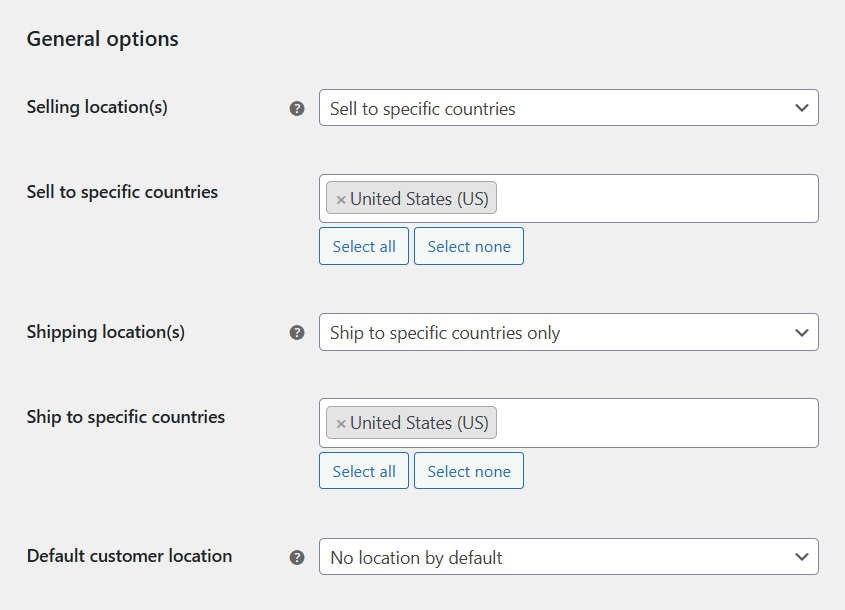
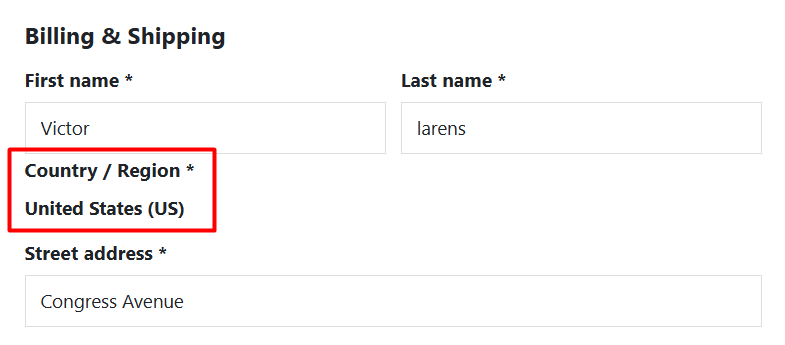
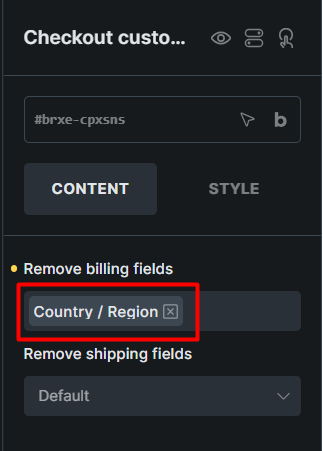
In WooCommerce settings, I assigned sales to a specific country (US) because sales are only in the US. After that, the checkout form still displays the Country/Region field label. I tried to disable it in the bricks checkout element, but the user gets an error because it is a required field.
I’m so sorry, I’ve missed your answer. But I was able to replicate it now, and I’ve added it to the internal bug tracker. The reason why I was unable to replicate it the first time is because it looks like it’s working, if “Deliver to different address” is selected.
We will update this topic once we fix this, and for now, please use CSS to hide it. I’m also not sure if Bricks can affect this, because this is WooCommerce functionality, so maybe the CSS will be the way to go.