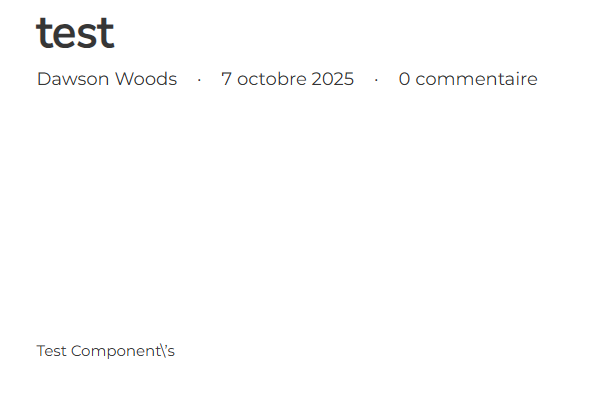
A component with text that contains apostrophes ( ’ ) gets a backslash when brought into gutenberg as a block ( \’ )
Hi @Dawson,
can you show me how to replicate the issue? I can see the apostrophe nicely here.

Thank you,
Matej
Made a basic text element into a component (content covered not do dox myself):

and put it into a test post:
{"content":[{"id":"lymnpj","name":"text-basic","parent":0,"children":[],"settings":{},"cid":"iffisl"}],"source":"bricksCopiedElements","sourceUrl":"https://staging28.portail.divanbleu.com","version":"2.1-beta","components":[{"id":"iffisl","category":"","desc":"","elements":[{"id":"iffisl","name":"text-basic","parent":0,"children":[],"settings":{"text":"Test Component's"},"label":"Basic Text"}],"properties":[],"_created":1759847866,"_user_id":1,"_version":"2.1-beta","blockEditor":1}]}
Hi @Dawson,
thank you. I was able to replicate it now. I can replicate the same issue even without using the Components as Blocks.
I’ve added it to our internal bug tracker, and we will update this topic once we release a fix.
Thank you,
Matej
1 Like
Hi @Dawson,
We fixed this issue in Bricks 2.1.1 (Hotfix), now available as a one-click update in your WordPress Dashboard.
If you’ve encountered any added backslashes inside your components, please update to 2.1.1, edit the affected components, remove any unwanted backslashes, and save the builder.
Please take a moment to read the changelog entries before updating:
You can also review the 2.1 changelogs to see all previous changes:
Let us know if you continue to experience any issues.
Best regards,
Matej