Browser: Chrome 140.0.7339.208 OS: Windows
Hi team,
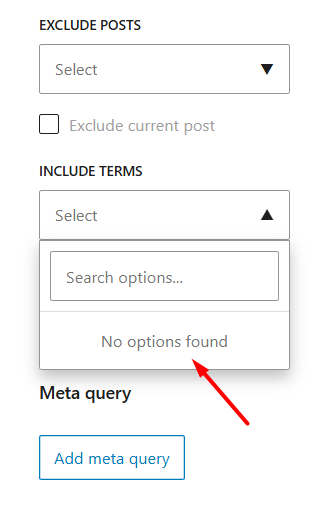
Although there is no problem with the workflow and it can be done with a search, in a component block, after clicking on the Include/Exclude terms options, nothing is initially displayed, but it can be solved with a search.
Hi @HOSEIN,
thank you for your report. I was able to replicate it and I’ve recorded it in our internal bug tracker.
Thank you, Matej
We fixed this issue in Bricks 2.1.3, now available as a one-click update in your WordPress Dashboard.
Please take your time to read the changelog entry before updating, and let us know if you continue to experience issues.