Hi team,
While working with Component slot, it works well with single element like button, div… but when I drag sections with many element into slot, all the style is disappeared in preview, but work fine in builder.
Please check
Hi team,
While working with Component slot, it works well with single element like button, div… but when I drag sections with many element into slot, all the style is disappeared in preview, but work fine in builder.
Please check
Hi,
Thanks so much for your report!
I reproduced the issue and added it to our bug tracker.
We’ll update this thread once it’s fixed.
Best regards,
timmse
I have the same problem.
Here are my findings for the case where you insert a component into a slot.
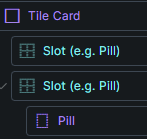
If it is ONLY the component, then the styles of the component (Pill) are loaded.
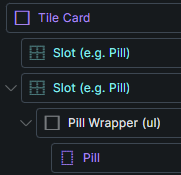
(work)If you also move the component into a container, then the styles (Pill) are not loaded.
(dont work)This still persists in 2.2RC.
My finding is, that only the styles of the top element of a slotted container is loaded in frontend.
We fixed this issue in Bricks 2.2 (“nested components with slots” will follow in a future update), now available as a one-click update in your WordPress Dashboard.
Please take your time to read the changelog entry before updating, and let us know if you continue to experience issues.
Hey @timmse,
sadly this is not fixed 100% for me.
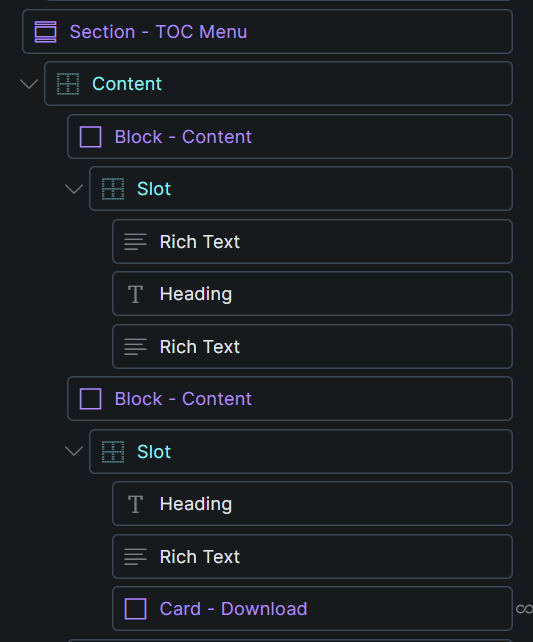
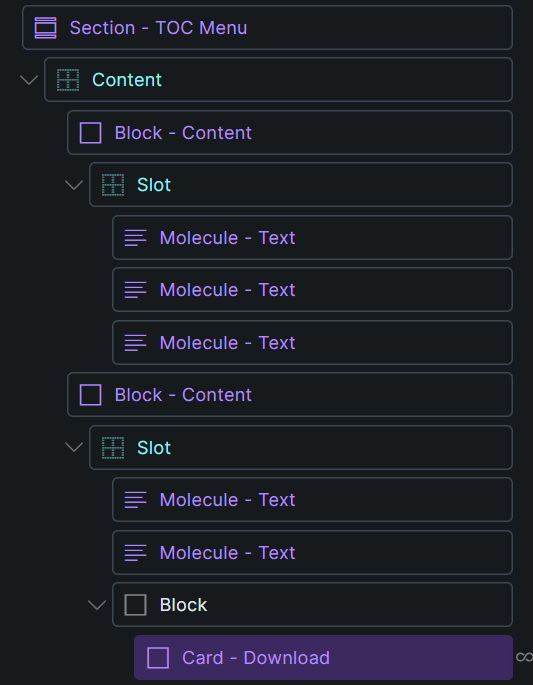
Styles of the “Card - Download” are not loading in frontend. Workaround is to put another “Card - Download” component on the page that is not inside a slot and put a “display:none” on it.
OR:
if i put a block around the “Card - Download” it’s styles are loaded.
Hi Jannik,
As already mentioned, we are aware of problems with deeply nested components/slots—this is what I meant by this:
The setup shown in Stabilo’s screenshot should be fixed, and as far as I understand, this is also the problem that was initially reported.
I’ll gladly add your screenshots to our task, which should tackle the nested scenarios.
Got it, thanks.