I can replicate the problem and have added it to the internal bug tracker. We will update this thread as soon as it is fixed.
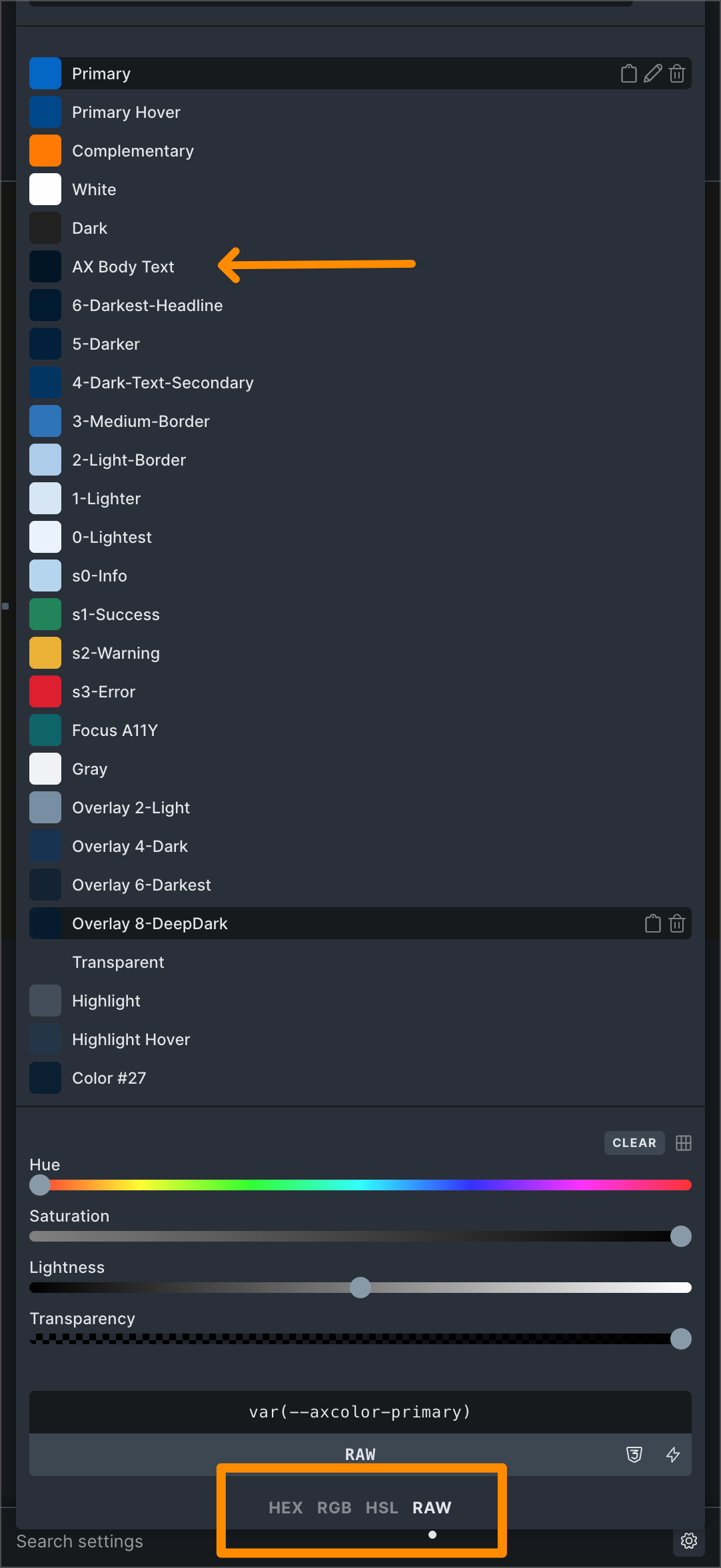
The reason for this is relatively simple: In your color palette, you can see that your primary color has an HSL value. All other colors are probably created within the variable manager and added to the palette via RAW input. The current logic does not establish a connection to the variable manager, so your colors have no value in this sense (at least that’s how the color manager sees it).
If you want to define your colors in the color manager now, there is a relatively cumbersome workaround. Just let me know and I’ll be happy to explain the necessary steps.
However, you can also just leave everything as it is and wait until we have found a solution that makes working with colors from the variable manager more intuitive, so that the color and variable managers work hand in hand — and not against each other.
the screenshots are from my test-site. It could be that I entered HSL by random, not by default.
I work only with color varialbles since around 2 years, so I did not use the Bricks Colors at all.
And it was always weird to me, how to safely enter the hex codes into old Bricks Color manager, because each color had 4 option (hex, raw, rgb,hsl). I never knew which is those is active, how to make one active and so on. That’s why I dedecided to work only with color variables.
and there was the problem, that the main-body color was always overwritten from somewhere in the hidden/background and I have never found out, what was causing this error.
This is my backstory with Bricks color manager, not so nice…
In the screenshot I marked the color with an arrow, with was named originally main-body, but as said above was overwritten by kind of a ghost.
So, I would be very happy, if you tell me, what is your suggested way to convert the bricks colors to the new Bricks Color manager. Currently I can not edit the colors in the new manager and I am unsure what is going on.
Thanks for the background info, but I’m afraid it wouldn’t change anything if you defined the colors in the color manager instead of the variable manager. Accordingly, I would suggest that you send us your access data, specific information which body color (variable) should be used/where it’s set (theme styles?), and a link to this thread by email, and I’ll try to find out what’s causing your actual problem:
Once we’ve sorted that out, I’ll be happy to explain how to transfer the colors manually to the color manager.
Hi Joachim,
We fixed this issue (convert “variable manager colors” to “color manager colors” in Bricks 2.2, now available as a one-click update in your WordPress Dashboard. If you want to manage your colors in the color manager in the future, you can delete the color variables in the variable manager after conversion, since the color manager variables override them anyway.
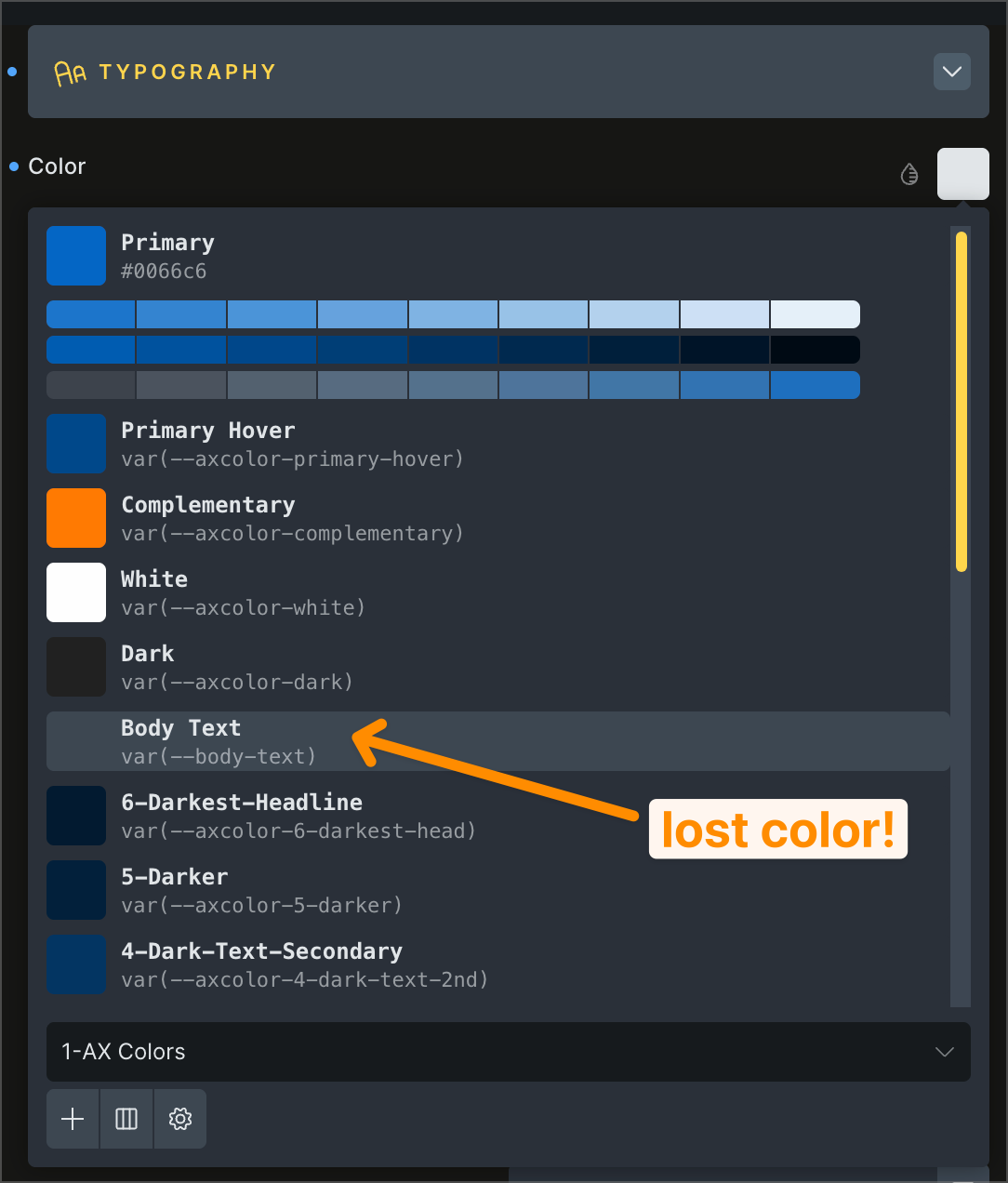
Regarding your “lost” color: I see in your screenshot that the value refers to --body-text, but should be --axcolor-body-text. If this is not the cause, please provide us with an accessible installation, as you have done in the past.
Please take your time to read the changelog entry before updating, and let us know if you continue to experience issues.
Interestingly, that’s exactly the variable (–body-text) you had problems with before. My guess is that it simply has no value, which is why the “conversion failed” error occurs.
As for the second error, the variable (–axcolor-body-text) should already be present in the color manager after conversion, since it was (and still is) present in the variable manager, as can be seen here:
All in all, very confusing and unfortunately impossible to understand without logging in, so please
Hi Joachim,Thanks! My theory is as follows: --body-text is a “corpse” from Advanced Themer, which is no longer installed. I can see this when I look at the entry in the color palette, as the syntax corresponds to that of AT:


 — and not against each other.