Version: 1.5.1
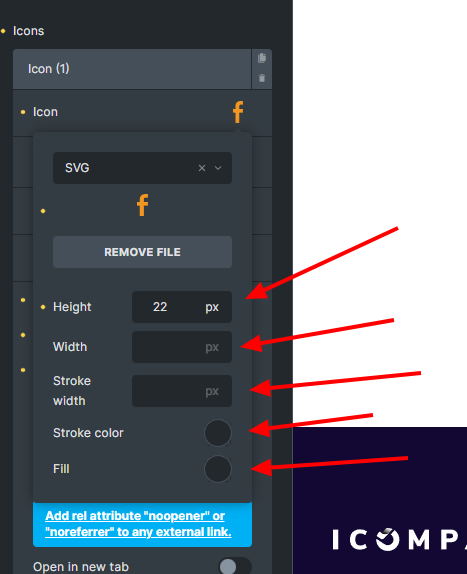
You cannot change the values of the svg in the different breakpoints or states, e.g.: hover
Version: 1.5.1
You cannot change the values of the svg in the different breakpoints or states, e.g.: hover
Hi Yesid,
Which version are you using?
Best regards,
timmse
Hi @timmse, versión 1.5.1
Ok, which element? Based on the screenshot it could be the Icon List…
You notice that some information is missing in your report 
Hi Yesid,
Now I finally know what it’s all about 
You’re right. Currently, it doesn’t work because the icon control (and some others) is not a CSS control. Since we have to rewrite the whole control, we can’t implement a “simple fix” but will change that in the future.
Until then, you can use a simple workaround: set a width/height of 100% for your icon and add the desired widths/heights in the Style > Layout tab, or use custom CSS instead.
Best regards,
timmse
any infos when we gonna see better (in best case dynamic) svg options? thanks!
Hi guys,
This task just popped up while I was working on a similar one—sorry it took so long.
I tested the issue reported here in 2.4 beta-2 and can no longer reproduce it—it’s also possible that it was already fixed in a previous version.