Browser: Chrome OS: Windows Bricks Builder v2.3.1
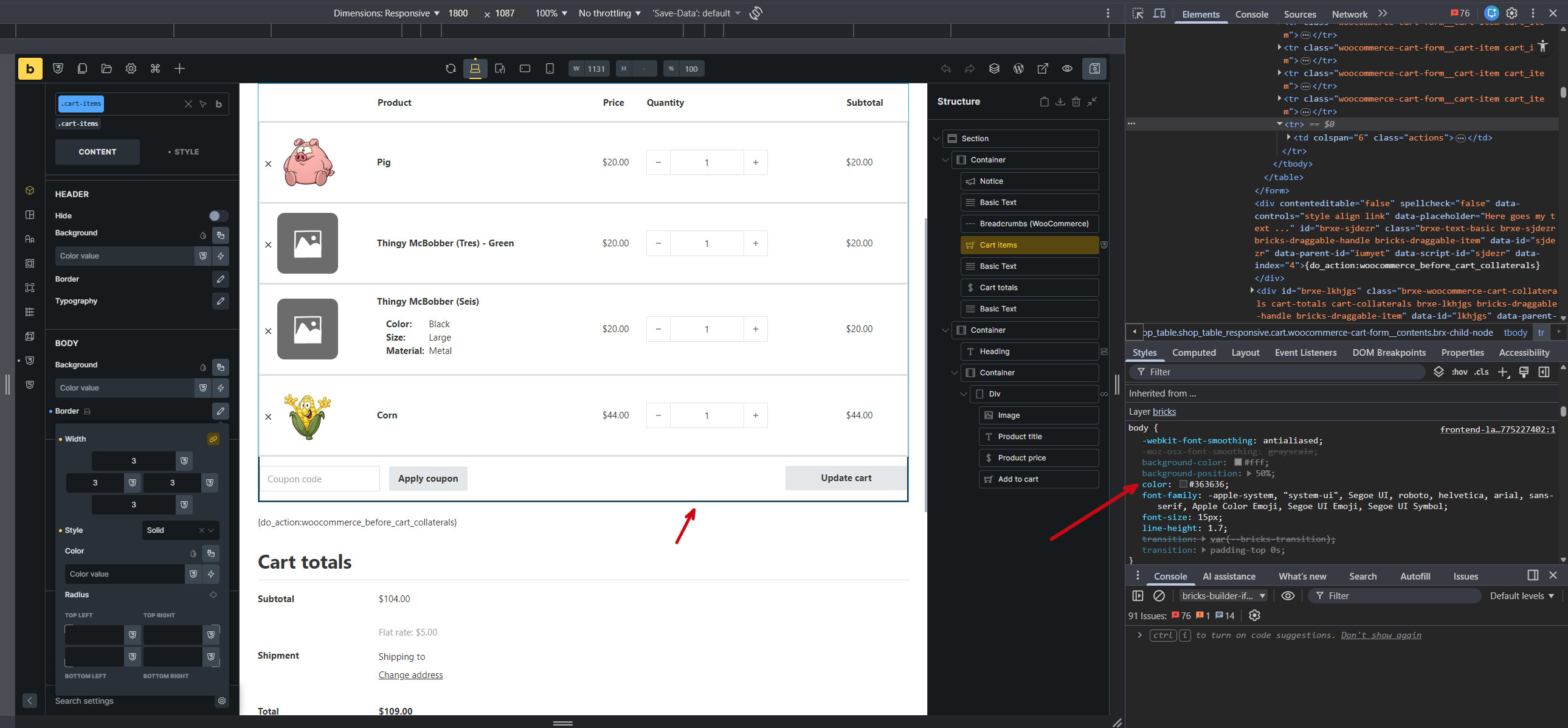
In the builder only, when modifying the border on the cart items element >> products >> body, the last table row (<tr>) shows the default Bricks body color #363636 rather than var(--bricks-border-color).
<tr>
#363636
var(--bricks-border-color)
Hi Mark, Thanks so much for your report!
I reproduced the issue and added it to our bug tracker. We’ll update this thread once it’s fixed.
Best regards, timmse
We’ve addressed this in Bricks 2.3.3, now available as a one-click update in your WordPress Dashboard.
Please read the changelog entry before updating, and let us know if you experience any issues.