When a try to submit the form, it scrolls to the first field that is mandatory without displaying the error message I defined. But if I go to another tab and come back, the message is appearing (Recording).
sadly, I can’t replicate it locally. Can you copy-paste the form you used, so that I test with yours? In addition to that, if possible, can you also post a live link where I can try to replicate it on your website?
thank you for the email. I’ve tested it, and it appears that it opens the custom error message after you focus out of the field, which is correct behavior.
So, if you press tab instead of switching tabs, you should see the error as well.
Matej
But that’s not what I have showed previously (see current video). If there is any mandatory field empty and you press the send button, nothing is appearing (unless you change tab, or do an action on the page like opening the inspector). I made a video as I added a JS to get the correct behavior (see new video).
Thanks for the additional info. I understand the request now.
It looks like the browser check “hijacks” our submit logic, so our “submit” event is not called at that time.
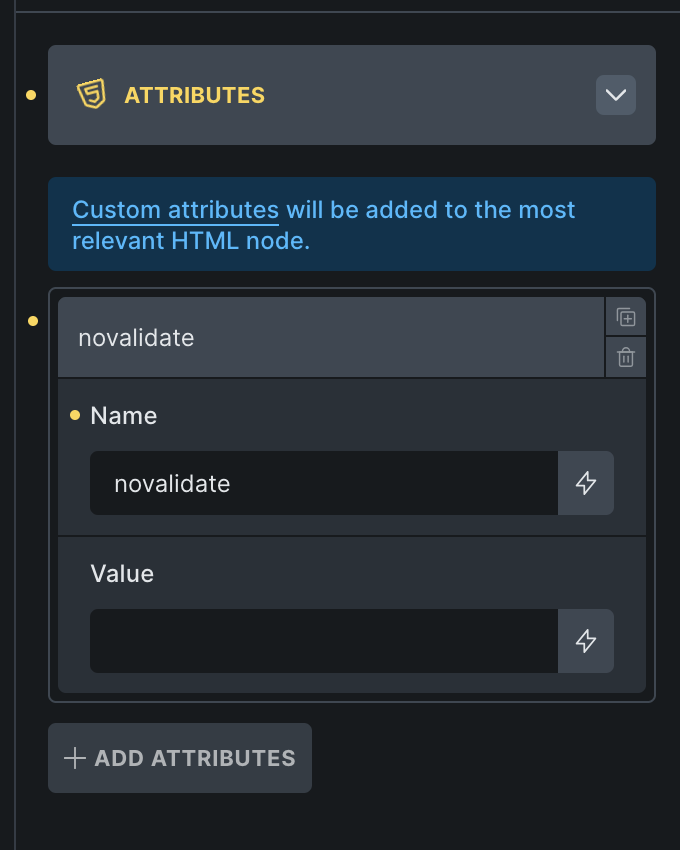
The temporary solution would be to add novalidateattribute to the form element, so that the submit skips validating with browser.
There will still be issue, because it will only validate one field at a time, not all at once, like you have it in your second version - this is because our code validates only one, and stops validating as soon as we find one that is invalid.
However, I’ll add the improvement request to our internal task list. I suppose we should have a toggle to show errors on submit, and to show all of them or one by one.