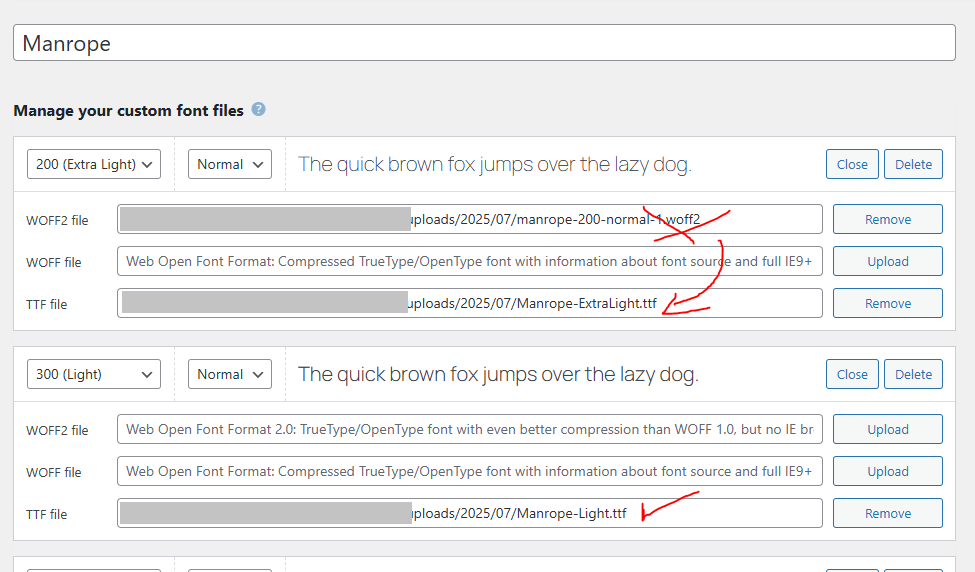
I’m using bricks 2.0 and there seems to be issue with downloaded fonts.
Let me explain:
If I use normal external font (Manrope or Bona nova SC - the both support czech language with diacritics), the’re working on the fronted as they should, no problem. In builder and on frontend there is no problem.
If I use font manager, downloaded these fonts and assign them in theme styles to body and headings, in builder it looks ok, but on frontend there is broken diacritics. (no matter if in Performance - google fonts are allowed or not). Strange is this is only on frontend, in builder it seems to be ok.
If I manually update the font files with the ones from google fonts, it’s working.
But I’m using the .ttf format (available from google fonts), not .woff2 (which Bricks download), maybe that’t the problem?
We have already received a report via email that similar problems occur with Chinese characters and have already created a task for this. We will update this report as soon as the problem is solved.
You can download woff2 versions of the fonts here—these should work for now:
I think I ran into same problem. The thing is - your custom Fonts feature doesn’t support unicode-range, so it breaks fonts while trying to download them from Google Fonts API v2. You need to update the font manager to handle multiple subsets and preserve unicode-range. For now I’m using monkey patch in my child theme that overrides @font-face rules from Bricks custom fonts. Example:
Somewhat laborious process, but what I do to get the smallest font files possible for a site in Czech or any other language for that matter is download normal TTF from Google fonts (Using the full version of the font with all glyphs) or anywhere else and go to:
Put on expert mode
You can choose which glyphs to include by language. You can go from 1000+ glyphs to 100 because you only load for example Czech. Getting a tiny file in the process.
It will get fixed, and I can see internally that there was some work already done on it. But, I can’t tell you when this fix will be released and what the holdup is.
Hi
It doesn’t work for me in version 2.2 either
I solved that problem by manually downloading the Google font from “google-webfonts-helper”
with the “latin xextended” option enabled
and inserting it through Bricks settings - Custom fonts
So it doesn’t work within Bricks editor - Manage - Font manager
Also, when the Google font is downloaded through Font manager, it constantly shows that the font has been downloaded even it was deleted manually in Bricks settings - Custom fonts.