SOLVED: Bricks 2.0 Beta: Active border Not displayed under certain conditions

Browser: Chrome 137.0.7151.41
OS: Windows

Hi bricks team,

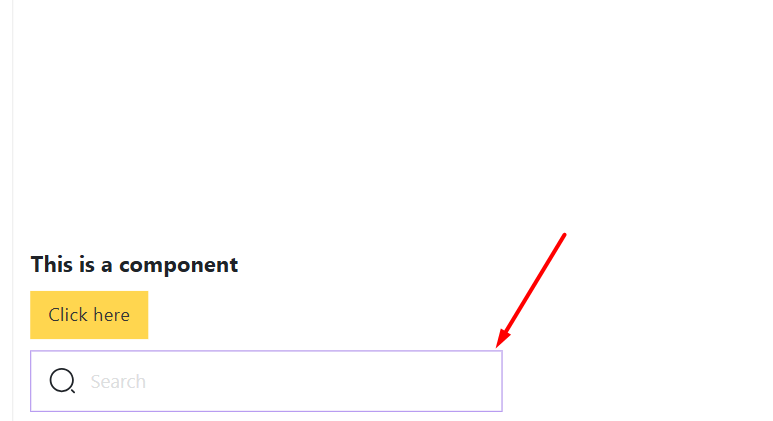
In two scenarios, the component’s purple active border is not displayed.

1- If we are in component editing mode and the parent element is active.

2- If we wrap the filter-search element in a layout like a block, the active border will not be displayed if the wrapper is active, either inside or outside the component.

Hi @HOSEIN,

thank you for getting in touch about this. I was able to replicate the first issue and I’ve created an internal bug report.

As for the second one, it’s not showing because the “filter - search” is an input - so it’s “full” element, and it’s above the “outline” with the “offset” of “-1” that we use for this active lines.
Because of that, I’m not sure I should consider this as a bug.

Best regards,
Matej

1 Like

Hi Matej,

Because of that, I’m not sure I should consider this as a bug.

Yes, you are right. On the other hand, if we use filter-search as a nested component, the active border will be displayed well in them. But if it is the main component, it will not be displayed.

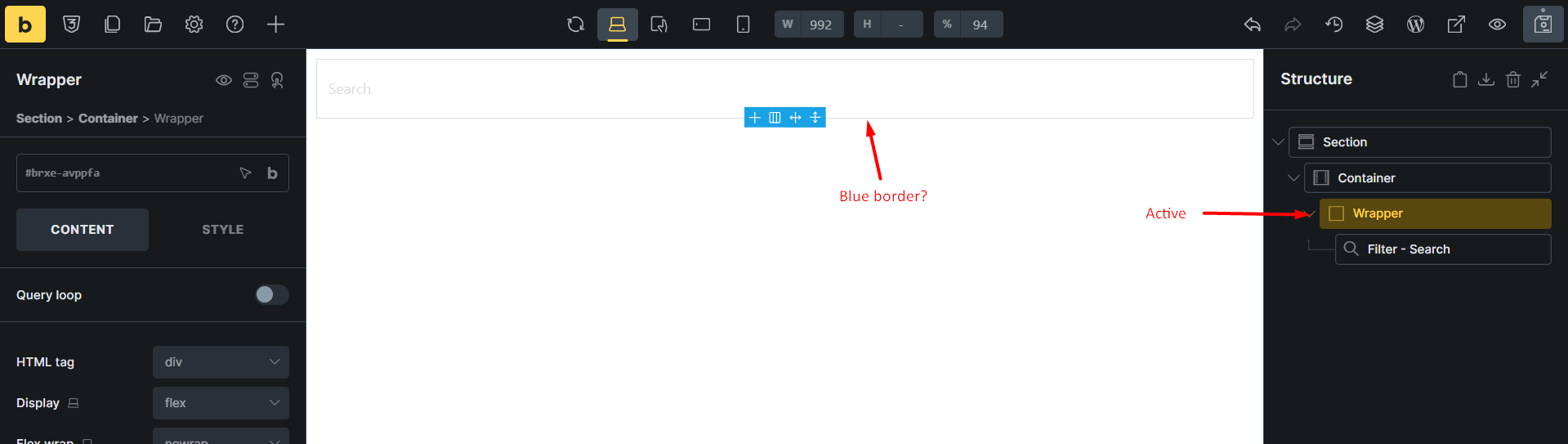
That’s true. But in this case, you are selecting the Filter - Search, not the wrapper element :wink:

Anyway, I’ve created a task for this as well. The active line is expected, so I guess it should be there :slight_smile:

Thanks,
Matej

1 Like

Hi Hosein,

We fixed this issue in Bricks 2.0 RC, which is now available in your account.
Changelog: Bricks 2.0-rc Changelog – Bricks

Please let us know if you are still experiencing issues.

As with any pre-stable release, please do not use it on a production/live website. It is only meant for testing in a local or staging environment.

1 Like