Hi @Matej ,
Thank you for your reply and your patience. Over the past while, alongside my work, I’ve dug into the root cause of this issue and finally found it. You can use the attached plugin to reproduce the bug.
About this plugin:
-
It simulates an Image Repeater Loop by fetching the first 3 images from wp/media (uploads) → Please upload at least 3 random images to test.
-
The plugin creates provider-repro.php, which acts as the data provider and registers Bricks-standard Dynamic Tags.
Source code Plugin:
plugin-code-name: gau-bricks-bug-report-002
gau-bricks-bug-report-002.php
<?php
/**
 * Plugin Name: Bricks Bug Report 002 - Nested Loop Background Dynamic Data (Gấu)
 * Description: Minimal reproduction for Bricks Forum — a dynamic data tag used as Background image inside a NESTED query loop shows NO background in the builder preview (single top-level loop and frontend are both fine). Root cause: the generated "background-image: none" fallback rule gains the parent-loop class prefix, ties the correct per-item [data-query-loop-index] rules at specificity (0,3,0), and wins by source order. Zero dependencies. STR below.
 * Version: 1.4.1 (20260711)
 * Author: 🐻
 */

namespace Gau\Bricks_Bug_Report_002;

defined( 'ABSPATH' ) || exit;

const QUERY_TYPE      = 'repro_attachments';
const QUERY_TYPE_ROWS = 'repro_attachment_rows';

/** Latest N image attachment IDs (the loop data source — no custom fields involved). */
function latest_attachment_ids( int $count = 3 ): array {
	$ids = get_posts(
		array(
			'post_type'      => 'attachment',
			'post_mime_type' => 'image',
			'post_status'    => 'inherit',
			'numberposts'    => $count,
			'fields'         => 'ids',
		)
	);
	return array_map( 'intval', $ids );
}

add_action(
	'plugins_loaded',
	function () {
		if ( get_template() !== 'bricks' ) {
			return;
		}

		$providers_dir = get_template_directory() . '/includes/integrations/dynamic-data/providers/';
		if ( ! is_file( $providers_dir . 'base.php' ) ) {
			return;
		}
		require_once $providers_dir . 'provider-interface.php';
		require_once $providers_dir . 'base.php';

		/* 1. Custom query types: A = scalar attachment IDs · B = associative-array rows. */
		add_filter(
			'bricks/setup/control_options',
			function ( $control_options ) {
				$control_options['queryTypes'][ QUERY_TYPE ]      = 'Repro A: Attachments Loop (scalar IDs)';
				$control_options['queryTypes'][ QUERY_TYPE_ROWS ] = 'Repro B: Attachment Rows Loop (array rows)';
				return $control_options;
			}
		);

		add_filter(
			'bricks/query/run',
			function ( $results, $query_obj ) {
				if ( $query_obj->object_type === QUERY_TYPE ) {
					return latest_attachment_ids( 3 );
				}
				if ( $query_obj->object_type === QUERY_TYPE_ROWS ) {
					// Same 3 attachments, but each loop item is an ARRAY row — the exact
					// shape repeater-style integrations use.
					$rows = array();
					foreach ( latest_attachment_ids( 3 ) as $index => $attachment_id ) {
						$rows[] = array(
							'image'   => $attachment_id,
							'caption' => 'Row ' . ( $index + 1 ),
						);
					}
					return $rows;
				}
				return $results;
			},
			10,
			2
		);

		/* 2. Provider with 4 tags — resolved via Bricks' OWN query state (\Bricks\Query),
			so no custom loop-context bookkeeping can be blamed. */
		require_once __DIR__ . '/provider-repro.php';

		add_filter(
			'bricks/dynamic_data/register_providers',
			function ( $providers ) {
				$providers[] = 'Repro';
				return $providers;
			}
		);
	}
);
provider-repro.php
<?php
/**
 * Repro provider — 4 tags, all returning a media attachment ID through
 * format_value_for_context() (the exact pipeline every real integration uses).
 * Loop-dependent tags read the CURRENT loop item via \Bricks\Query — the
 * theme's own state — so no custom loop bookkeeping can be blamed:
 *
 *   {repro_loop_image}    current item of loop A (scalar attachment ID)
 *   {repro_row_image}     ['image'] of the current loop-B row (array loop object)
 *   {repro__rows__image}  same data/logic, tag name carrying double underscores
 *   {repro_static_image}  latest attachment, NO loop dependency — control tag
 *                         proving the provider + background pipeline work.
 */

namespace Bricks\Integrations\Dynamic_Data\Providers;

use Bricks\Query;

defined( 'ABSPATH' ) || exit;

class Provider_Repro extends Base {

	protected $name = 'provider_repro';

	public function register_tags(): void {
		parent::register_tags();

		$this->tags['repro_loop_image'] = array(
			'name'     => '{repro_loop_image}',
			'label'    => 'Repro Loop Image (current loop attachment)',
			'group'    => 'Repro',
			'provider' => $this->name,
			'render'   => 'get_tag_value',
			'fields'   => array(),
		);

		$this->tags['repro_row_image'] = array(
			'name'     => '{repro_row_image}',
			'label'    => 'Repro Row Image (array loop object)',
			'group'    => 'Repro',
			'provider' => $this->name,
			'render'   => 'get_tag_value',
			'fields'   => array(),
		);

		// v1.2.0 — SAME data/logic as repro_row_image, but the tag NAME contains
		// DOUBLE UNDERSCORES (like real repeater sub-field tags: {gf_gfb__slides__image}).
		// Isolates whether "__" in a tag name breaks the BACKGROUND path specifically
		// (it is proven fine in the content path).
		$this->tags['repro__rows__image'] = array(
			'name'     => '{repro__rows__image}',
			'label'    => 'Repro Row Image DOUBLE UNDERSCORE variant',
			'group'    => 'Repro',
			'provider' => $this->name,
			'render'   => 'get_tag_value',
			'fields'   => array(),
		);

		$this->tags['repro_static_image'] = array(
			'name'     => '{repro_static_image}',
			'label'    => 'Repro Static Image (control, no loop)',
			'group'    => 'Repro',
			'provider' => $this->name,
			'render'   => 'get_tag_value',
			'fields'   => array(),
		);
	}

	/** Current attachment ID of loop A (scalar loop object) — via Bricks' own Query state. */
	protected function current_loop_attachment_id(): int {
		$looping_query_id = Query::is_any_looping();
		if ( ! $looping_query_id ) {
			return 0;
		}
		if ( Query::get_query_object_type( $looping_query_id ) !== \Gau\Bricks_Bug_Report_002\QUERY_TYPE ) {
			return 0;
		}
		return (int) Query::get_loop_object( $looping_query_id );
	}

	/** Current attachment ID of loop B (ARRAY loop object — repeater-row shape). */
	protected function current_row_attachment_id(): int {
		$looping_query_id = Query::is_any_looping();
		if ( ! $looping_query_id ) {
			return 0;
		}
		if ( Query::get_query_object_type( $looping_query_id ) !== \Gau\Bricks_Bug_Report_002\QUERY_TYPE_ROWS ) {
			return 0;
		}
		$row = Query::get_loop_object( $looping_query_id );
		return ( is_array( $row ) && isset( $row['image'] ) ) ? (int) $row['image'] : 0;
	}

	public function get_tag_value( $tag, $post, $args, $context ) {
		$tag_id  = trim( trim( (string) $tag ), '{}' );
		$post_id = $post->ID ?? get_the_ID();

		if ( $tag_id === 'repro_static_image' ) {
			$ids           = \Gau\Bricks_Bug_Report_002\latest_attachment_ids( 1 );
			$attachment_id = $ids ? $ids[0] : 0;
		} elseif ( $tag_id === 'repro_loop_image' ) {
			$attachment_id = $this->current_loop_attachment_id();
		} elseif ( $tag_id === 'repro_row_image' || $tag_id === 'repro__rows__image' ) {
			$attachment_id = $this->current_row_attachment_id();
		} else {
			return '';
		}

		if ( ! $attachment_id ) {
			return '';
		}

		$filters = array(
			'object_type' => 'media',
			'image'       => true,
		);
		return $this->format_value_for_context( $attachment_id, $tag, $post_id ?: 0, $filters, $context ?: 'image' );
	}
}
Here are the steps to see the issue:
Environment for reproduction:
-
PHP 8.5.5
-
WordPress 7.0.1
-
Bricks Builder 2.3.9
-
Install and activate this plugin.
-
Upload at least 3 images to the website via wp-admin/Media.
-
Create 3 posts with any titles.
-
Create a new Page → Edit with Bricks.
-
Create the following Sections to see the issue:
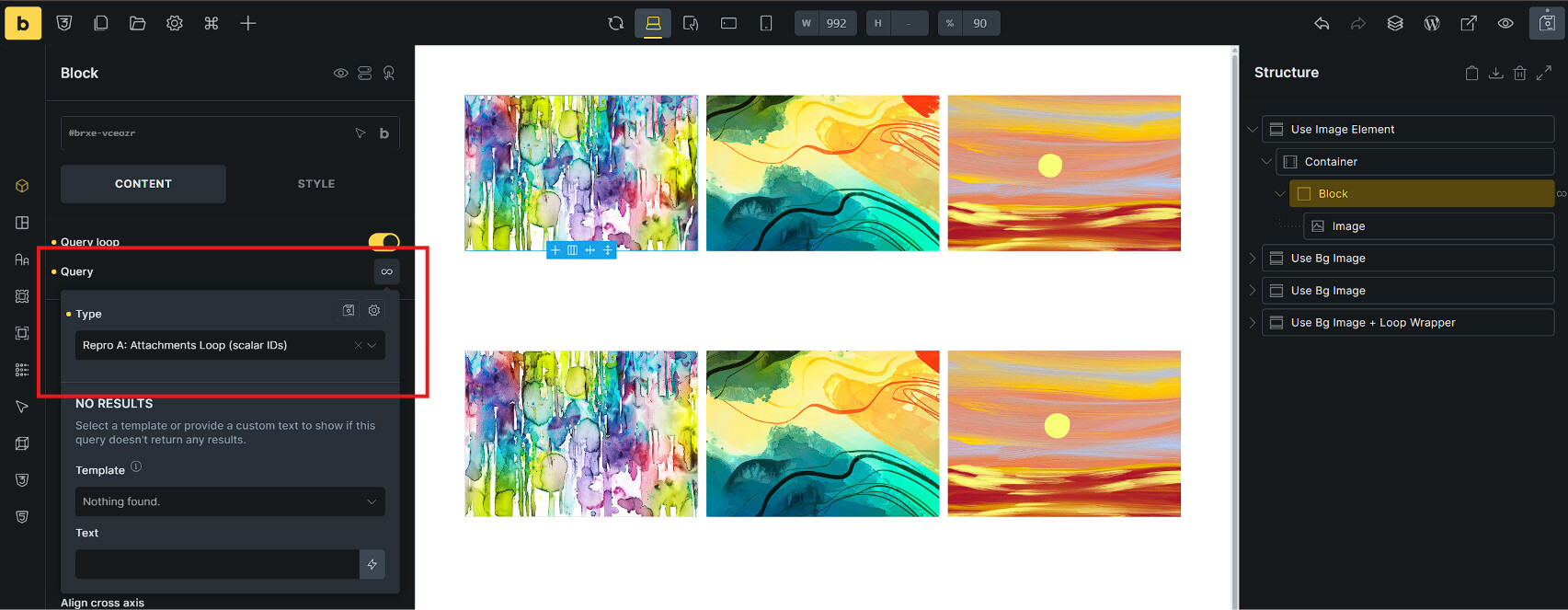
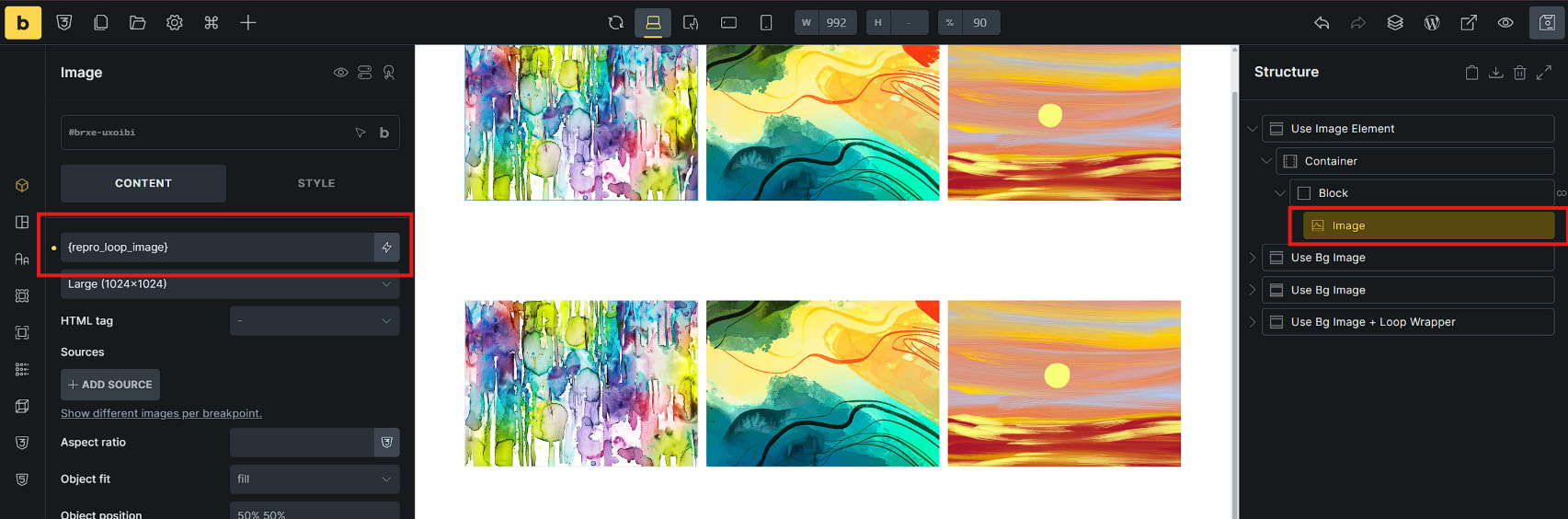
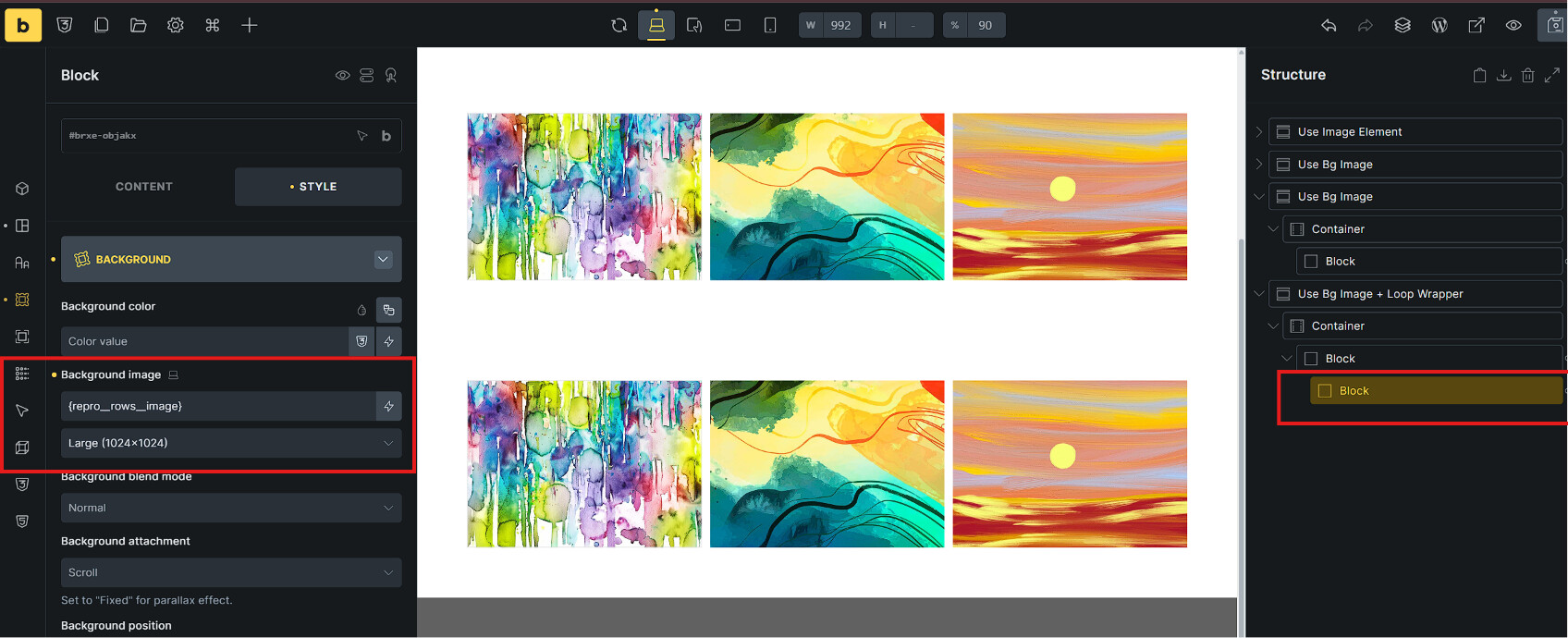
4.1: Section 1 (as shown in the 2 images below)
-
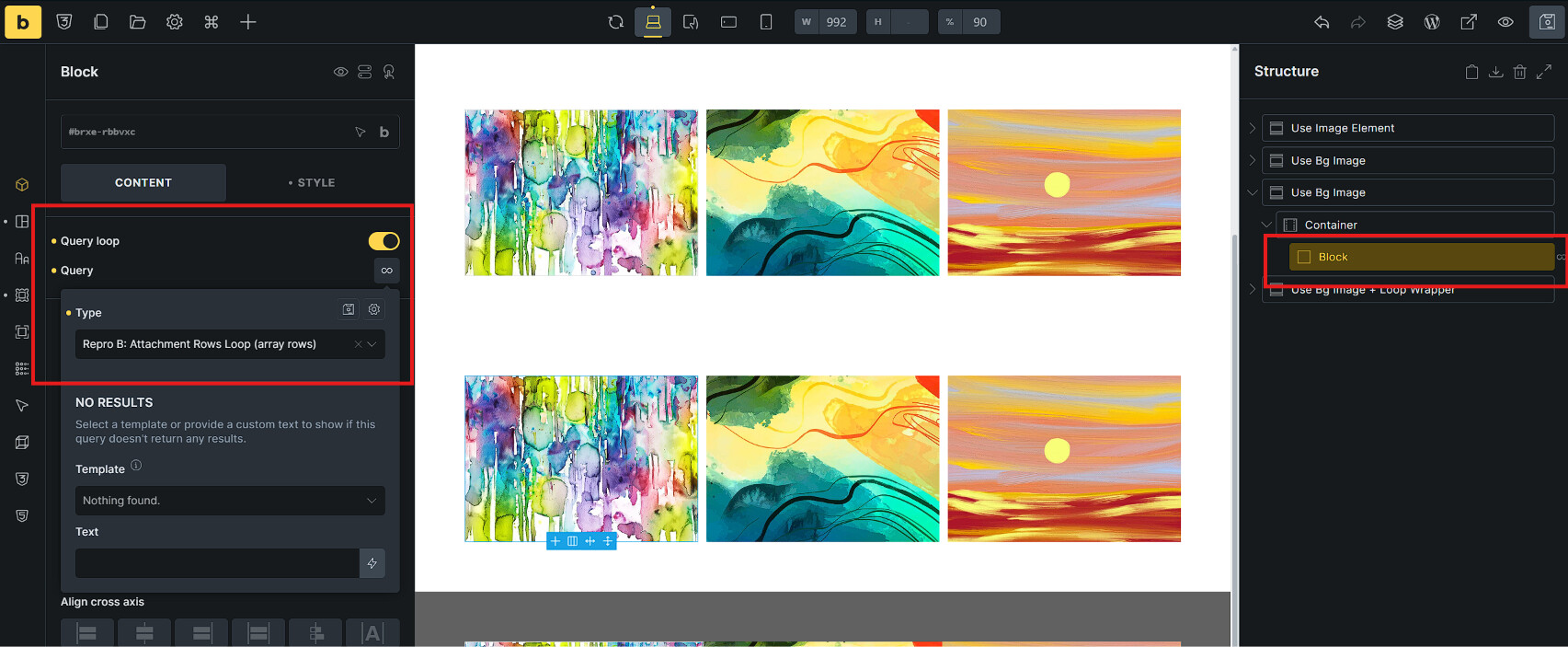
Block <loop> by: Repro A: Attachments Loop (scalar IDs)
-
Inside the Block, there is an Image Element with Content set to: {repro_loop_image} → Works normally.
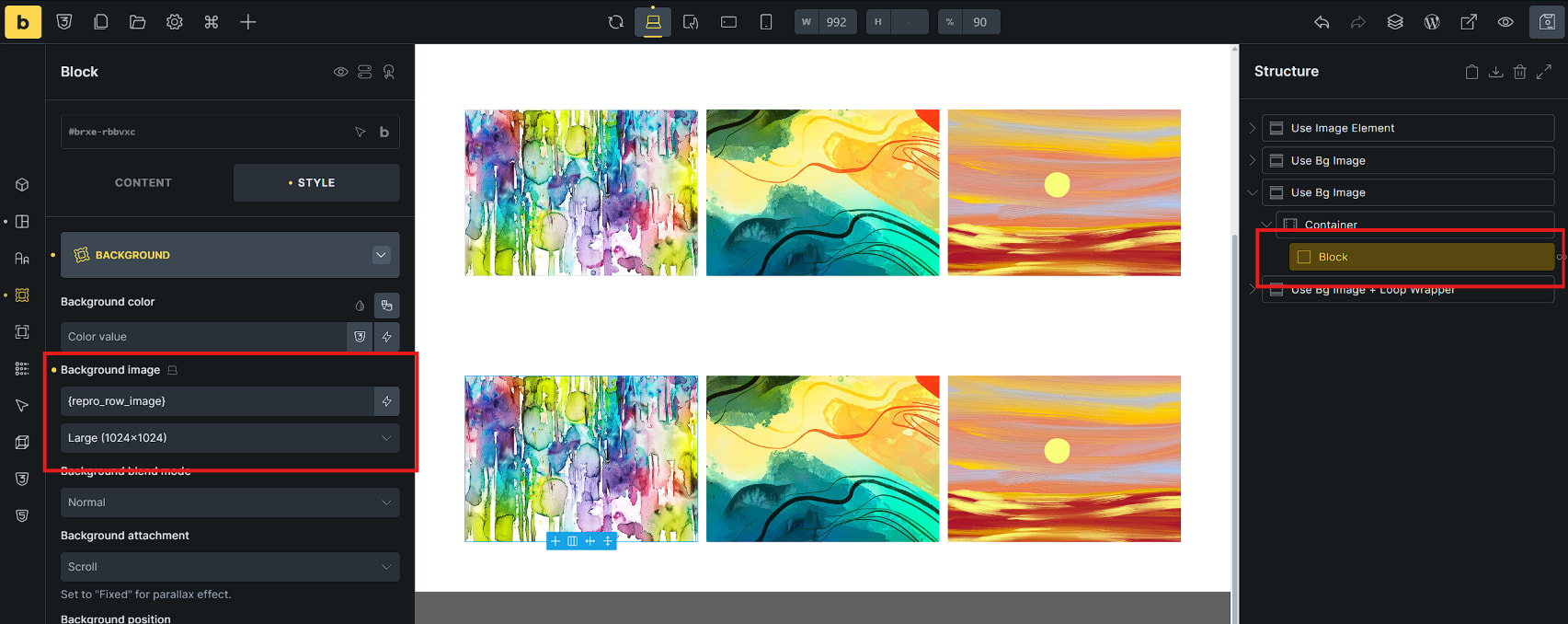
4.2: Section 2 (as shown in the 2 images below)
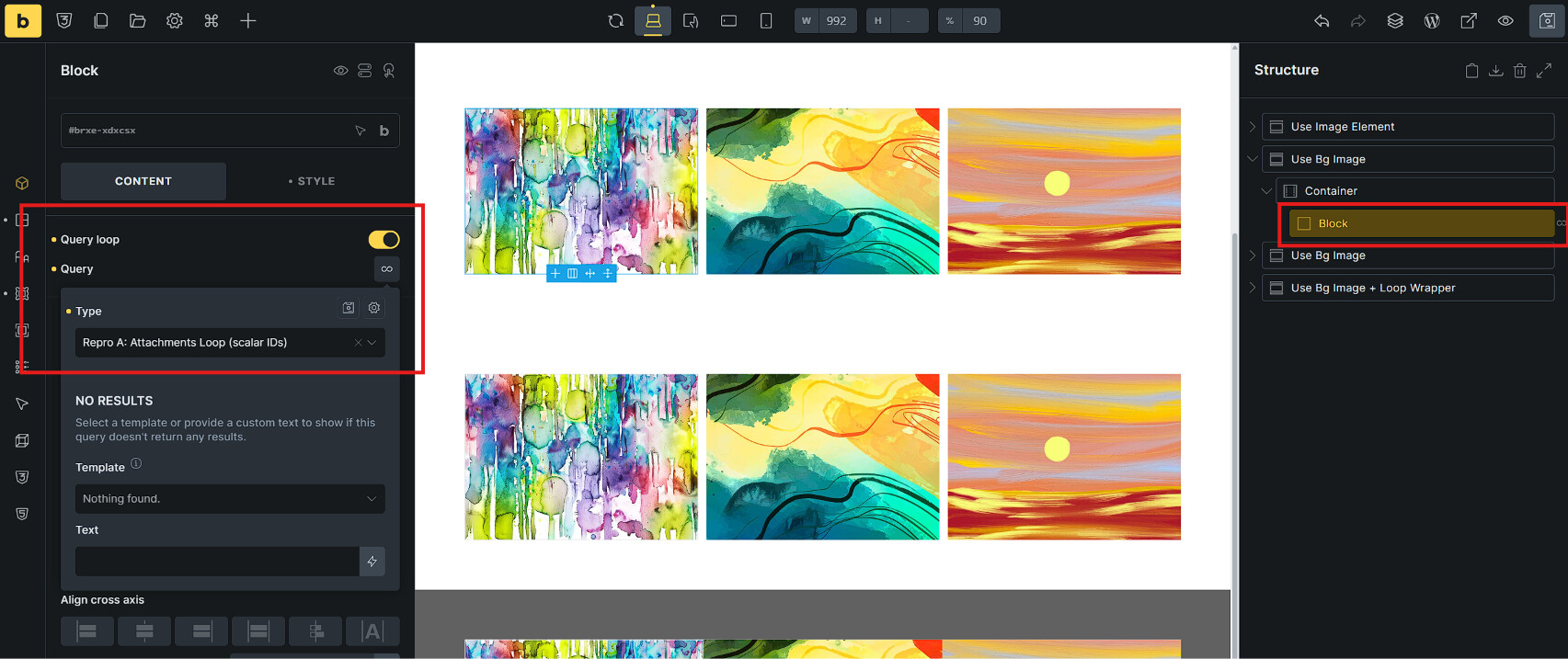
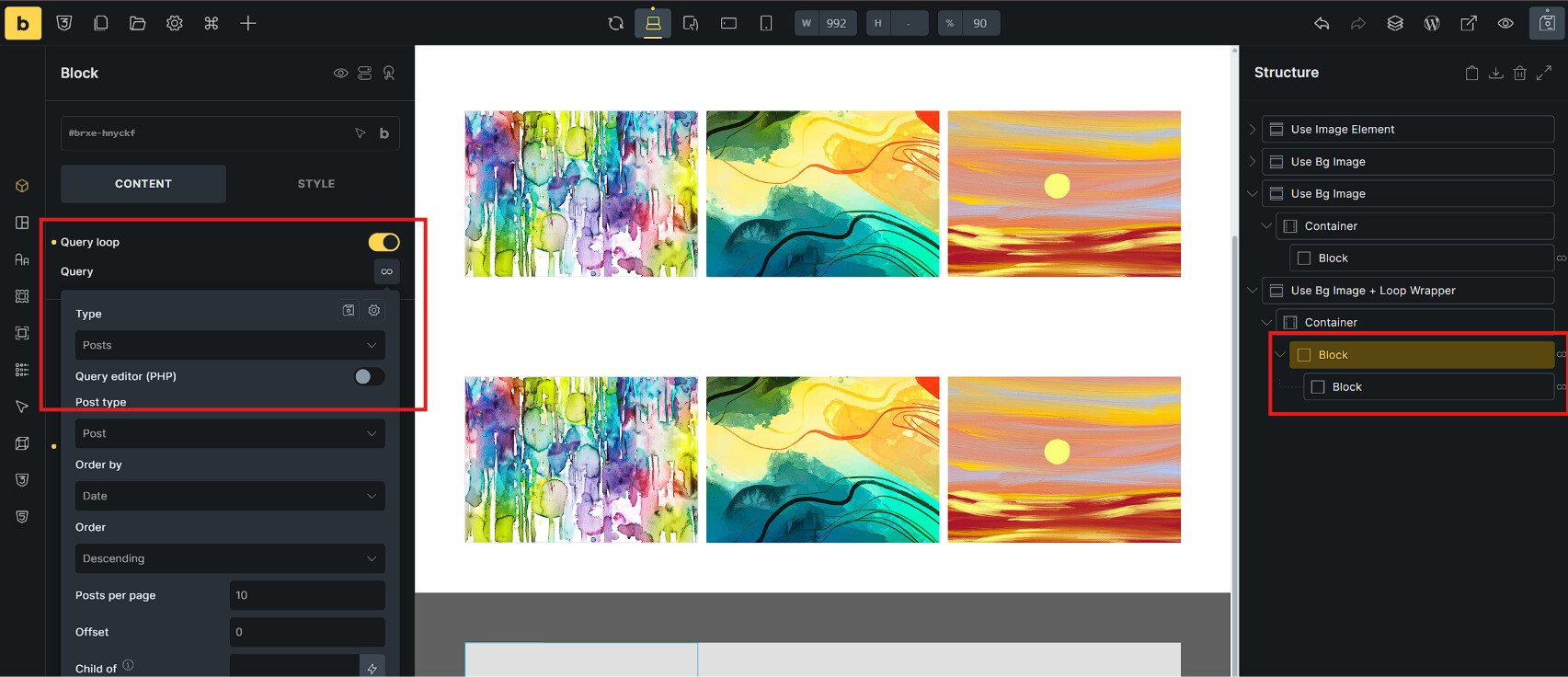
4.3: Section 3 (as shown in the 2 images below)
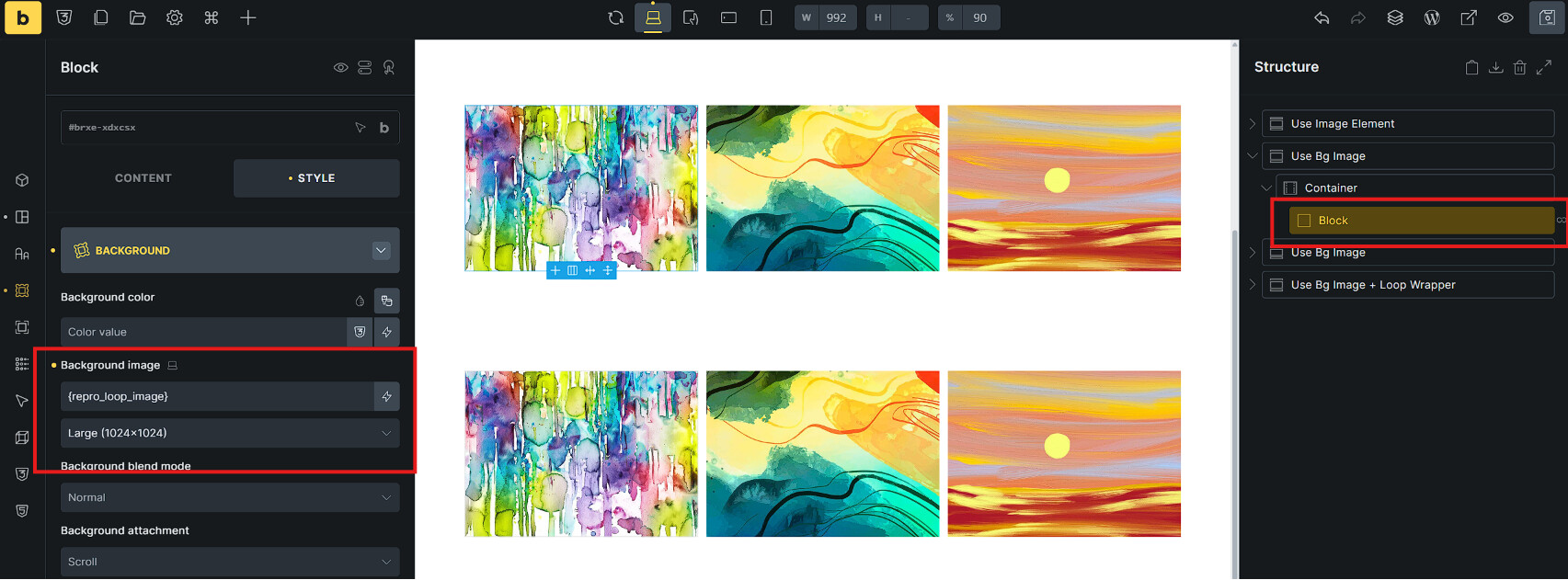
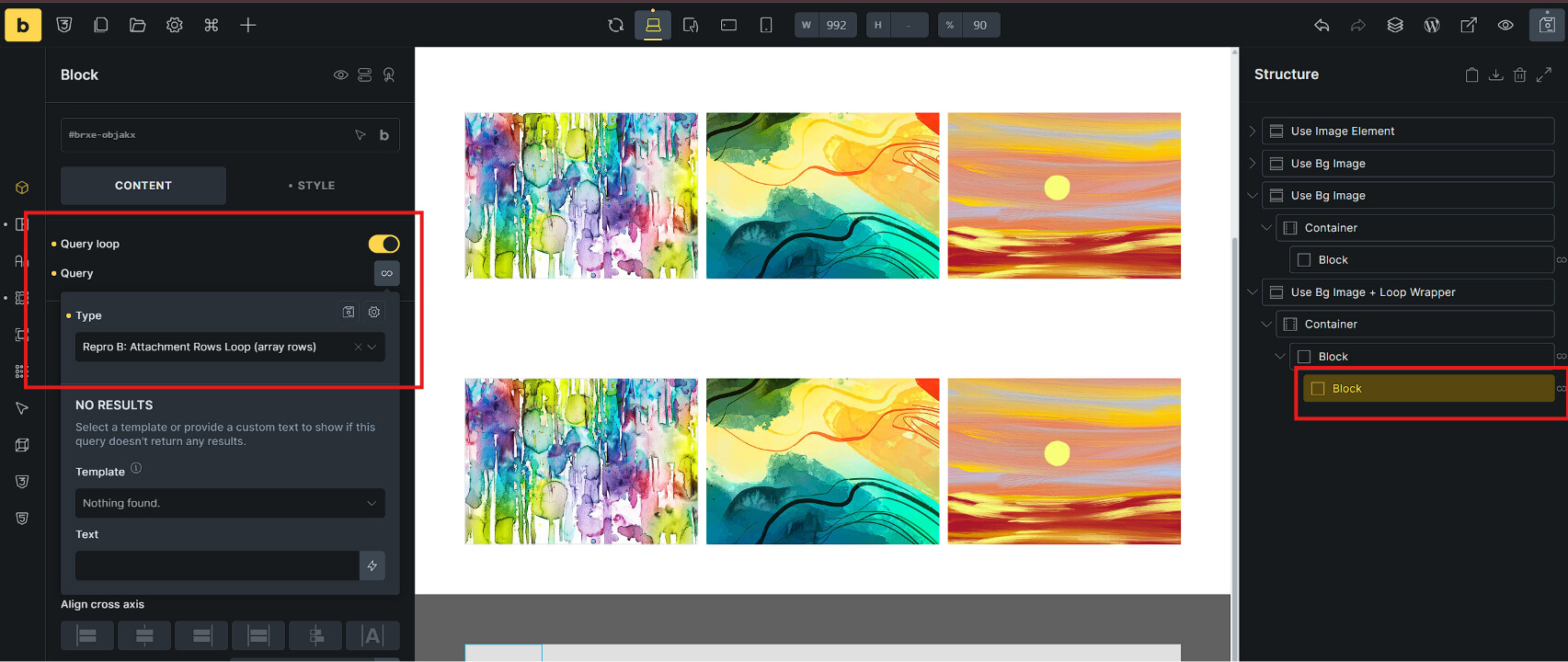
4.4: Section 4 (as shown in the 2 images below)
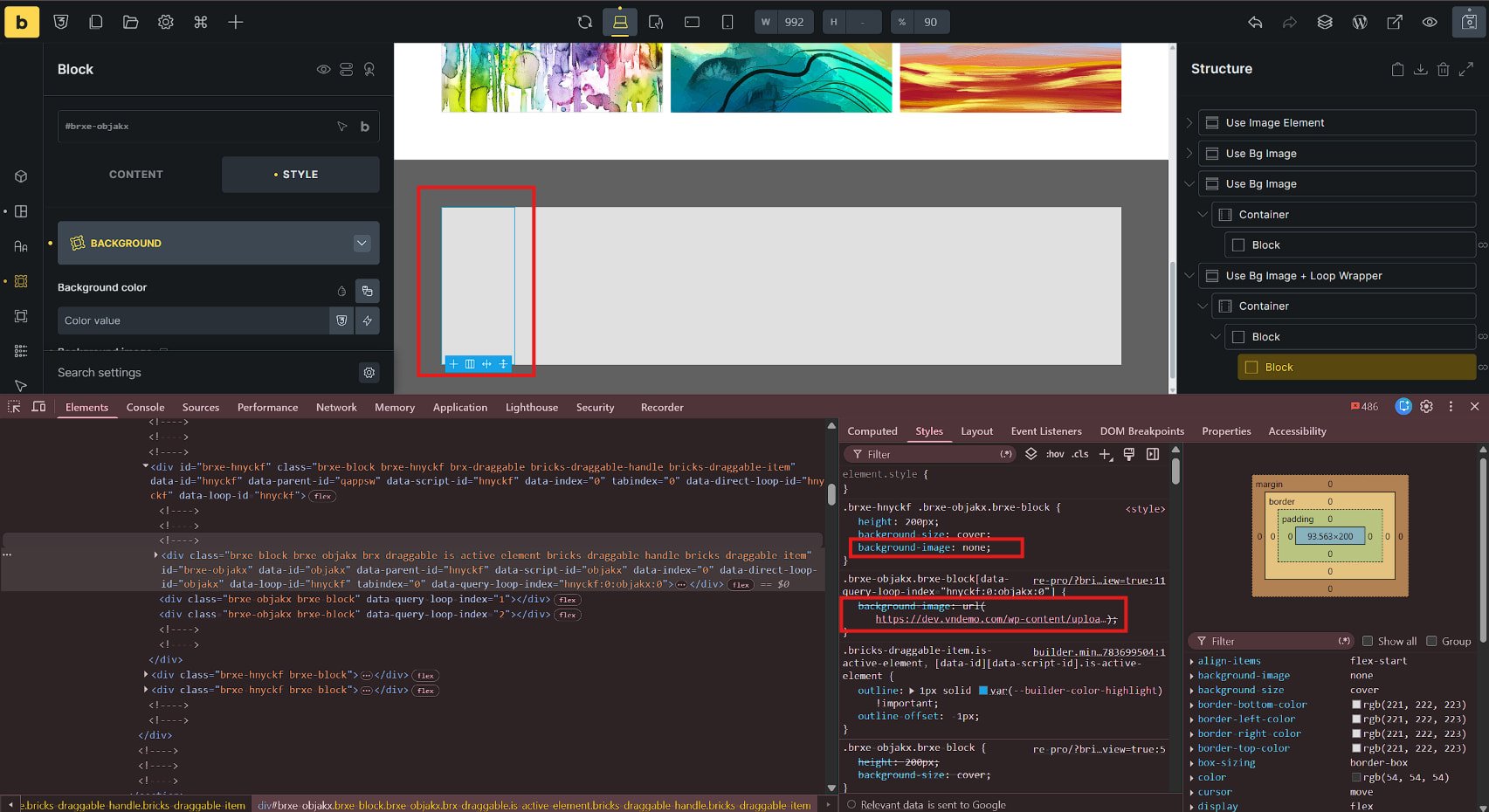
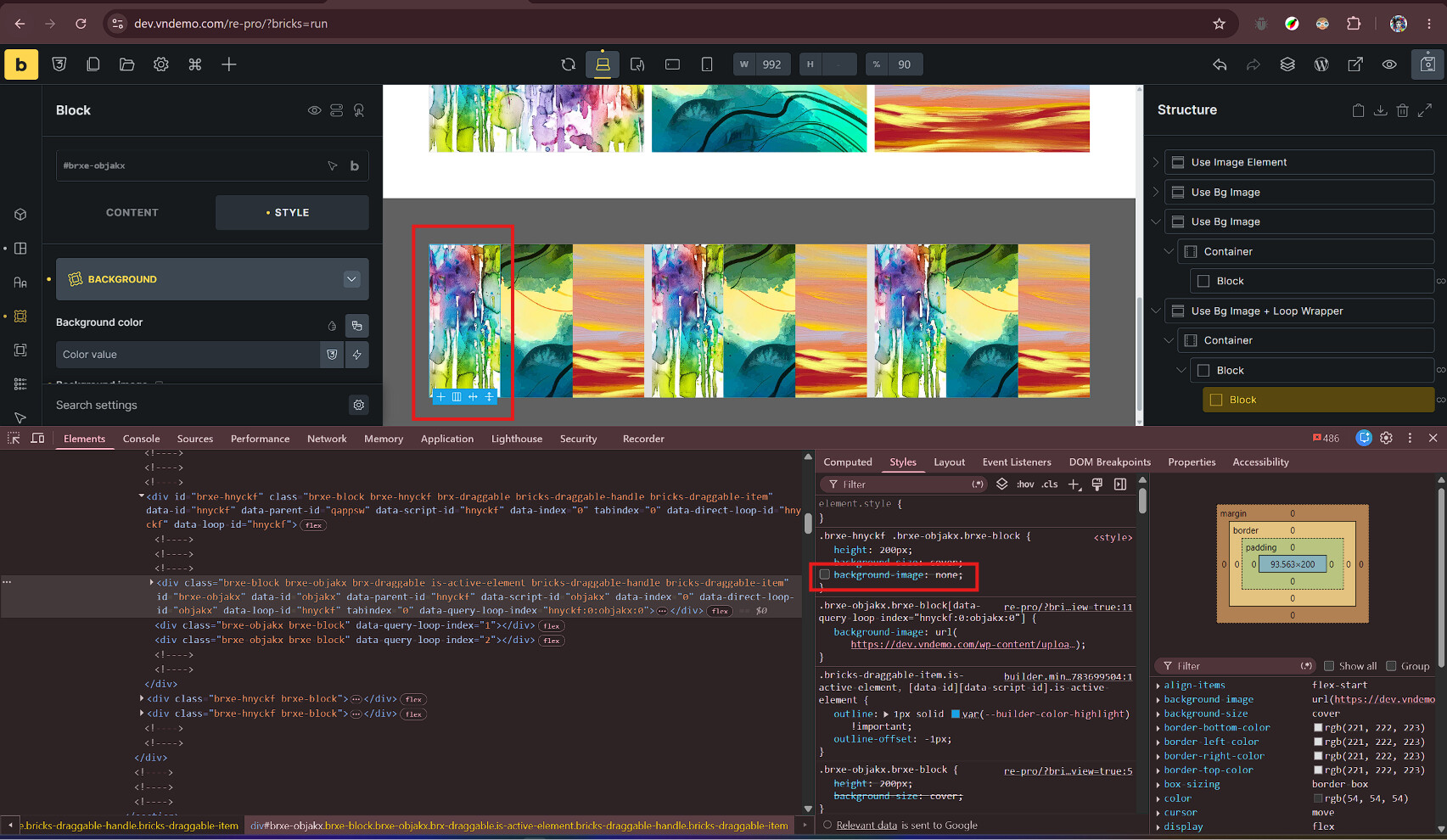
- → The issue starts here. When wrapped inside another <loop> block, it generates a background-image: none; CSS rule that overrides the correct per-item background (as highlighted in the 2 red boxes in the image). If you temporarily uncheck this rule in DevTools, the correct background image will appear.
In short, why this happens (The Root Cause): This issue is caused by a CSS specificity tie generated within the builder. When an element with a dynamic background sits inside a nested query loop, its fallback rule (background-image: none;) is prefixed with the parent loop’s class.
This prefix increases the fallback rule’s specificity, making it exactly tie with the correct per-item rule ([data-query-loop-index="..."]). Because they tie, the fallback rule wins simply due to its source order, suppressing all correct per-item backgrounds in the preview. Unchecking the none rule in DevTools instantly reveals that the correct URLs are actually being generated.
Thanks