SOLVED: API parameters (encoding?)

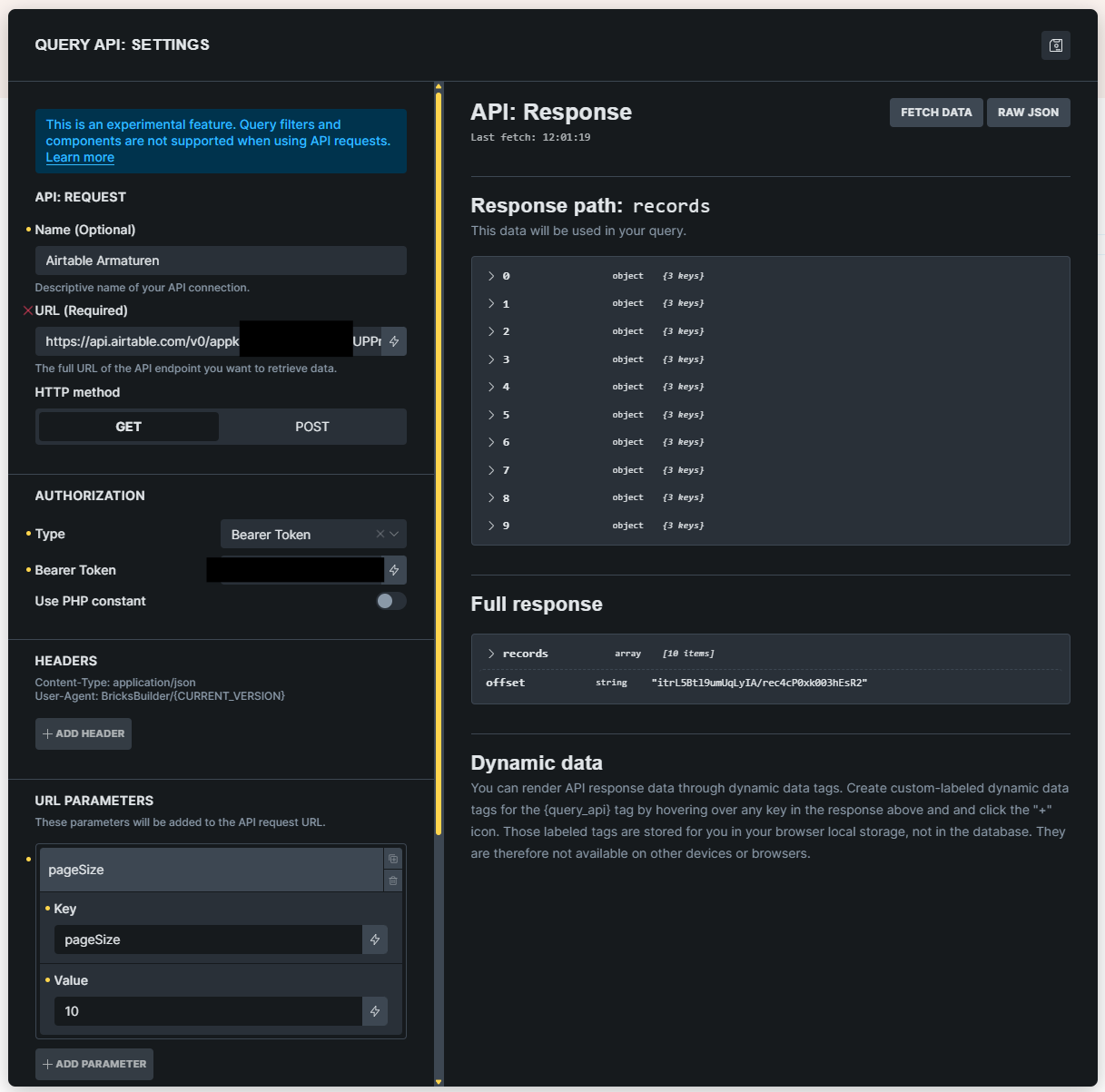
I’m playing around with the new API query. This looks very promising and I already managed to retrieve records from my Airtable base.

In order to filter the results based on the value in a certain field, Airtable has the filterByFormula parameter. The value should look like {Category}="Book" and has to be URL encoded (so the eventual URL looks like https://api.airtable.com/v0/baseid/tablename?filterByFormula=%7BCategory%7D%3D%22Book%22).

Thing is, when I pass that parameter, I get Request: Error (HTTP 422: Unprocessable Entity), no matter how I format the value (So %7BCategory%7D%3D%22Book%22 or {Category}="Book" )

If I attach the encoded parameter to the base URL and don’t pass it as a separate parameter, it works just fine and I do get the filtered results.

Hi @bart,

can you try to add your parameter directly inside the URL field? Does it work then?

Please let me know.

Thanks,
Matej

Yes, that works. That’s what I meant by

If I attach the encoded parameter to the base URL and don’t pass it as a separate parameter, it works just fine and I do get the filtered results.

Hi @bart,

ah, I see. I was able to replicate it. And it appears that it’s not even encoding, but URL parameters are not even passed (in my case).

It’s definitely a bug that will be solved. I’ve added it to our local bug tracker.

Thank you,
Matej

Note that other parameters like this do work:
Schermafbeelding 2025-10-01 113913

Are you testing for “GET” or “POST” type? Not asking for any special reason, but just to create the same request locally.

Matej

I’m testing for GET

Thank you for update. I’ve updated the internal task with your case as well now.

Matej

1 Like

Hi @bart ,

We have a fix for this issue. Do you want to try?

If so, kindly send admin credentials to help@bricksbuilder.io and include this forum thread URL as a reference.

Thanks.

Regards,
Jenn

Sure! Credentials sent.

Unfortunately it’s not working on my end. No matter if I put an encoded parameter in there or the non-encoded syntax.

Is there a possibility to see the complete requested URL?

We fixed this issue in Bricks 2.1, now available as a one-click update in your WordPress Dashboard.

Please take your time to read the changelog entry before updating: Bricks 2.1 Changelog – Bricks + Bricks 2.1-beta Changelog – Bricks, and let us know if you continue to experience issues.