SOLVED: Animation delay in Animation end interaction affects the popup redisplay

Browser: Chrome 133.0.6943.60
OS: Windows

Hi,

There is a button in this link that, when clicked, will display a popup with animation. On the button, this interaction is set to display a popup.

This popup will remain for 4 seconds and then disappear animatedly based on this interaction.

The problem is that if you click the button again after the pop-up closes (after 4 seconds), it takes 4 seconds for the popup to open. This seems unusual, right?

Also, sorry for the screenshots being external links. I thought it would be easier to review that way.

Thank you

Hi,

for close interaction: Instead of triggering it on “Animation end”, can you try to trigger it on click as well, and keep the delay?

Does it work then?

Matej

Hi Matej,

Thank you for reviewing this report.

Since “Animation end” is set on Popup, I don’t think setting Click as Trigger will work, am I right?

Hey @HOSEIN,

Ah, I get it now. I thought you have all interactions/animations on a button element itself.

Can you try:
On the Button element, add a “click” interaction, that will “start animation”, without a delay

Inside popup settings, you can create “Show Popup” interaction, where you “Start animation”, but this time the animation should be an “out” animation. You have to add a delay to it. In your case, that would be 4s.

Can you try that, and let me know if it works?
Matej

Thank you,

I did, now the initial problem is fixed. But interestingly, when I click on the button, the animation to show the popup does not run. After removing the popup interaction (show popup), the animation runs again. Link
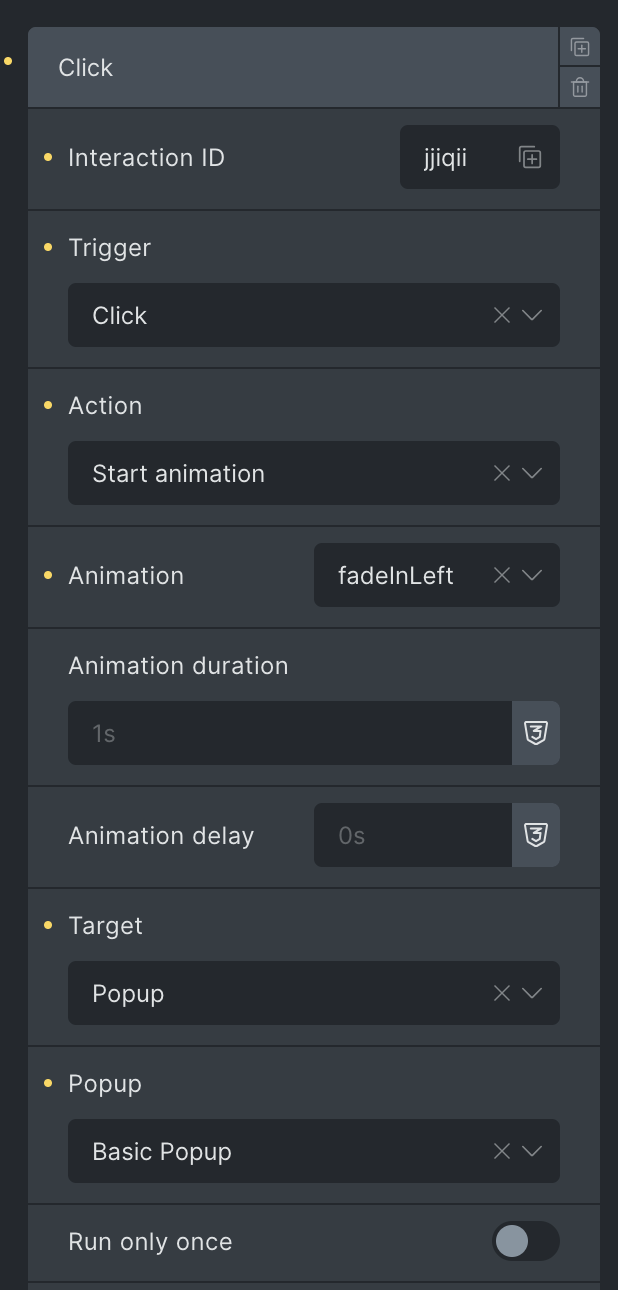
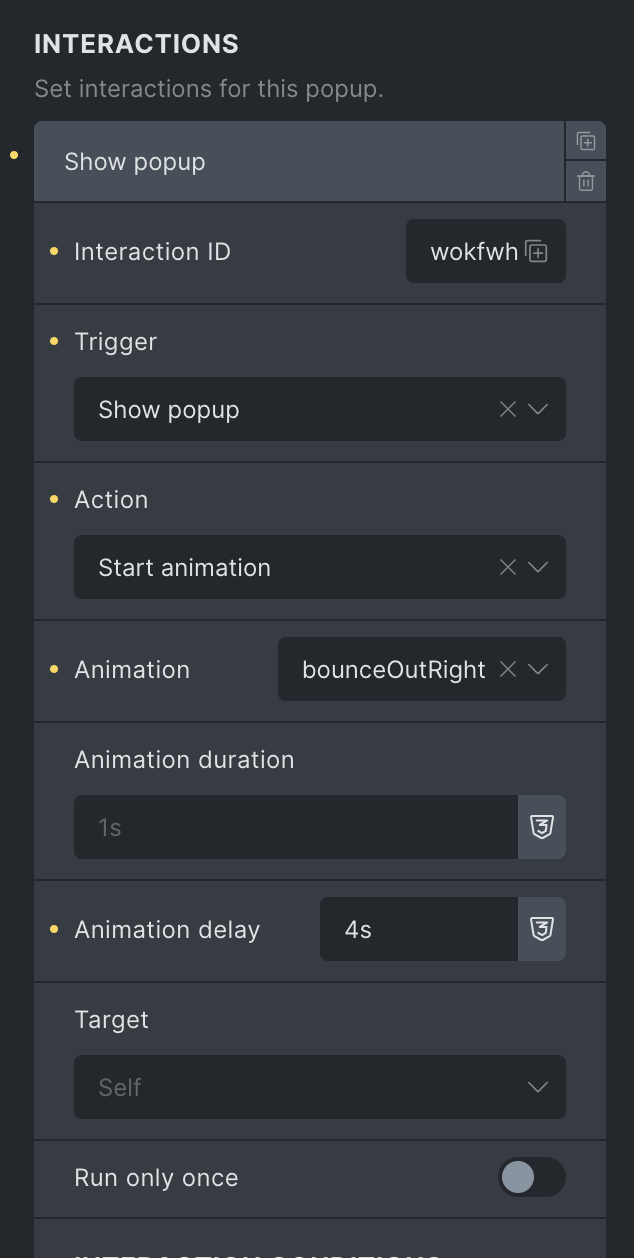
Ah, yeah, I see… I missed this in my test, as my setup was “fadeIn” and tha’s the animation I saw…

Anyway, I can confirm the original issue, and also the second one. They might be connected.

I’ll open a bug report about that.

Thanks!

Hi Hosein,

We fixed this issue in Bricks 2.0 RC, which is now available in your account.
Changelog: Bricks 2.0-rc Changelog – Bricks

Please let us know if you are still experiencing issues.

As with any pre-stable release, please do not use it on a production/live website. It is only meant for testing in a local or staging environment.