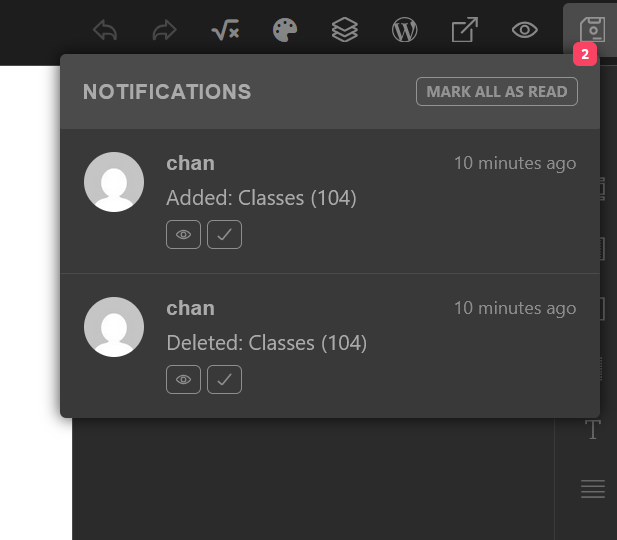
This also happens in step 3 when view on frontned button is clicked. If I go back and look at the buider, the save button has reverted to unsaved state.
I’m not sure it is the same, but something similar is haunting me lately - it seems to happen on more than one site. The unsaved dot appears, sometimes with a message that all the classes were deleted and added, and after saving and refreshing the page, the dot re-appears.
I was sure that it had to do with some changes I did yesterday, so basically got rid of all of them, only to find out later (stupid me for not checking before), that a previous version also has this.
It appears after random saves. Regardless if anything was changed in the CSS or not. Actually regardless if there have been any changes at all. As I noted, the saving dot is always there after each refresh of any template or page.
Next time you see this, try to undo the last action and try to replicate the issue. If you manage to do it, please let me know.
Sadly, without me being able to replicate it, there is not much I can do
Matej hi,
The thing is, it happens regardless of whether some changes were made or not. I think always when there are more then one tab open.
What about the other thing - the constantly appearing unsaved dot?
Ok, thanks for this info. The “Sync global classes” is still in experimental phase, and it might be the reason for that. Can you try to disable it for a day, and let me know if it’s still happening? We can narrow it down that way, because I’ve tested, but could not replicate it now
Thank you, @chanart, for this feedback. In this case, I’ll ask a colleague who was working on this feature, if he knows why this could happen.
If there is anything new, I’ll let you know.