SOLVED: ACF Color not working on Text color - Unset

Browser: Chrome 110
OS: Windows

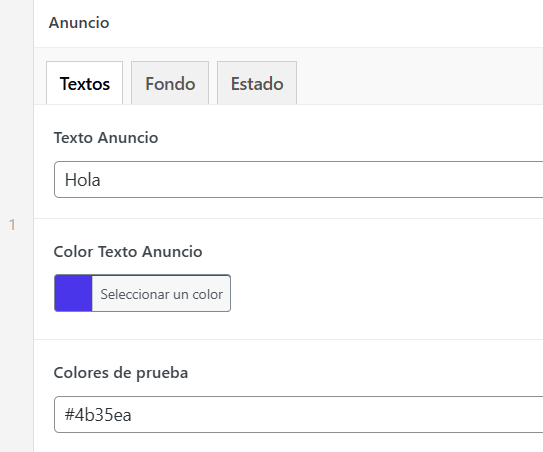
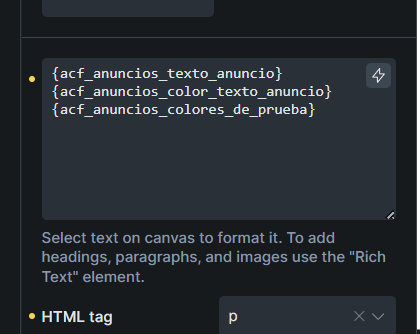
Hi Bricks team, I’m having an issue where I use an ACF repeater, inside it I have a color field for the text and a text field for that same text, as well as a color field for the background color.

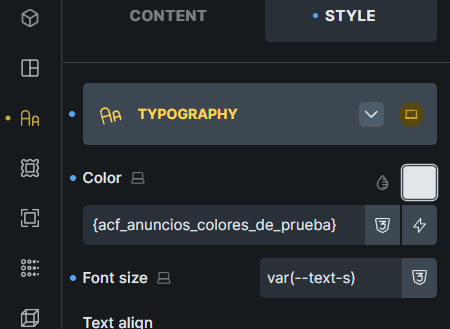
The problem is that no matter how I configure it, the text color doesn’t get applied — it just says color: unset. However, the background color does apply correctly. The strange thing is that if I use that same text color field as a background color it works, but if I switch it back to the text color it stops working. The same goes the other way around — if I use the background color field as a text color it doesn’t work, but if I use it as a background color it works fine.

I’ve also tried using a plain color field, and a text field with just #ffffff hardcoded, and neither works either.

Im using acf repeater.

Frontend output

image
it has to be text color blue, but is unset. No matter if i use color acf or plain text and put the decimal color, always says unset. and if i put the same exact thing on the background works, is blue.

Hi @Edison32

Are you using dynamic color on a global class?

Dynamic color can only be used on the ID-level style.

Oh i see, thats the problem, that info should be on bricks documentation haha.

@Edison32

Understand the confusion, sorry that we didn’t document this currently, as there is no better suit article for this yet :slight_smile:

Let me share a little more about this.

At the moment, dynamic tags in CSS controls are best defined on the element ID level, especially inside query loops.

The reason is that a global class is shared by all elements using that class. For example, if you have a class like:

.looping-card

and you use it on multiple posts in a query loop, every card shares the same class CSS.

But a dynamic value like {featured_image} or an ACF color field may be different for every post. So this becomes tricky:

.looping-card {
  background-image: {featured_image};
}

Which featured image should .looping-card use?

Post 1 may need image A, post 2 may need image B, post 3 may need image C. Since the class selector is shared, Bricks cannot safely generate one global CSS rule for that class without affecting all items using the same class.

That is why defining the dynamic value on the ID-level style currently works better. Bricks can then generate the CSS for the correct element in the correct loop/post context.

Global classes are still the best place for reusable/static styling, such as:

.looping-card {
  background-size: cover;
  background-position: center;
  border-radius: 12px;
  padding: 20px;
}

Then the dynamic value itself should currently be placed on the element ID level.

We understand the request, though. From a user workflow perspective, it would be nice to manage more styling through global classes. The challenge is doing this in a way that does not create confusing CSS output, duplicate too much CSS, or hurt performance, especially in loops.

So for now, the recommended approach is:

Use global classes for reusable/static styles.
Use ID-level styles for dynamic values like featured images, ACF colors, or post-specific data.

We will keep looking into a better approach for this, possibly one that allows dynamic values to work more naturally with class-based styling while still keeping the generated CSS clean and performant.

Regards,
Jenn

We’ve addressed this in Bricks 2.5-beta (beta release), now available for manual download from your Bricks account.

Dynamic Data in global class styles, such as an ACF color field, now resolves for each query loop item, so it no longer needs to be set on the element ID.

Please read the changelog entry before testing, and let us know if you experience any issues. Beta builds are not intended for production sites.