Browser: Chrome
OS: Windows
Absolute positioning left is not displaying in the editor, it just has them in the neutral center position. Right works, but left does not.
Browser: Chrome
OS: Windows
Absolute positioning left is not displaying in the editor, it just has them in the neutral center position. Right works, but left does not.
Hi,
Thanks so much for your report!
However, I honestly don’t know what this is about and what you want to position absolutely. Can you show us specifically what you are doing so that we either replicate the issue, or tell you why it doesn’t work as expected? Thanks in advance!
General answer: Problems with absolutely positioned elements usually occur because they do not have a relative wrapper.
Best regards,
timmse
Hi,
I have the relative parent.
This glitch is for all things that I try to position with the left property (imgs, divs, headings, etc).
The glitch is only in the editor and not on the live website.
It is like this for the last 3 websites I have worked on. I assumed it would be fixed by now, but it still does this.
For example, I have an icon (x) to close a popup, it is positioned absolutely to the top (12px) left (12px) but it appears in the center in the editor.
Okay, but I can’t reproduce the problem. Check the styles in the dev tools and see if anything is overriding your styles and, if so, where it’s coming from (you can see this very clearly in the “computed styles”).
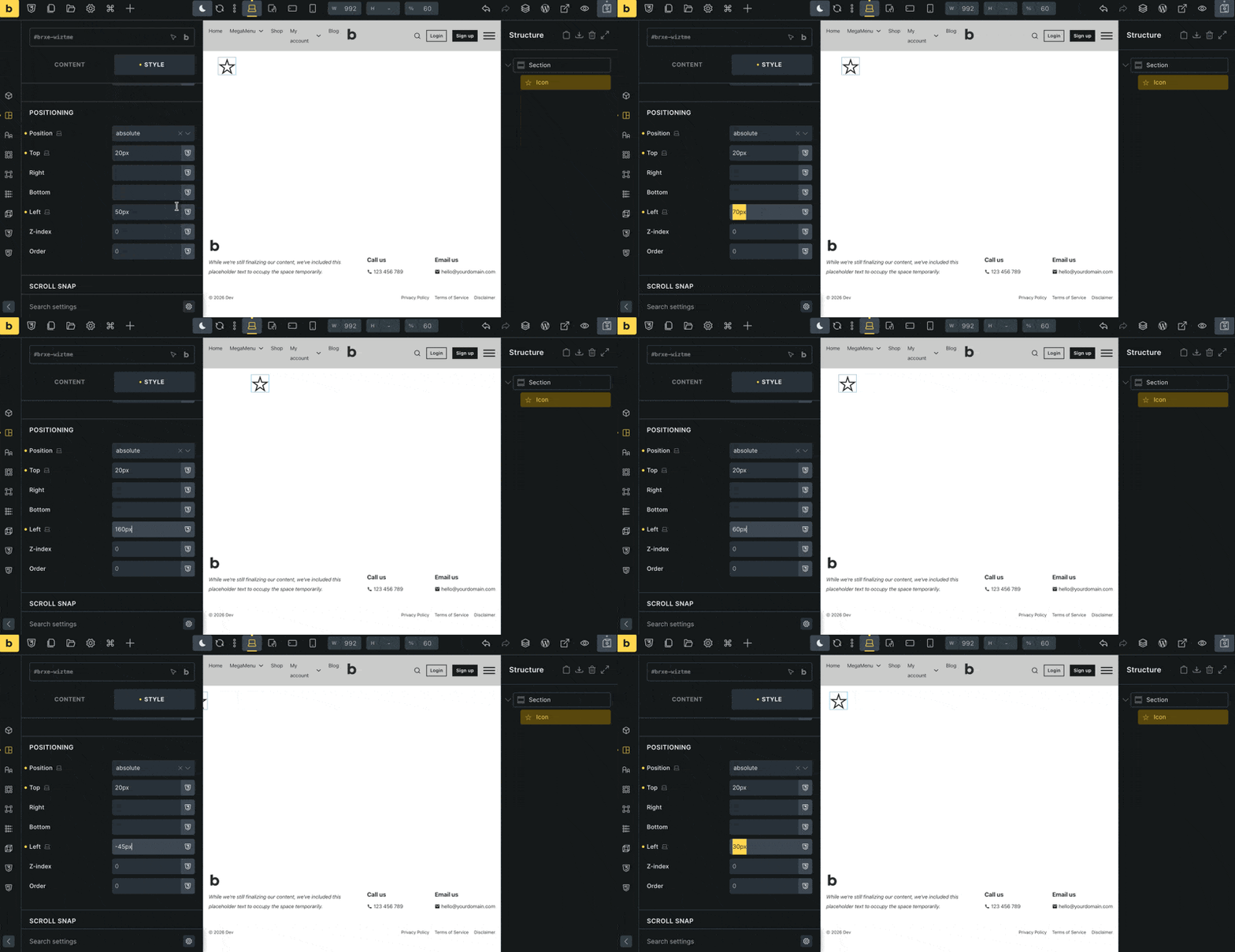
I have a video, the left property just literally does not take effect in the editor. I don’t see a video option for uploading? Do you have an option for video upload, or an email to send you the video?
You can only embed external videos (e.g., from Google Drive). However, it would be even better to send temporary login credentials and a link to this thread to help@bricksbuilder.io using the email address you used during the purchase.
Then we can take a look at it right away and find out why it’s happening.
Thanks, I will do that now.
Thanks! I just updated to 2.2 RC, and it works as expected. Locally, I can’t reproduce it with 2.1.4… all in all, pretty strange 
Please check if it now works for you with 2.2 RC 
Thanks for looking into this. Is 2.2 a stable version? I do not get a prompt to update Bricks within Wordpress?
Also, this issue seems to happen when I import a template into Bricks. It may occur again on my next website when I import my templates again. If there was no fix to this other than updating I will assume the bug will occur again because it has been happening for me over the last few version of Bricks (since Dec 2025). I can let you know at that time.
No, it is currently a release candidate, but not yet stable. That is why there is no one-click update yet.
Does this only happen with certain templates, or in general? What is the template source, and can you provide us with a template that exhibits this strange behavior?
My process is to export templates from my previous website build to the next one, for things like popups, header, footer, etc.
I think the issue may stem from importing a pop-up template that has a class on it with absolutely positioned styles.
I can send you the json of the template I added if you want to try to replicate the bug?
Yes, I’d love to—preferably as an exported JSON file via email, or paste the JSON directly here
Thanks so much!
After some back and forth, I found the cause and also know why it works in 2.2 RC 
Your single-letter custom breakpoint keys (L, M, S, etc.) caused problems with style generation in previous versions. You can also see this in your styles: for example, the “left” value is missing entirely.
The problem has been fixed in 2.2 RC and will therefore also be included in the stable version, which should be released soon (we only released RC2 today). For existing sites, this means you should wait a little longer. For sites that are still under development, you can use RC2.
Let us know if you encounter any other issues
Oh great! Thanks for finding the issue, I look forward to the update.