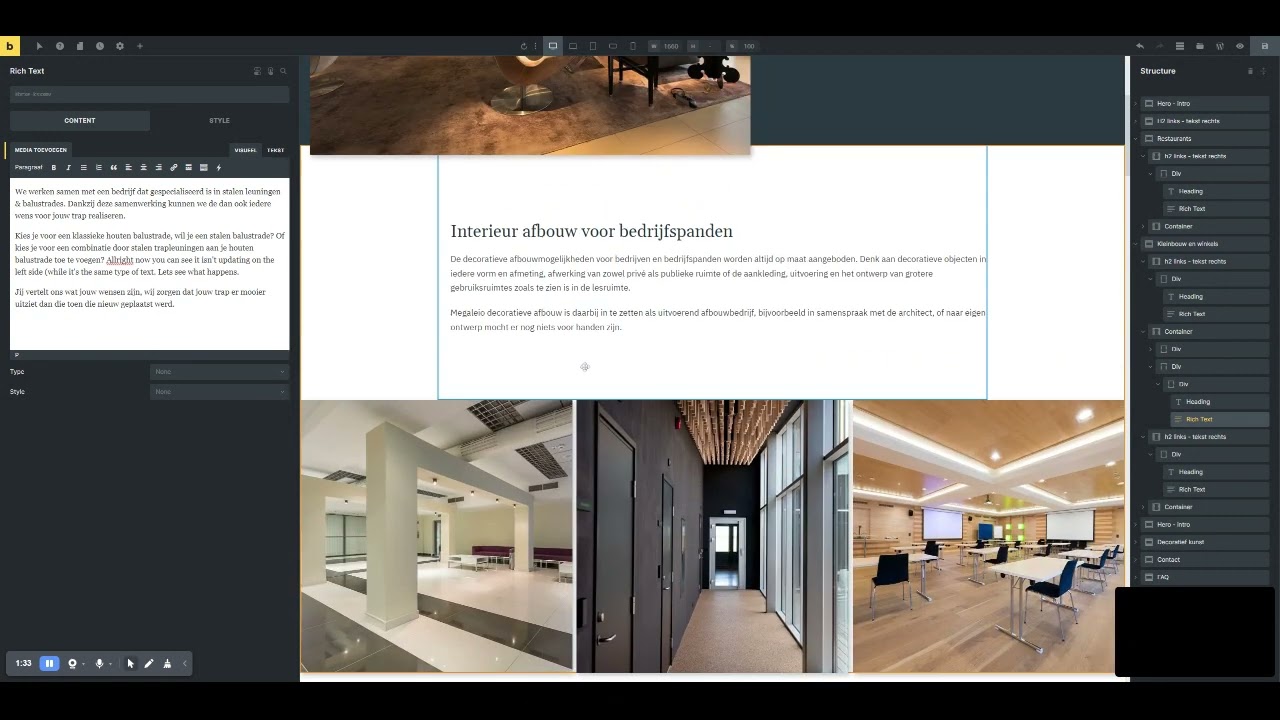
While trying to recreate what happened below, I actually stumbled upon the undesired html in text editor error mentioned months ago:
Caught it in the video (will send to who picks it up because of website embargo.)
Bug report I was trying to recreate.
When inputting text in the page itself (not using the rich text textarea) the text was not updating all of the time in the editor window (left side). You can see that happening in the video as well.
But now for two times edits made ‘on screen’ are lost? Just lost a text I wrote.
Doesn’t always get lost, but some instances (can’t figure out when).
Steps:
Copied a container with the rich text widget
Writing text in it
Clicked outside the text area
All text was instantly lost, couldn’t get it back from history either.
Tried to close the window, hit F5 and reopen the page - same thing happens?
Tried again to record, now it doesn’t do that but you can see the text left not updating all the time (sometimes it does, sometimes it doesn’t.
Odd bug here, thought of not reporting until the old bug showed up.
I am now able to replicate the issue that the WYSIWYG editor sometimes not update while typing on the rich text in the builder canvas especially when the rich text is not newly inserted into the canvas. I have added this to the bug tracker.
However, the text will not be instantly lost as in your point 4, as long as you save the page before reloading. Is this correct?
no, though I couldn’t reproduce the ‘text being lost’, it happened twice in a row:
Once clicking outside the window - text lost
Once with a save - text lost (this was after I reloaded the page)
So it isn’t related to saving or not saving.
Again - I couldn’t reproduce it myself. So the main bug I wanted to file is the font styling that got added to the HTML (it will show on the front end if it happens as well).
I know in the past I had something similar with Elementor when editing text inside the builder canvas instead of the WYSIWG text editor window.
Copied the section from another page, started typing and deleted a line.
Sharing this so you can see though it looks normal on the front end, the span style is now inline on the front-end.
Exactly the same as before, so a new video would show the same.
Was editing text - and all of a sudden the text field get html code added in the text editor.