Hi all,
I am a complete beginner tryig as hard as I can to work out web design. Bricks has been fantastic in helping me through the journey but I am getting stuck on things that might seem basic but I can not find videos on it or much about it so far so really hoping I can get some help here.
Apologies in advance if it is a really basic question…
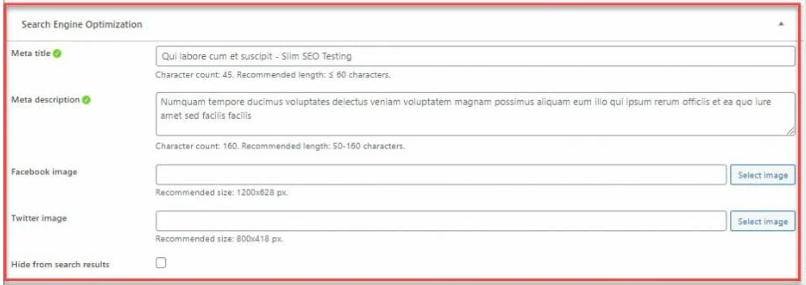
I am using slim seo as my plugin in wordpress. I have noticed that bricks builder has a place to enter in meta title etc. I am guessing that you do not need to fill out both of these and that I should be only using the slim seo for this part.
But I am not sure about the keywords as I dont believe slim seo does this part? Do I use the bricks builder to enter in keywords?
Are there any other areas in bricks builder that I need to look at for best SEO optimization?
I really appreciate any help with this.
Jay
Hey Jasper,
thanks for the info.
Yeah I found the Slim Seo meta information down the bottom and now worked out how to do that and also put in customized ones.
I did more research on the keywords part of things and it seems that google no longer really uses that any more to rank.
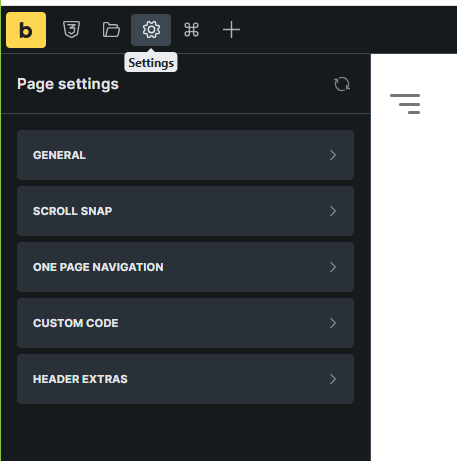
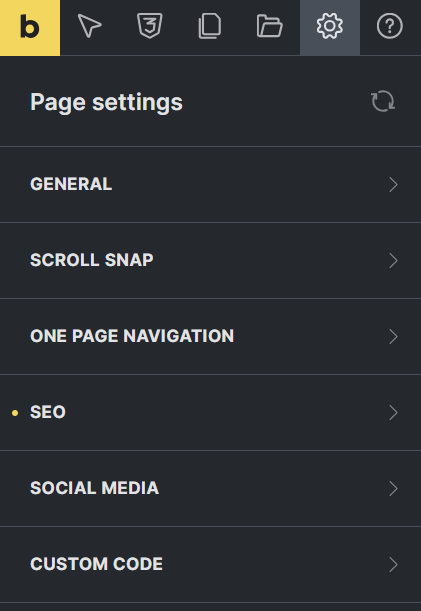
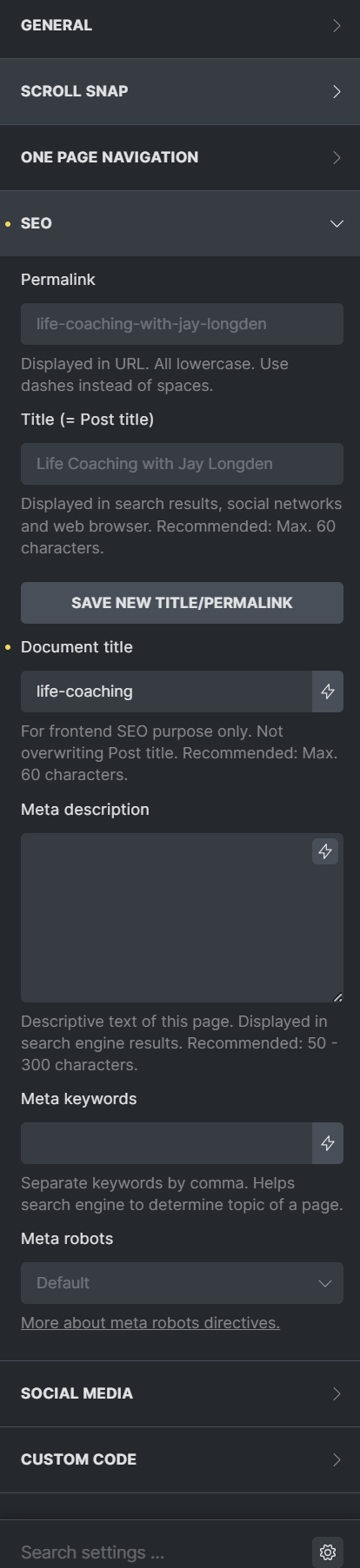
The area in bricks builder I was referring to is under settings/page settings/seo. In there it has all the options to put in meta title, key words etc. I am guessing that we do not need to fill this out if we have an seo plugin as well?
Thanks again Jasper and have a great one mate.
Jay
Hi,
Maybe Slim SEO adds that? I don’t have it … strange 
Jasper
Hello, I’m also a SlimSEO user here.
SlimSEO disables the Bricks SEO fields by default. However, the developer of SlimSEO mentioned at some point that it wouldn’t be a mistake to disable the Bricks SEO fields in the Bricks settings as well, to ensure that nothing interferes. You wouldn’t want both competing against each other; you want a single source for the meta fields, which is SlimSEO.
There are two things you need to deactivate (both are on the first page of Bricks settings):
Bricks Open Graph Meta Tags
Bricks SEO Meta Tags
Regarding your question about keywords: In the past, keywords were added to the meta fields using the following format:
<meta name="keywords" content="keyword1, keyword2, keyword3">
However, this practice is not really relevant anymore. Today, keywords should be used within the meta title and meta description text, as well as throughout your content and headings. So there is no need to add single specific Keywords anywhere - just use them inside the text you use in the meta-titel, meta-description and your website content."
Hi Patrick,
Thank you very much mate for the great information.
I will be sure to follow those instructions.
Have a great one and thanks again.
Jay
Hey,
You do not need to fill in meta title and descriptions in both Bricks and Slim SEO, using slim SEO alone is enough and it will handle things automatically. You also dont need to worry about keywords, as Google doesnt use them anymore. Just focus on using your main keyword naturally in your content, headings, image alt text and URLs. For the best SEO, make sure your headings are properly structured, images have alt text, pages load quickly, work well on mobile and link naturally to other pages on your site. Bricks SEO field are optional unless you want to override the default settings.
No need to apologize — this is a very common beginner question 
You’re right: you don’t need to fill meta titles/descriptions in both Bricks and Slim SEO. If you’re using Slim SEO, let it handle meta titles and descriptions (that’s what SEO plugins are for). Just make sure you’re not duplicating them in Bricks, as that can create conflicts.
As for keywords, you don’t need to add meta keywords at all. Google ignores the meta keywords tag, and Slim SEO likely doesn’t include it because it’s outdated. Focus instead on writing clear titles, strong meta descriptions, proper headings (H1–H3), internal links, and good content.
In Bricks, the main SEO things to check are:
-
Only one H1 per page
-
Proper heading structure (H2/H3 hierarchy)
-
Alt text for images
-
Clean URLs
-
Fast loading (optimize images, caching)
You’re on the right track — SEO today is more about structure and content quality than filling keyword boxes.
Stick with your SEO plugin for meta titles and descriptions, and leave keywords out of the builder. Focus on clean headings, internal links, and fast loading. For a deeper checklist, I used Top SaaS SEO Agencies of 2026 (Compared) | Crowdo and it gave me solid direction on technical SEO and authority.