Hi, i’ve activated scroll snap on the page settings but i only want to use it on one page. I think the page settings are for the whole homepage instead of an single page. Does anybody know how i can use scroll snop on just one page of my homepage?
Hi Juli,
Welcome to the forum!
I’m not entirely sure I understand your question correctly, but is it possible that you’ve enabled Scroll Snap in a page template? If so, that will naturally affect every page.
If you want to use it on a single page, you can either exclude that page or unset the Scroll Snap option separately on that page, provided it was built using Bricks.
Hi Timmse, yes - you understood correctly.  I’d like to have the snap scroll on some specific pages (for now just one) so I have to deactivate it on the page template. But how do I activate it on a specific site? When I’m on my landing page I marked the specific section and go to layout → snap scroll. But nothing happen.
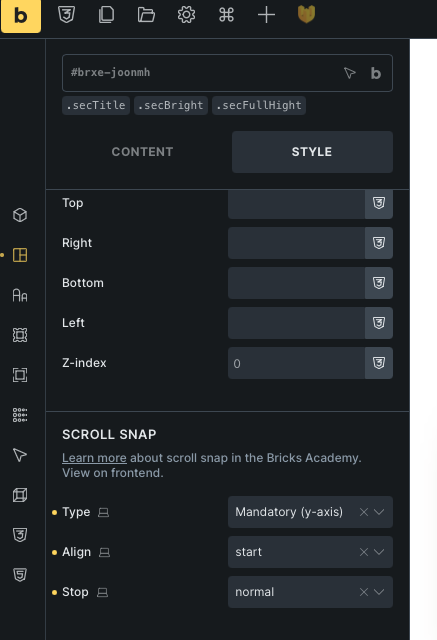
It depends on what you want to do. Please check out this video—it should explain everything you need to know, but let me know if you have any further questions.
Thank you, I saw this video many times ^^
To make it more clear - I have 5 sections on my landing page that should snap into place when scrolling (snap scroll). This works when I enable snap scroll in the page template. However, if I disable it in the page template, I don’t know how to enable snap scroll only for this specific page because all other pages should not use snap scroll.
If you only want to enable it for the homepage, you can do so in the homepage’s page settings  There’s no need to set anything in any template, if it should only apply on a specific page.
ahh, now I realized something ^^I thought that the page settings under the manage tap is for the whole homepage instead of just that individual page. Now everything is fine
1 Like